

Regenerate outbound trunk credentials#
Replace the SIP digest password for a trunk that uses Credentials & IP-Based authentication.
Before you begin#
An active DIDWW account is required. Sign in to DIDWW.
An existing outbound trunk using Credentials & IP-Based authentication is required. Create an outbound trunk or Edit an outbound trunk if you need to create or switch to this method.
Step 1: Open the SIP Credentials window#
In the DIDWW User Panel, go to Voice > Outbound Trunks.
Locate the trunk and click the key icon in the Credentials column.
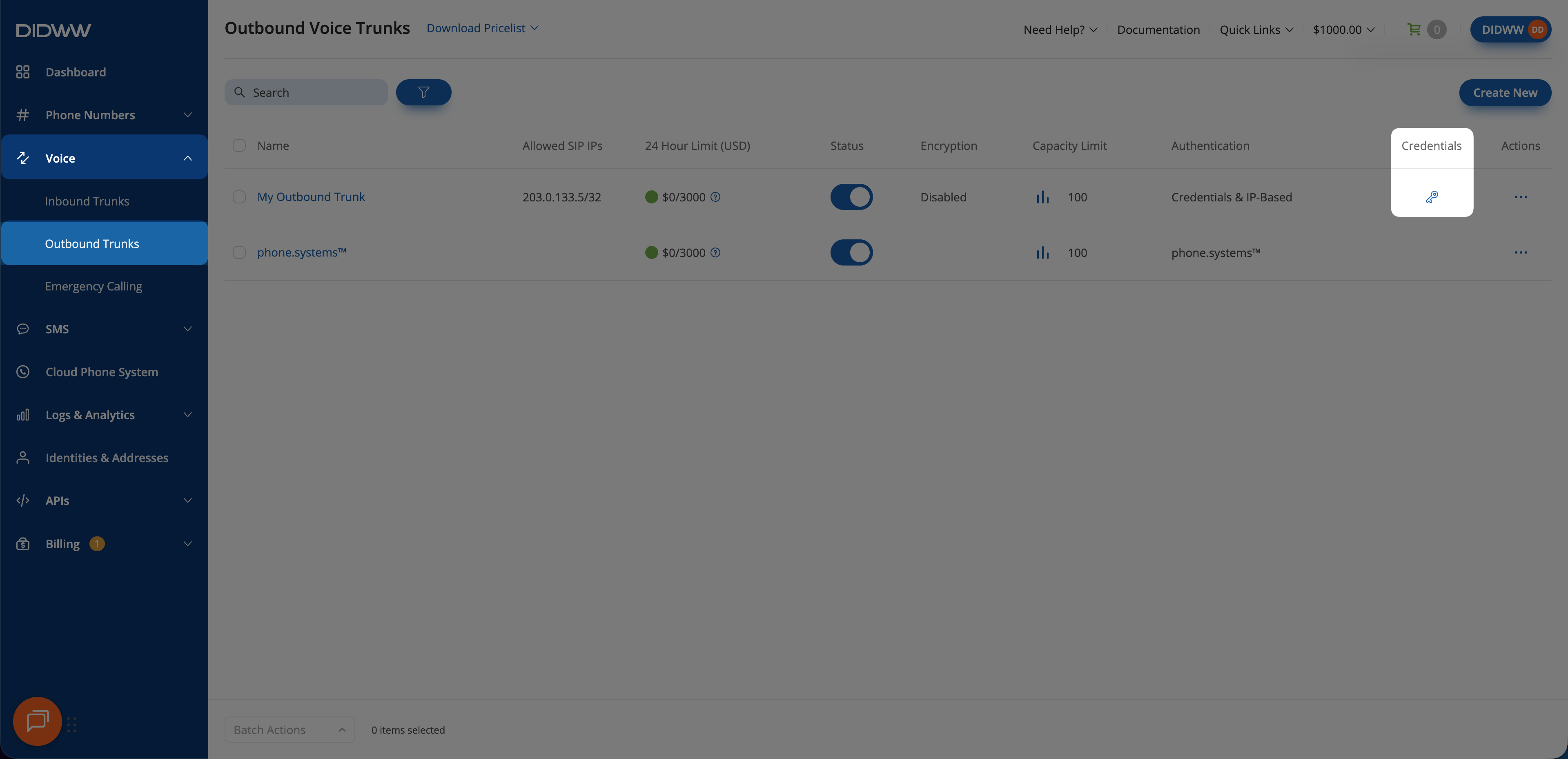
Fig. 1. Open the SIP Credentials window#
Step 2: Regenerate the password#
Click the regenerate icon next to the password field to generate a new password immediately.
Warning
Regenerating replaces the password immediately. The previous password no longer authenticates requests. The username does not change. Update every system that uses the trunk with the new password at the same time you regenerate it, as described in Credential lifecycle.
Field definitions are listed in Credentials window fields in the Outbound trunk reference.
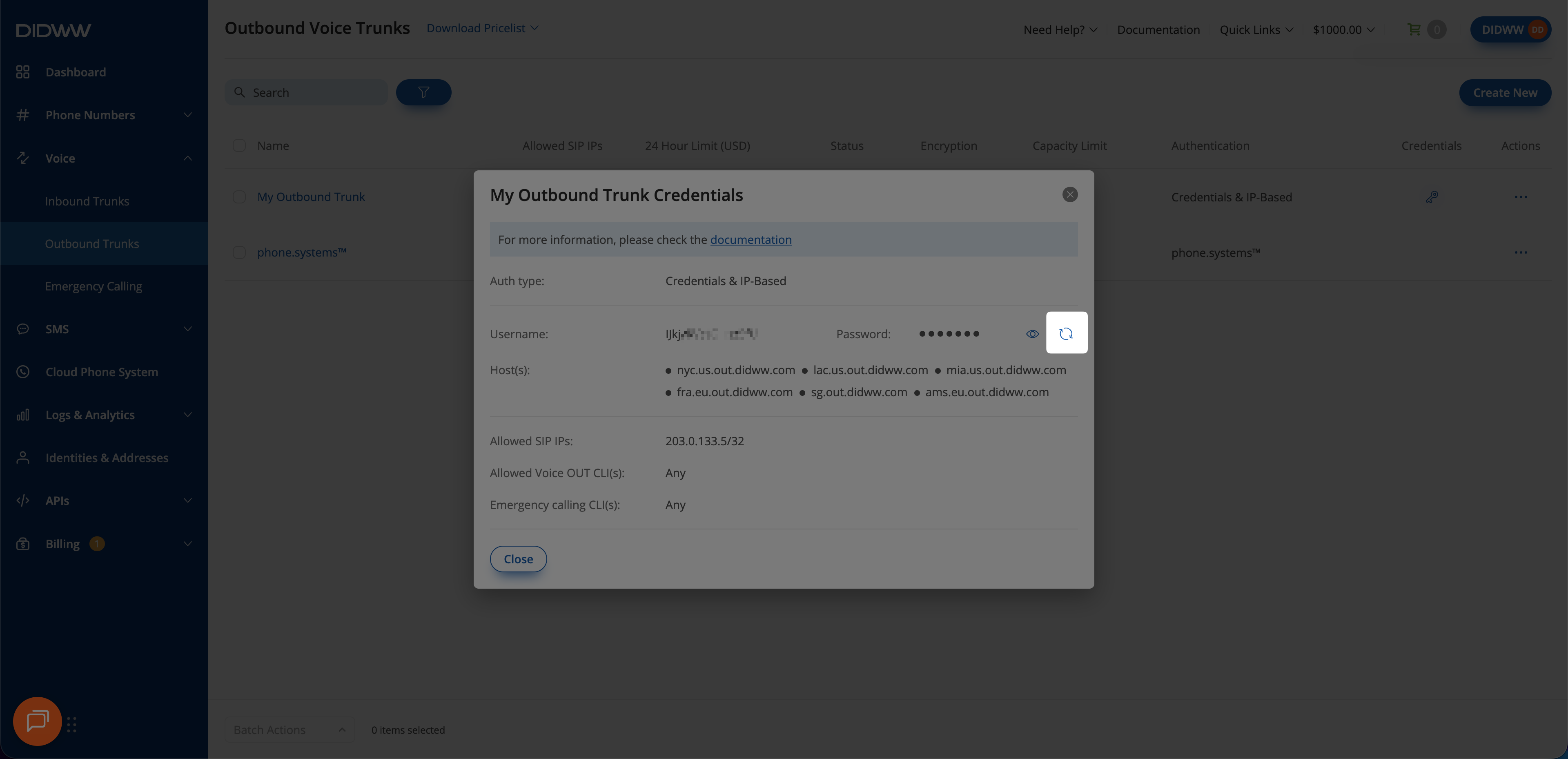
Fig. 2. Regenerate the password#