

View porting date (FOC)#
View the confirmed FOC date for numbers that have been scheduled for porting.
In the DIDWW User Panel, go to Phone Numbers > Number Porting.
Open the Porting Numbers tab.
Use the Porting Number Status filter and select FOC Date Set.
The Porting Number Status column will display the FOC Date Set status. Hover over this status to see a tooltip showing the scheduled porting date in the format yyyy-mm-dd.
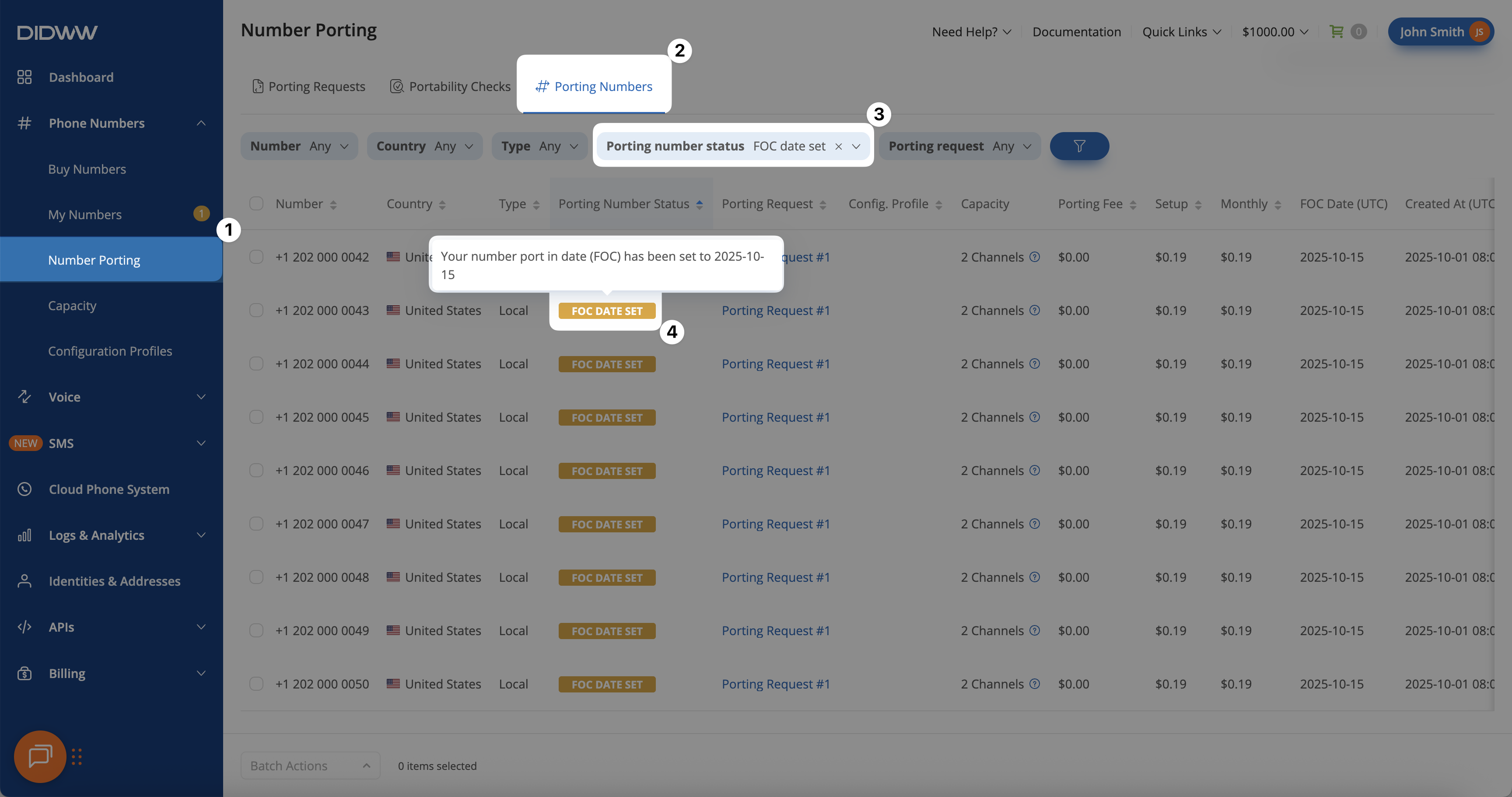
Fig. 1. Viewing numbers with their assigned FOC date.#