

Delete a capacity group#
Delete a Capacity group when it is no longer needed and DID numbers should no longer use its shared or metered channels.
Before you begin#
Unassign all DID numbers from the Capacity group before deleting it. See Unassign DID numbers from a Capacity group.
Review capacity usage before removing the group. See View capacity usage.
Review whether the group has assigned shared channels or metered channels. For group fields, limits, and behavior, see Capacity groups.
If you need to reduce channel allocation before deletion, see Manage shared channels or Manage metered channels.
Step 1: Locate the capacity group#
In the DIDWW User Panel, go to Phone Numbers > Capacity.
Find the Capacity group you want to delete.
Click Actions > delete.
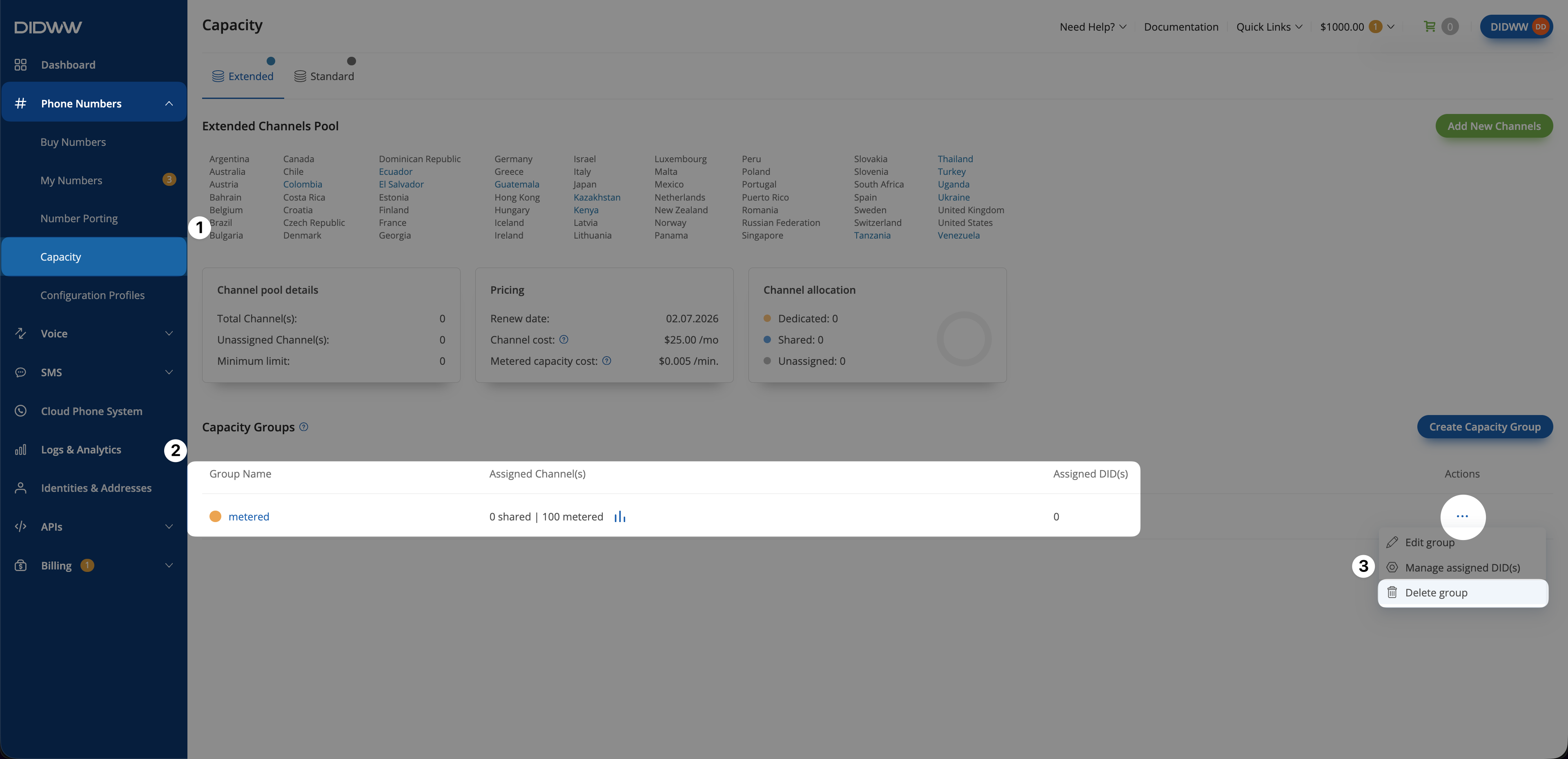
Fig. 1. Open the Capacity group actions menu#
Step 2: Delete the group#
In the confirmation pop-up click Delete to confirm the deletion.
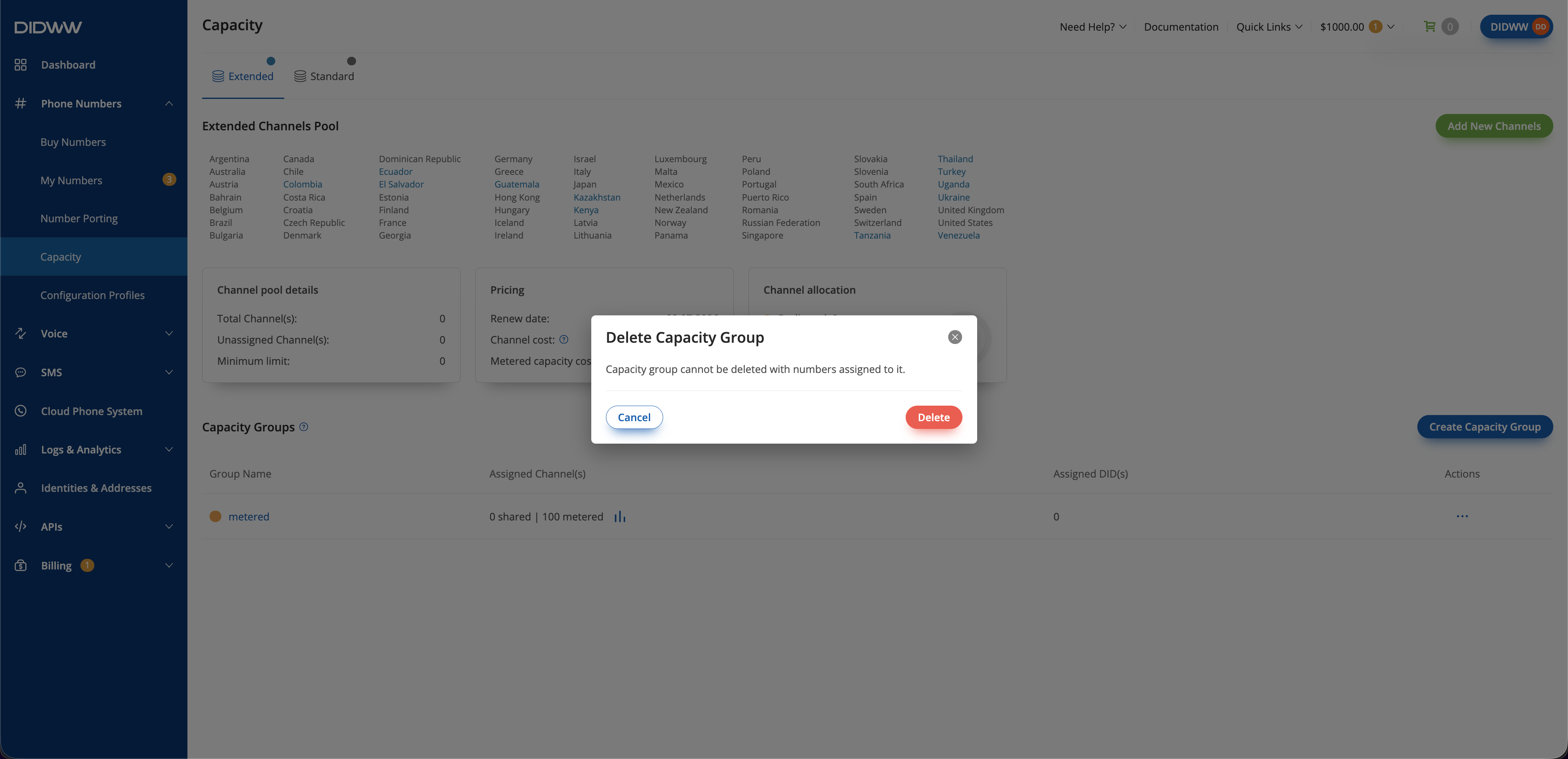
Fig. 2. Delete Capacity Group confirmation dialog#