

Block a phone number#
Scenario: A customer service agent reports that 15551234567 is making repeated nuisance calls and should be blocked.
Step 1: Create a Number List#
Go to Voice > Inbound Trunks and open the Number Lists tab.
Click Create New and enter a Friendly name (e.g., Number Blocklist).
Set the Mode to Full number match.
Set the Default action to Allow call.
Click Create.
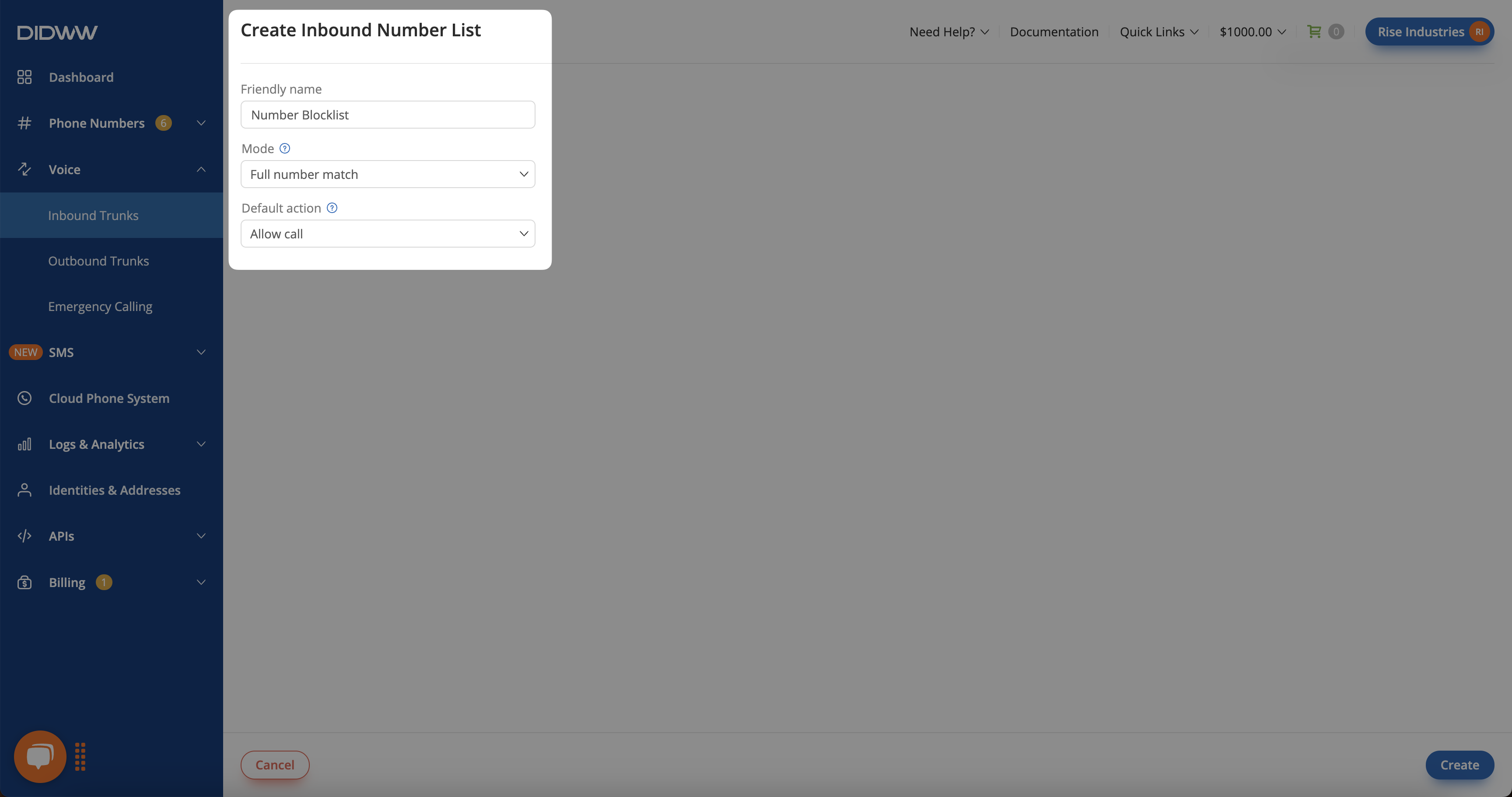
Fig. 1. Creating a Number List for Blocking Specific Numbers#
Step 2: Add the number to the list#
Enter the number in the format used for matching. For a SIP trunk, use the calling-number format produced by the trunk’s CLI Format and CLI Prefix settings.
Click the Actions button next to the Number List.
Select Manage numbers.
Click Add Numbers.
Enter 15551234567 in the input field and set the action to Reject call.
Click Submit.
With Full number match, only a calling number identical to 15551234567 is rejected. Longer or shorter numbers that contain these digits, such as 155512345678, are not matched.
Fig. 2. Adding a Number to Block Calls#
Step 3: Assign the Number List to a trunk#
Assign the Number List to the inbound SIP or PSTN trunk that receives these calls so the call filtering rules take effect. Select it in the trunk’s CLI Number List field on the Number Translations tab. For the steps, see Assign a Number List to a Trunk.
Calls from 15551234567 are rejected, and all other calls follow the Default action and are allowed.