

Change emergency calling address#
When an Emergency Calling Service is Active, you can submit a request to change the assigned emergency address. Emergency calling remains active under the currently verified address while the new address is being verified. For why the previous address stays in use, see How emergency calling service works.
After submission, the service enters Pending update status until verification is completed.
Important
Address verification may take up to 5 business days.
Emergency calling remains active under the currently verified address until the update is verified.
While the service is in Pending update status, no additional address change requests can be submitted.
Before you begin#
An Emergency Calling Service in Active status is required.
The new address must belong to the identity assigned to the service and be located in the same country as the service. If no such address exists yet, create a new address for that identity first.
Step 1: Locate the Emergency Calling Service and open Change address#
In the DIDWW User Panel, go to Voice > Emergency Calling.
Locate an Emergency Calling Service with Active status.
Click Actions and select Change address.
Note
When the Emergency Calling Service is in Pending update status, the Change address option is disabled, with the tooltip A request to change the address is already being processed.
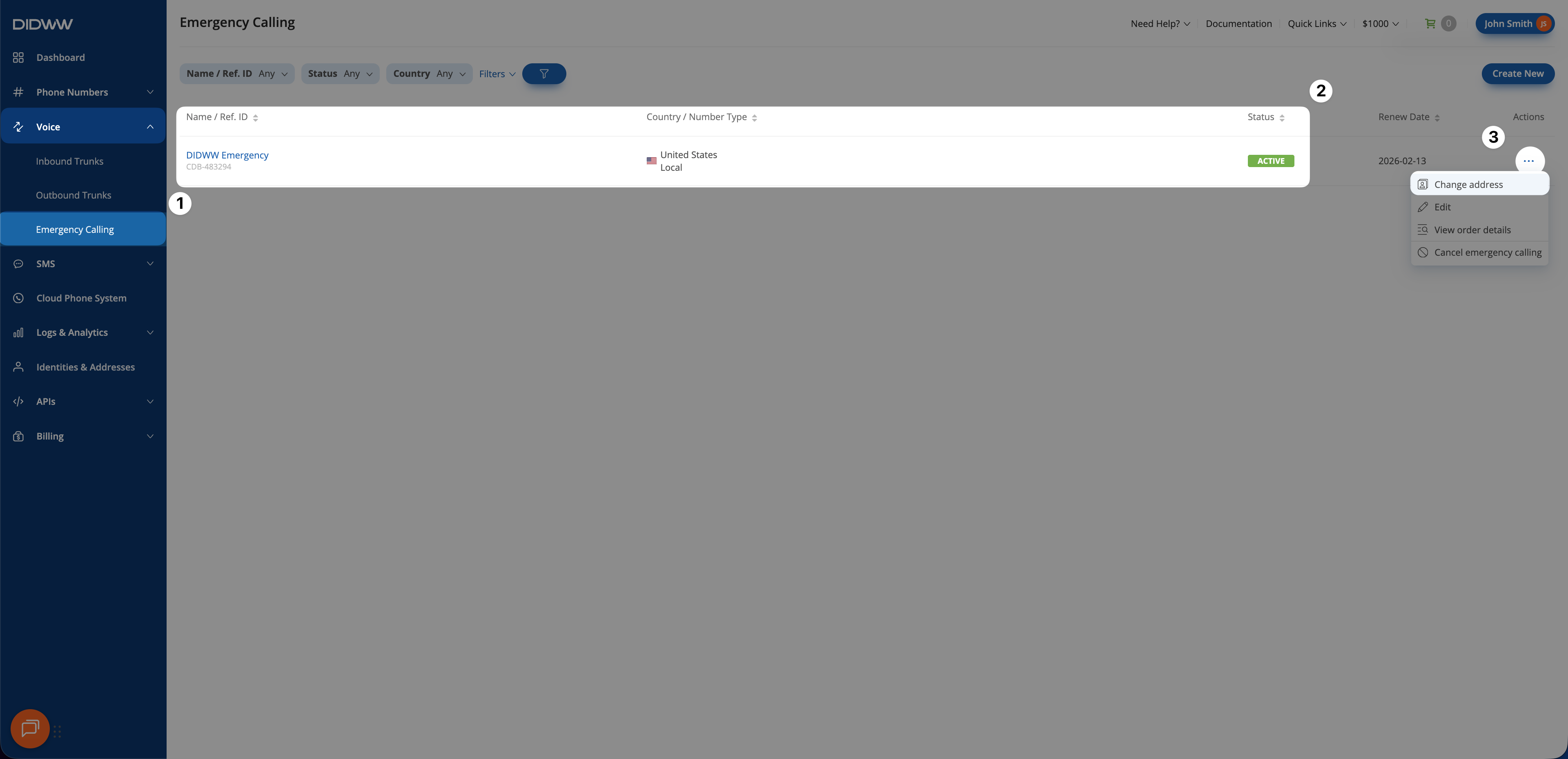
Fig. 1. Change address option available for an Active Emergency Calling Service#
Step 2: Select a new address and submit the request#
In the Change Address window, the assigned Identity is shown but cannot be changed.
Select a new address from the Address dropdown list.
Click Submit.
An Address change request submitted successfully message is shown, and the service status changes to Pending update. Once the new address is verified, the Emergency Calling Service status changes back to Active, and the new address is applied automatically.
Note
If the address verification is rejected, the Emergency Calling Service status changes back to Active and continues using the previously verified address.
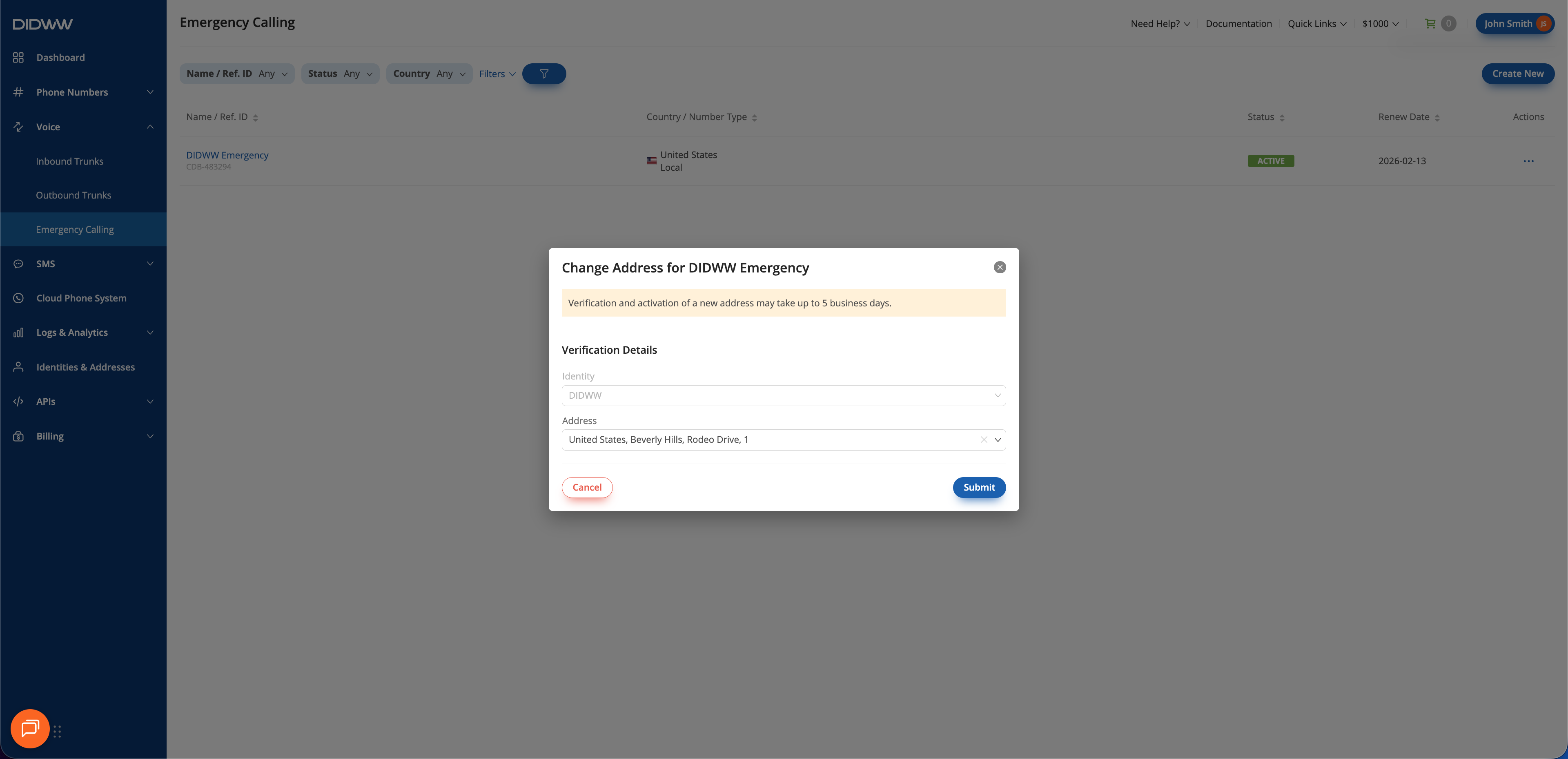
Fig. 2. Selecting a new address for the Emergency Calling Service#