

Delete portability check#
Delete a portability check when it is no longer needed.
Before you begin#
Portability checks cannot be deleted while they are in Under Review status.
Step 1: Delete the portability check#
In the DIDWW User Panel, go to Phone Numbers > Number Porting.
Open the Portability Checks tab.
Click Actions (…) next to the portability check you want to delete.
Select Delete.
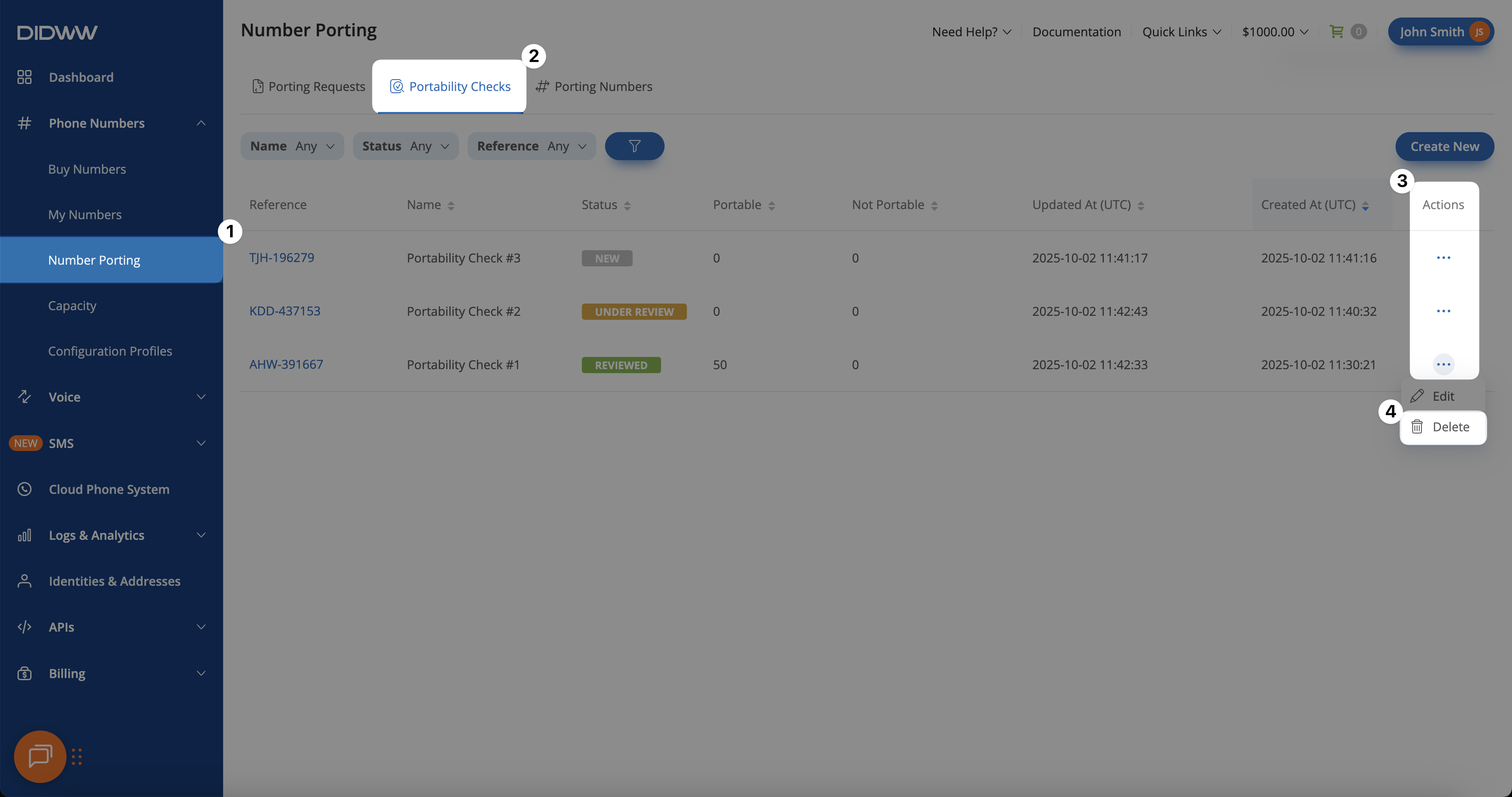
Fig. 1. Deleting a portability check from the Actions menu.#