

Remove flat-rate channels#
Remove flat-rate channels when purchased channels are no longer needed. Only unassigned flat-rate channels can be removed.
Before you begin#
Unassign the flat-rate channels in the capacity pool where you plan to remove them. For details, see Manage shared channels or Manage dedicated channels.
Important
The Remove Channels button is visible only when at least one unassigned channel is available in the selected pool.
Step 1: Open Capacity#
In the DIDWW User Panel, go to Phone Numbers > Capacity.
Select the pool, such as Standard or Extended, where you purchased the channels.
In the Channel allocation block, verify that unassigned channels are available to remove.
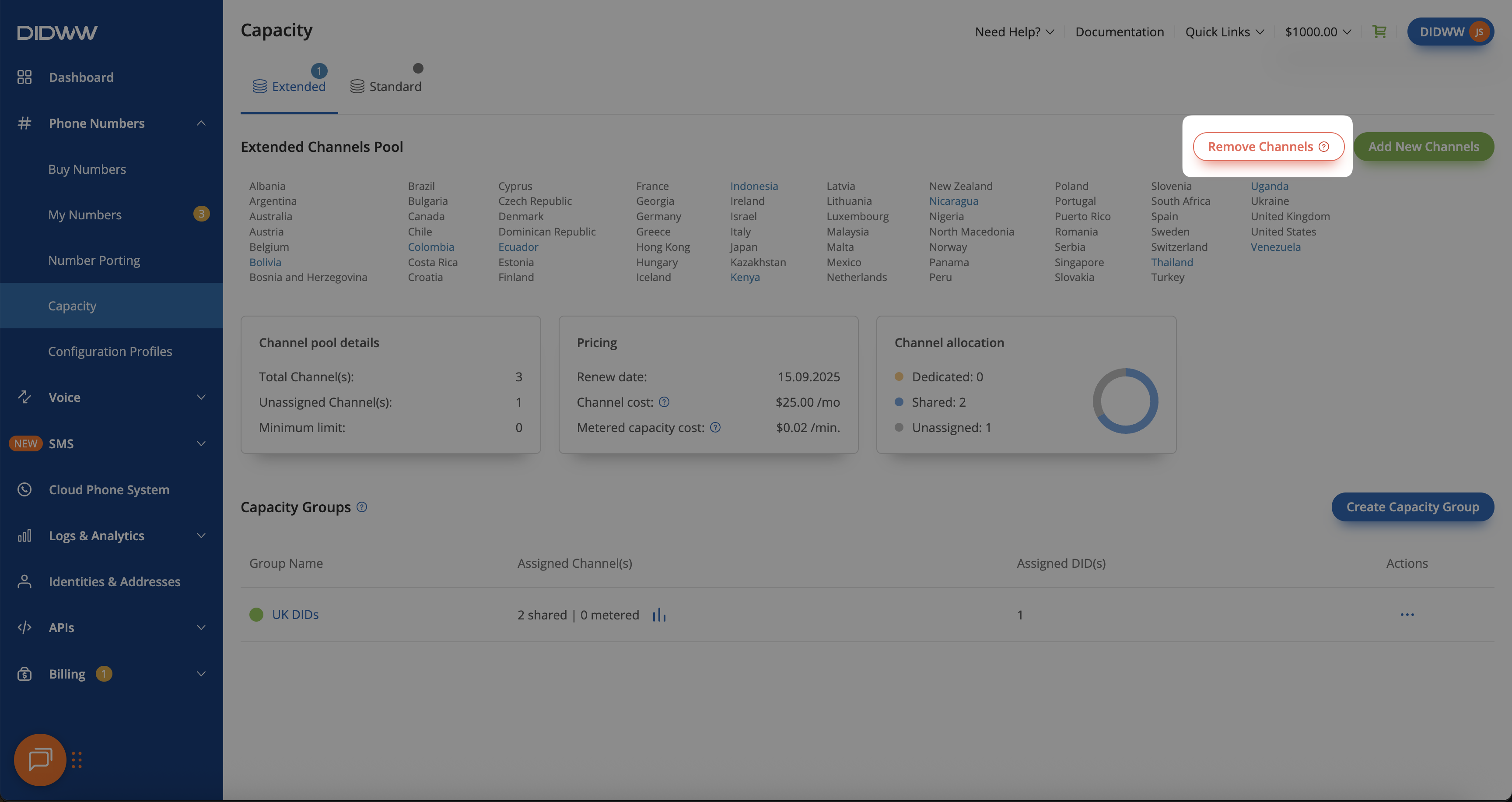
Fig. 1. Remove Channels button#
Step 2: Remove channels#
Click Remove Channels.
In the pop-up window, enter the number of unassigned channels to remove.
Click Remove.
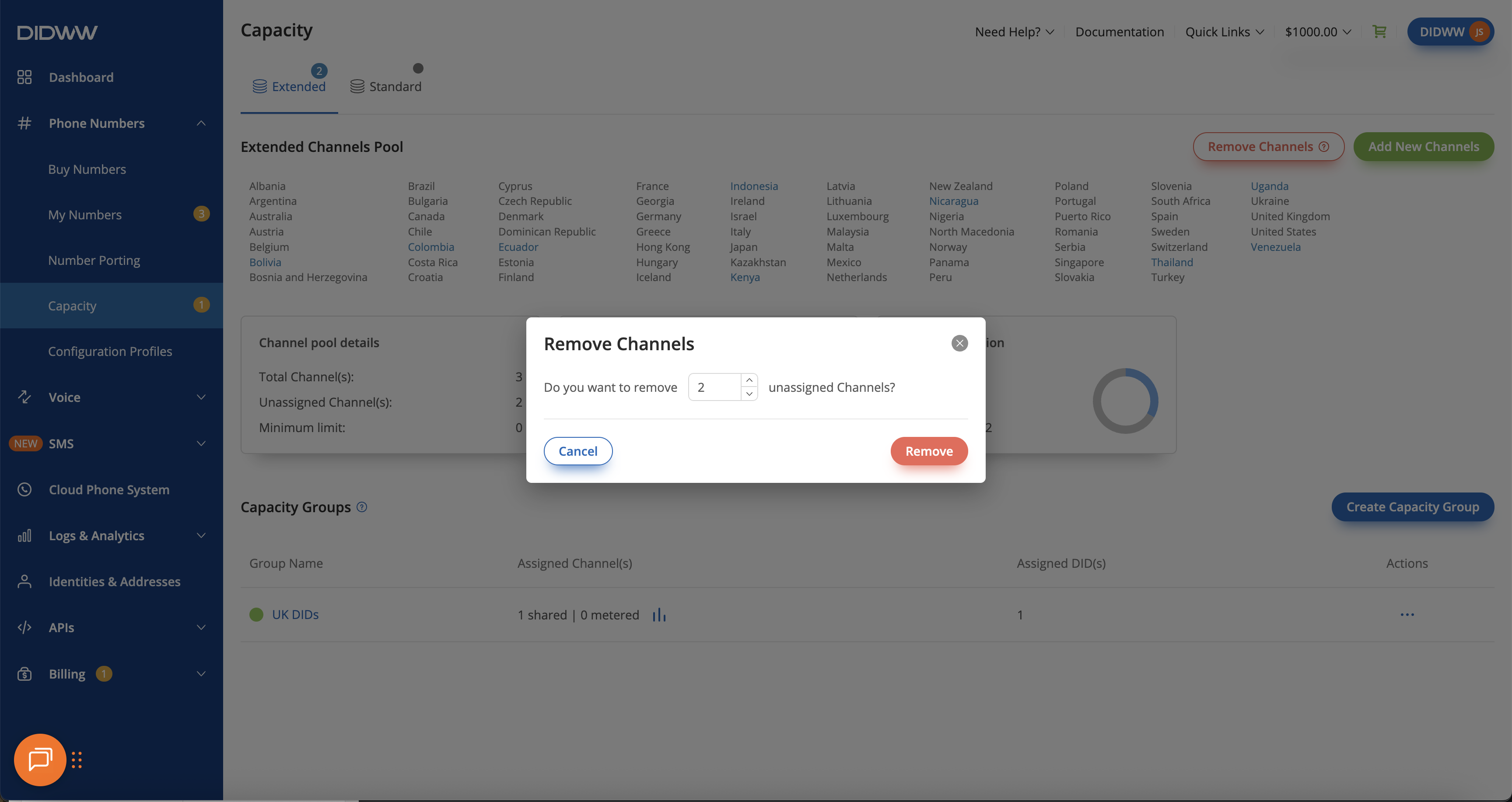
Fig. 2. Remove unassigned channels#