

Cancel emergency calling service#
Cancel an Emergency Calling Service when none of its source numbers need emergency calling anymore. Canceling takes effect immediately. The service status changes to Canceled, all its source numbers are deactivated and can no longer place emergency calls, and the service does not renew in the next billing cycle.
To stop emergency calling for only some numbers and keep the service, use Remove source numbers instead. For how cancellation fits into the request lifecycle, see How emergency calling service works.
Warning
Cancellation cannot be undone. To use emergency calling for the same numbers again, create a new Emergency Calling Service and wait for it to be verified.
Before you begin#
The service must be in New, Changes required, Active, or Pending update status. A service in In process status cannot be canceled while DIDWW verifies it. See Status values.
Step 1: Open the cancel window#
In the DIDWW User Panel, open Voice.
Select Emergency Calling.
Click Actions next to the service you want to cancel.
Select Cancel emergency calling.
You can also use the Actions button on the service page.
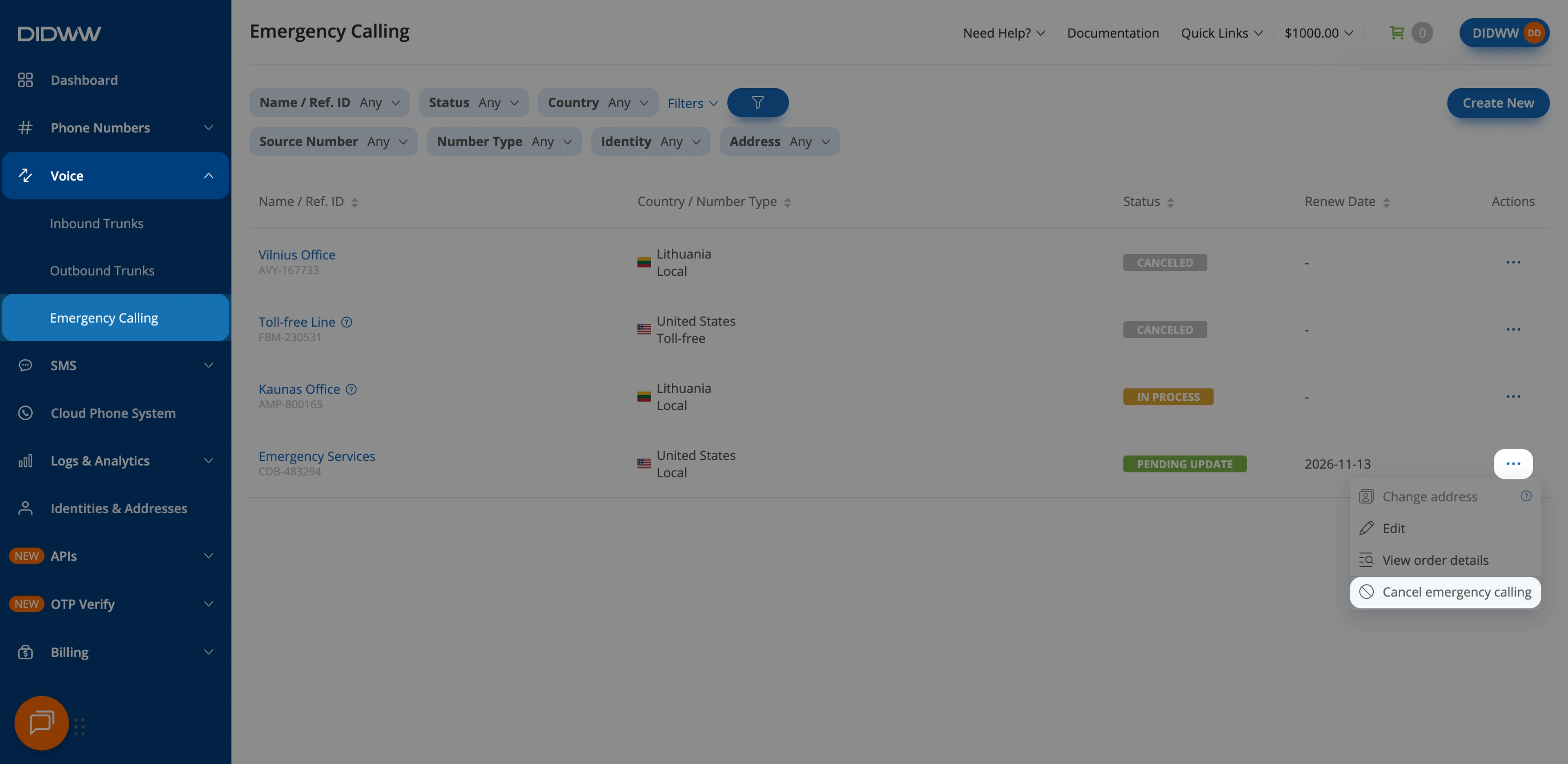
Fig. 1. Select Cancel emergency calling#
Step 2: Confirm the cancellation#
In the Cancel Emergency Calling Service window, click Confirm.
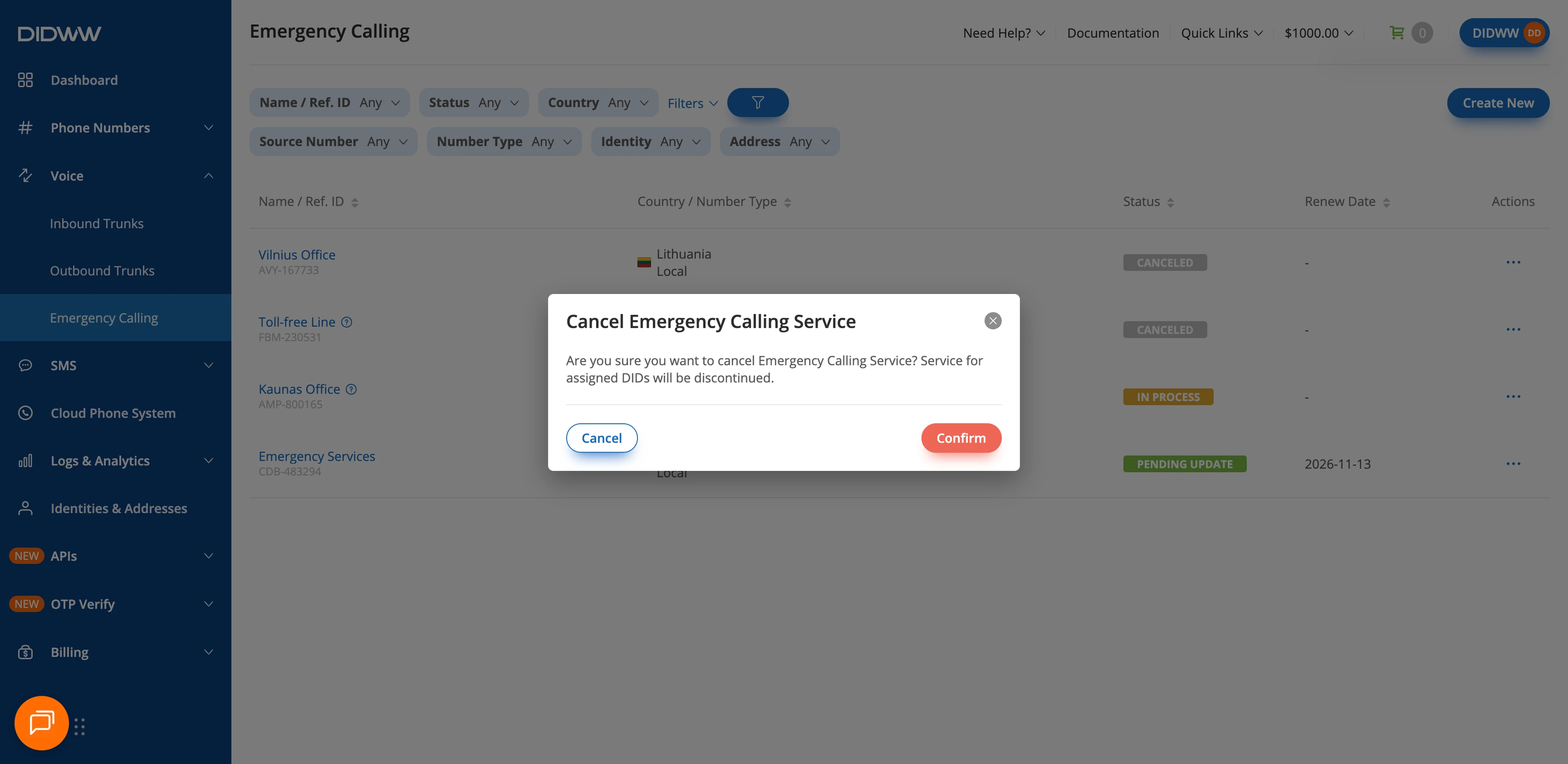
Fig. 2. Confirm the cancellation#
The service status changes to Canceled right away. Its service page becomes read-only, and Edit is the only action left in the Actions menu. For the actions available in each status, see Actions.