

Resolve Action Required status#
Resolve Action Required status when specific numbers inside a porting request need additional information or corrected documents.
Step 1: Open the porting request#
In the DIDWW User Panel, go to Phone Numbers > Number Porting.
Open the Porting Requests tab.
Click Actions (…) next to the porting request.
Select Edit.
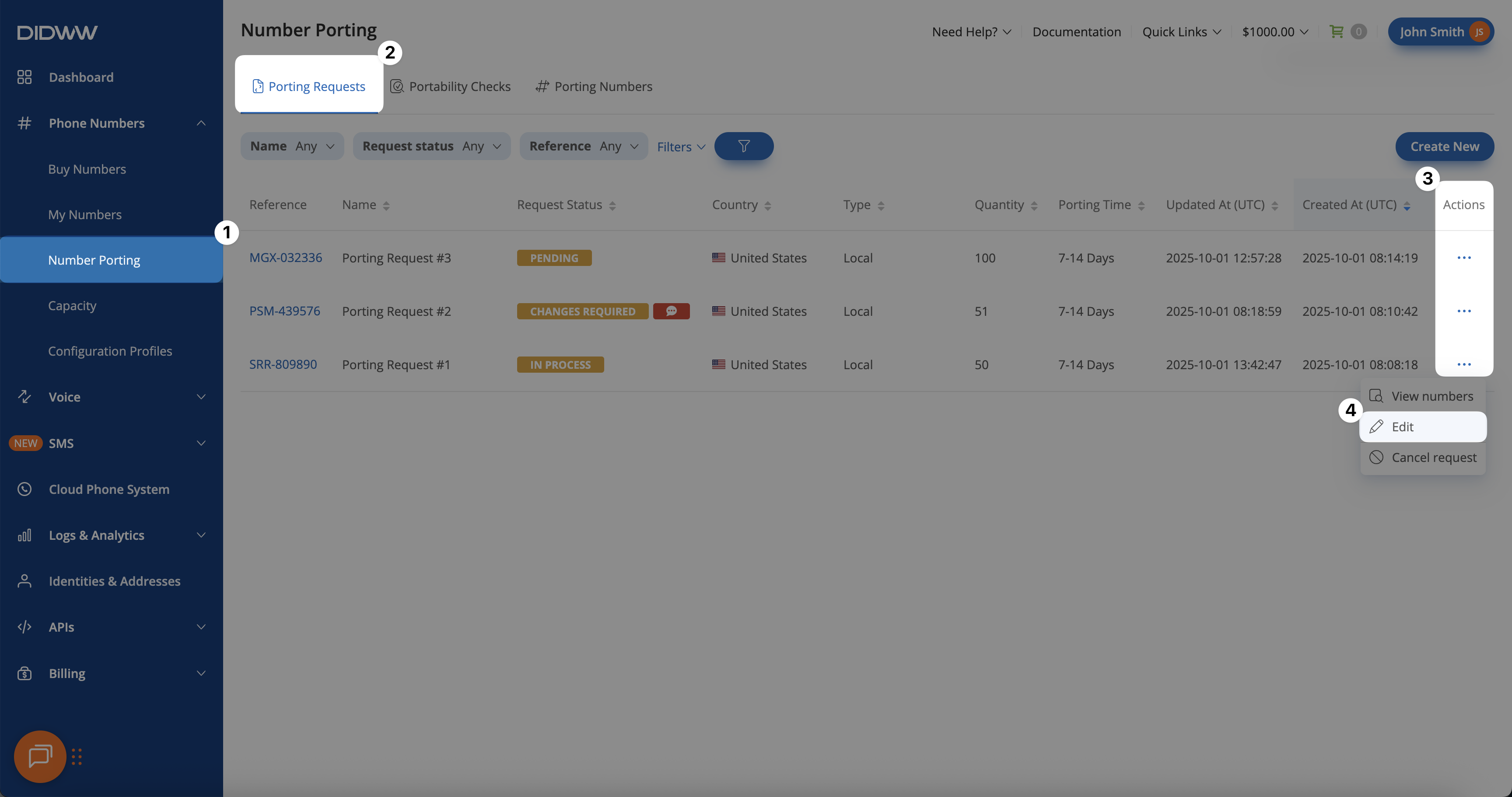
Fig. 1. Numbers grouped under Action Required status.#
Step 2: Resubmit the action required numbers#
Expand the Action Required group.
Click Actions > Resubmit.
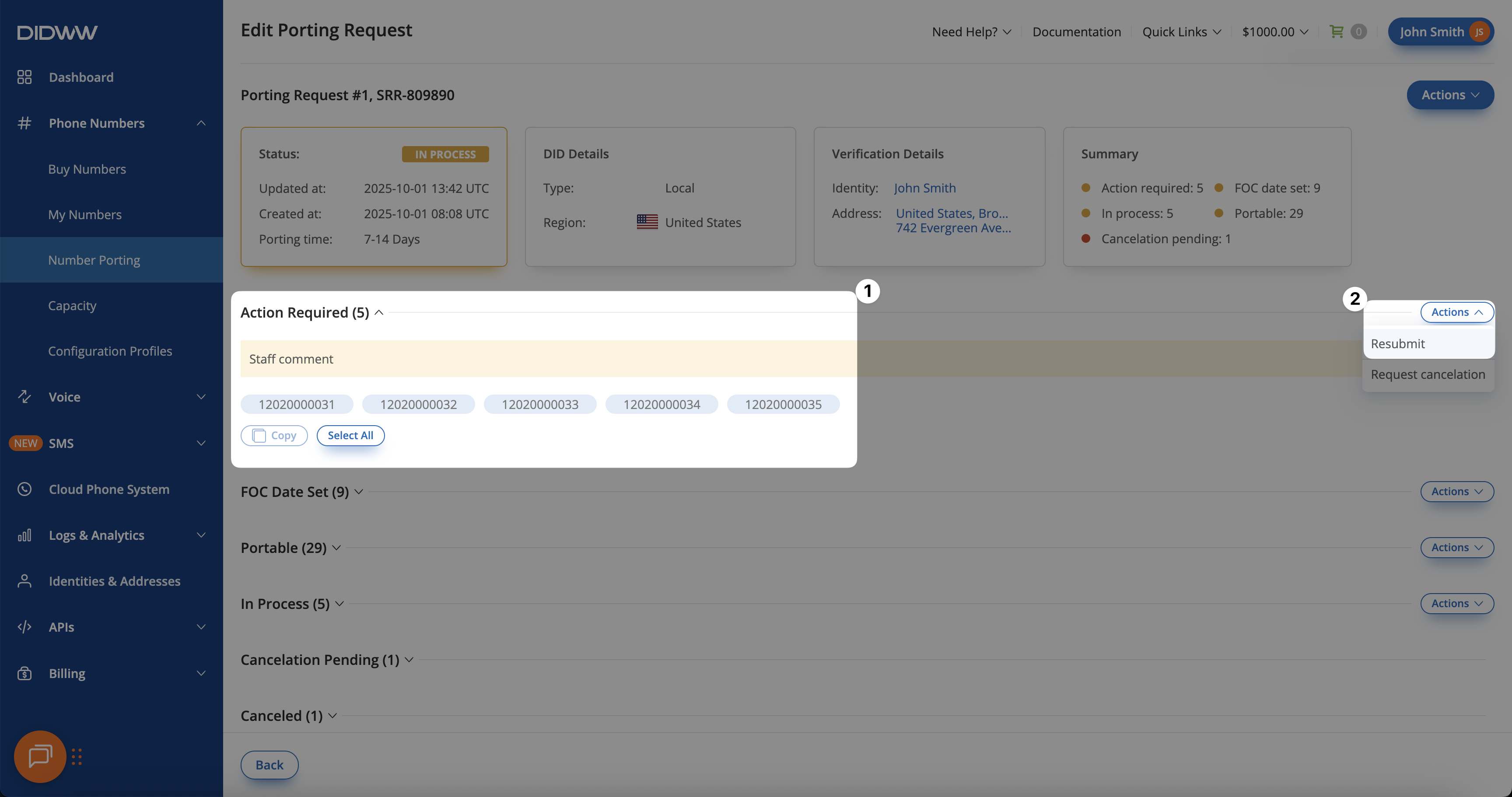
Fig. 2. Selecting Resubmit for numbers in Action Required status.#
Step 3: Add comments and supporting documents#
In the Resubmit Porting Request pop-up window, add comments that clarify the update.
Upload any required documents.
Click Submit.
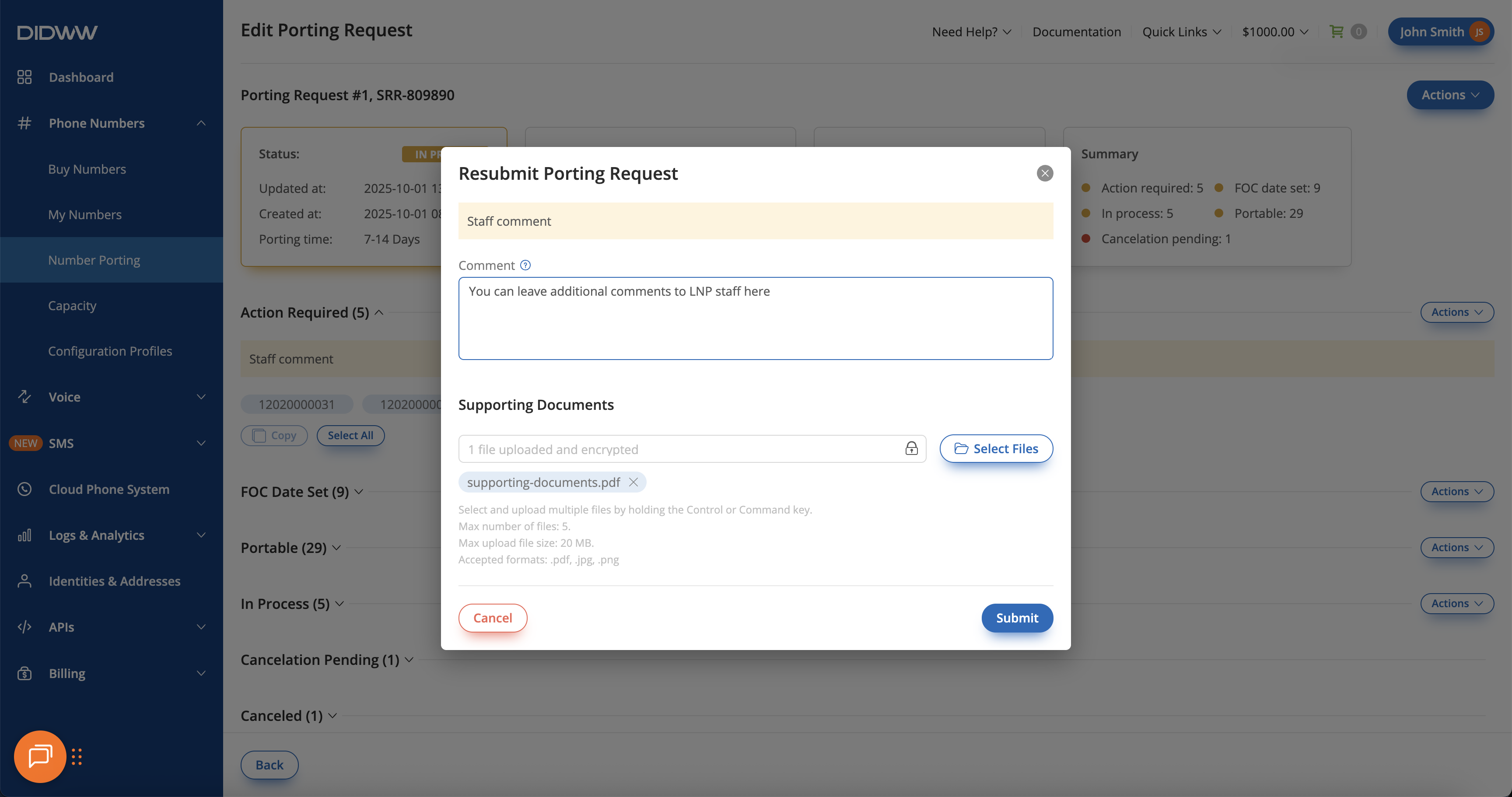
Fig. 3. Adding comments and documents before resubmitting.#