

Cancel a Sender ID Verification#
Cancel and close a Sender ID Verification when you no longer want to use it to send messages.
Before you begin#
The verification must have the Active status.
Warning
After the verification becomes Closed, it can no longer be used to send messages. Confirm that you no longer need the verification before continuing.
Step 1: Open the closure dialog#
In the DIDWW User Panel, go to SMS > Sender ID Verifications.
Open the Verifications tab.
Find the verification and click the actions button.
Select Cancel campaign.
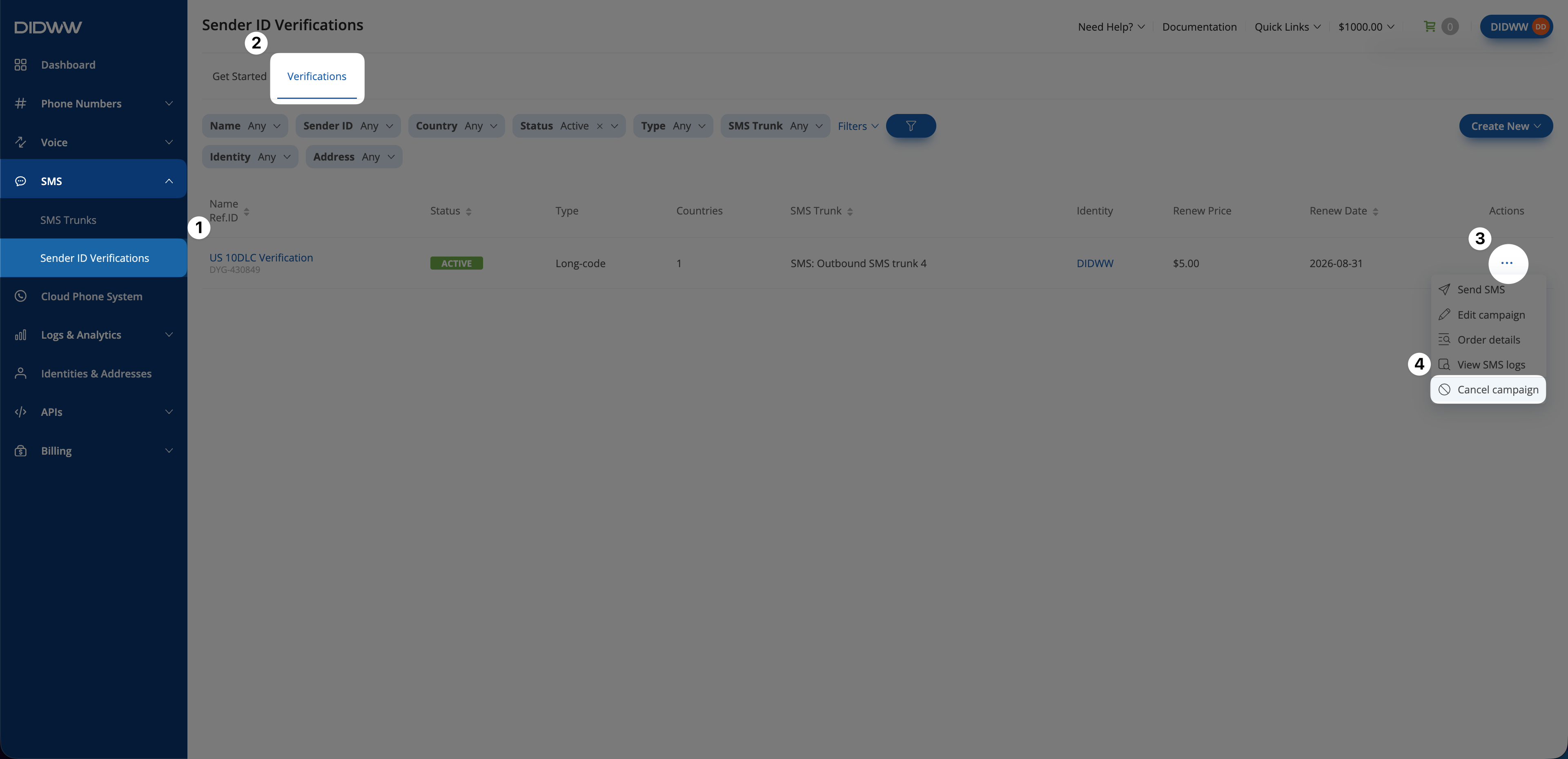
Fig. 1. Open the Cancel campaign action.#
Step 2: Confirm closure#
Review the warning in the Close Sender ID Verification dialog.
Click Confirm.
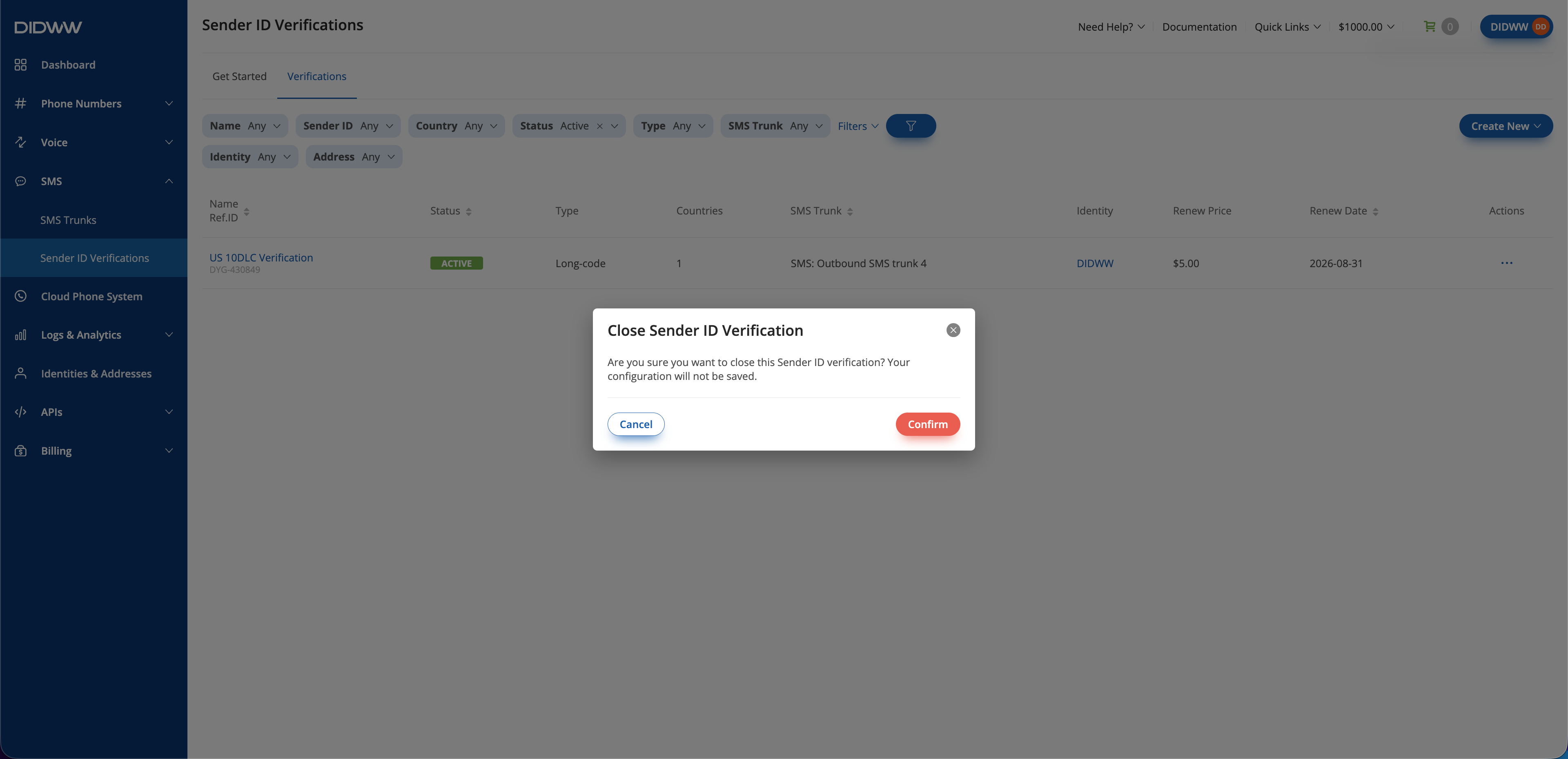
Fig. 2. Confirm the cancellation.#
After confirmation, the verification moves to Pending Closure. When the closure is complete, its status changes to Closed, and the verification can no longer be used to send messages.