

Manage SMS trunk groups#
Manage existing SMS trunk groups from the SMS Trunks list. Update the name or modify the members of a trunk group, or delete groups that are no longer required.
Before you begin#
An active DIDWW account is required. Sign in to DIDWW.
An existing SMS trunk group is required. If you do not have one, see Create an SMS trunk group.
Edit an SMS trunk group#
In the DIDWW User Panel, go to SMS > SMS Trunks.
Locate the trunk group and click the Actions button next to it.
Select Edit.
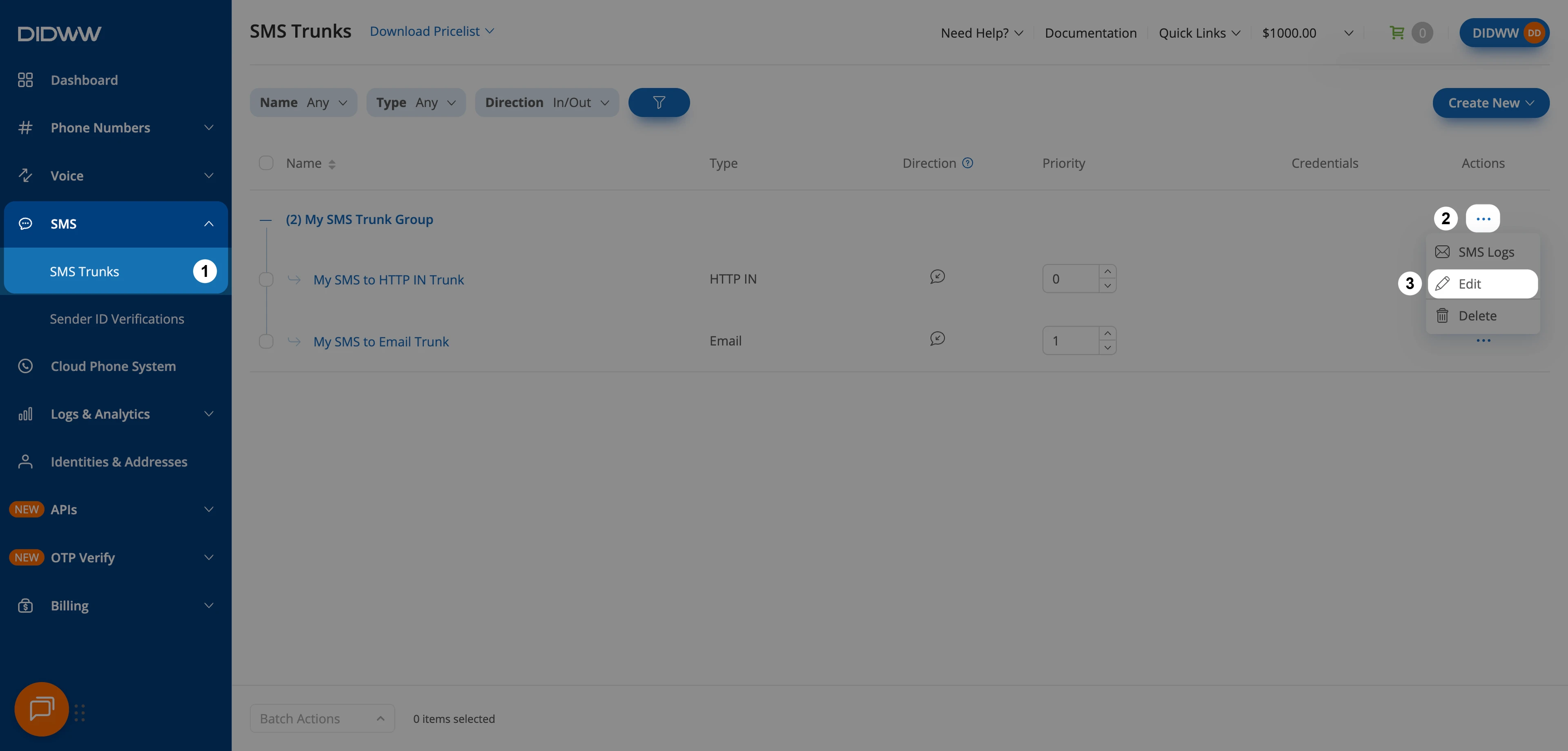
Fig. 1. Open the trunk group edit form#
On the Edit SMS Trunk Group page, update the Friendly name or the member trunks in SMS trunks. See General settings.
Click Submit.
To change the order in which member trunks are attempted, see Set priorities in an SMS trunk group.
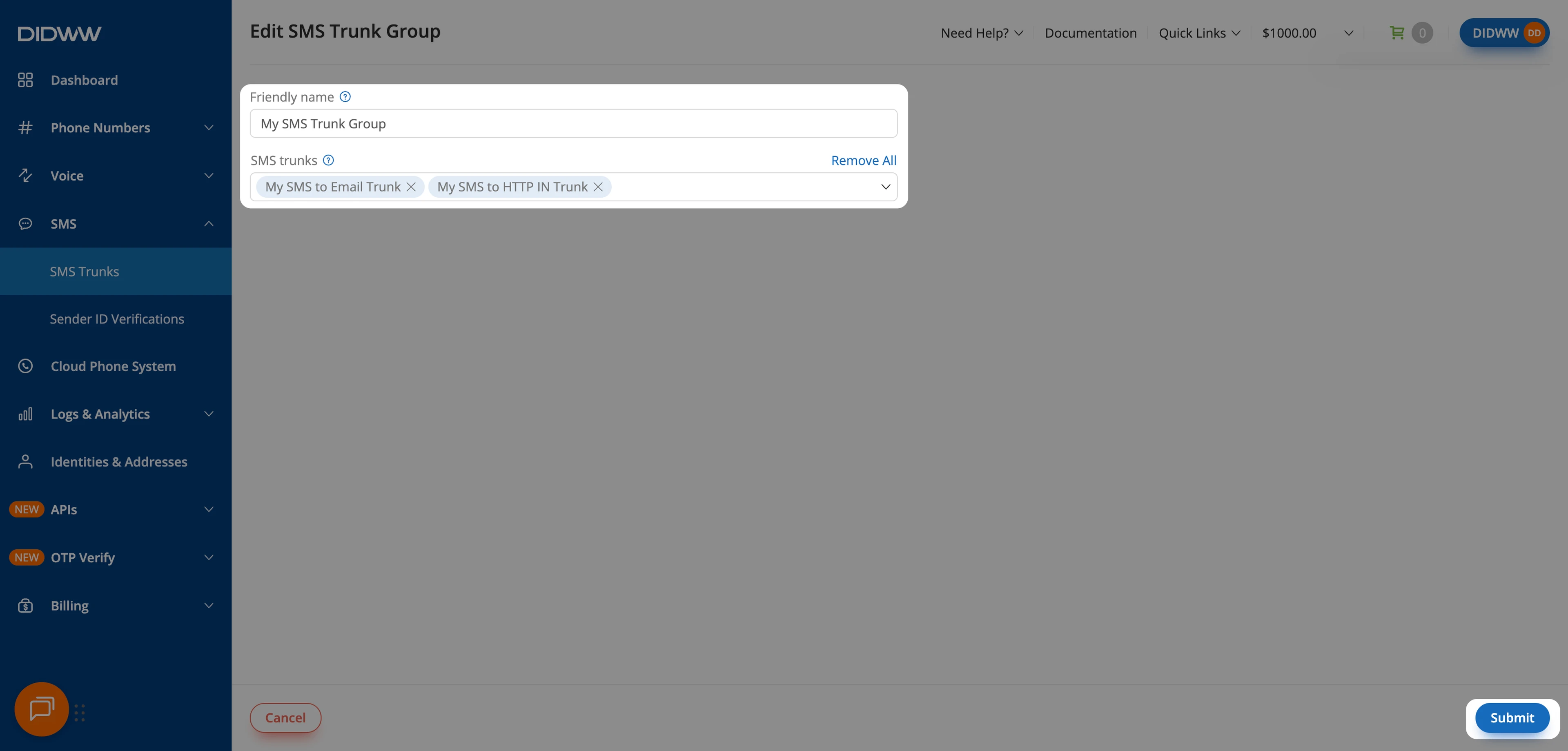
Fig. 2. Update and save the trunk group#
Delete SMS trunk groups#
Delete each trunk group from its Actions menu. Trunk groups cannot be selected for batch deletion.
Warning
An SMS trunk group that is assigned to a DID number cannot be deleted. Before deleting the group, unassign it from all DID numbers. See Assign an SMS trunk.
In the DIDWW User Panel, go to SMS > SMS Trunks.
Locate the trunk group and click the Actions button next to it.
Select Delete.
Fig. 3. Delete the trunk group#
In the Delete SMS Trunk Group window, choose how to handle the member trunks:
Remove SMS trunk(s) from the SMS group (default) — Deletes the trunk group but keeps the individual trunks in your account.
Delete SMS trunk(s) — Permanently deletes both the group and all of its member trunks.
Click Delete to confirm.
Note
SMS trunks that are currently assigned to a DID cannot be deleted. Unassign the trunks from all DIDs before deleting them with the group.
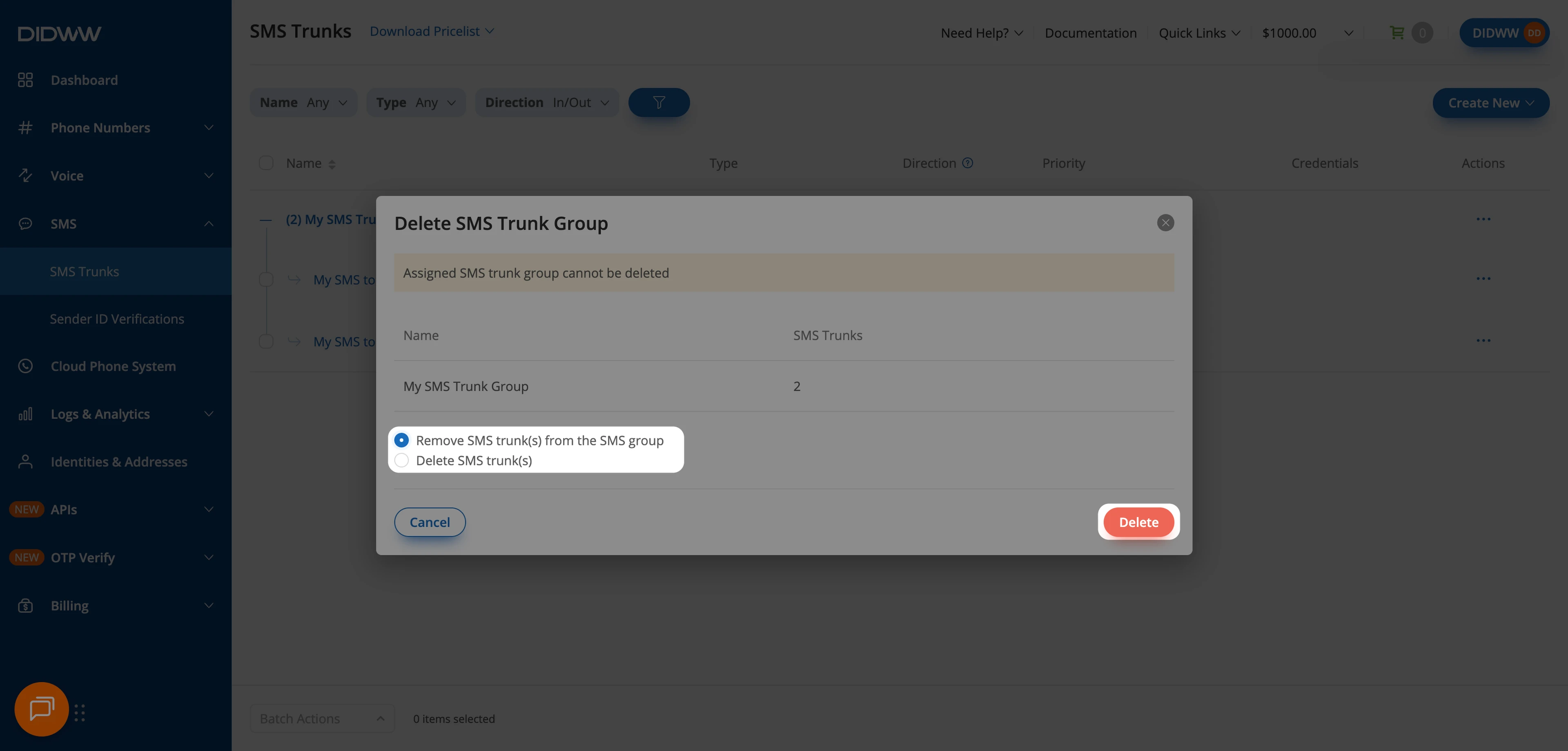
Fig. 4. Choose how to handle the member trunks#