

View HTTP OUT trunk credentials#
View the username, password, and API endpoints of an HTTP OUT trunk. Your application uses these credentials to authenticate its requests to the Outbound SMS API.
Before you begin#
An active DIDWW account is required. Sign in to DIDWW.
An HTTP OUT trunk is required. If you do not have one, see Create an HTTP OUT trunk.
Step 1: Open the credentials window#
In the DIDWW User Panel, go to SMS > SMS Trunks.
Locate the HTTP OUT trunk and click the key icon in its Credentials column.
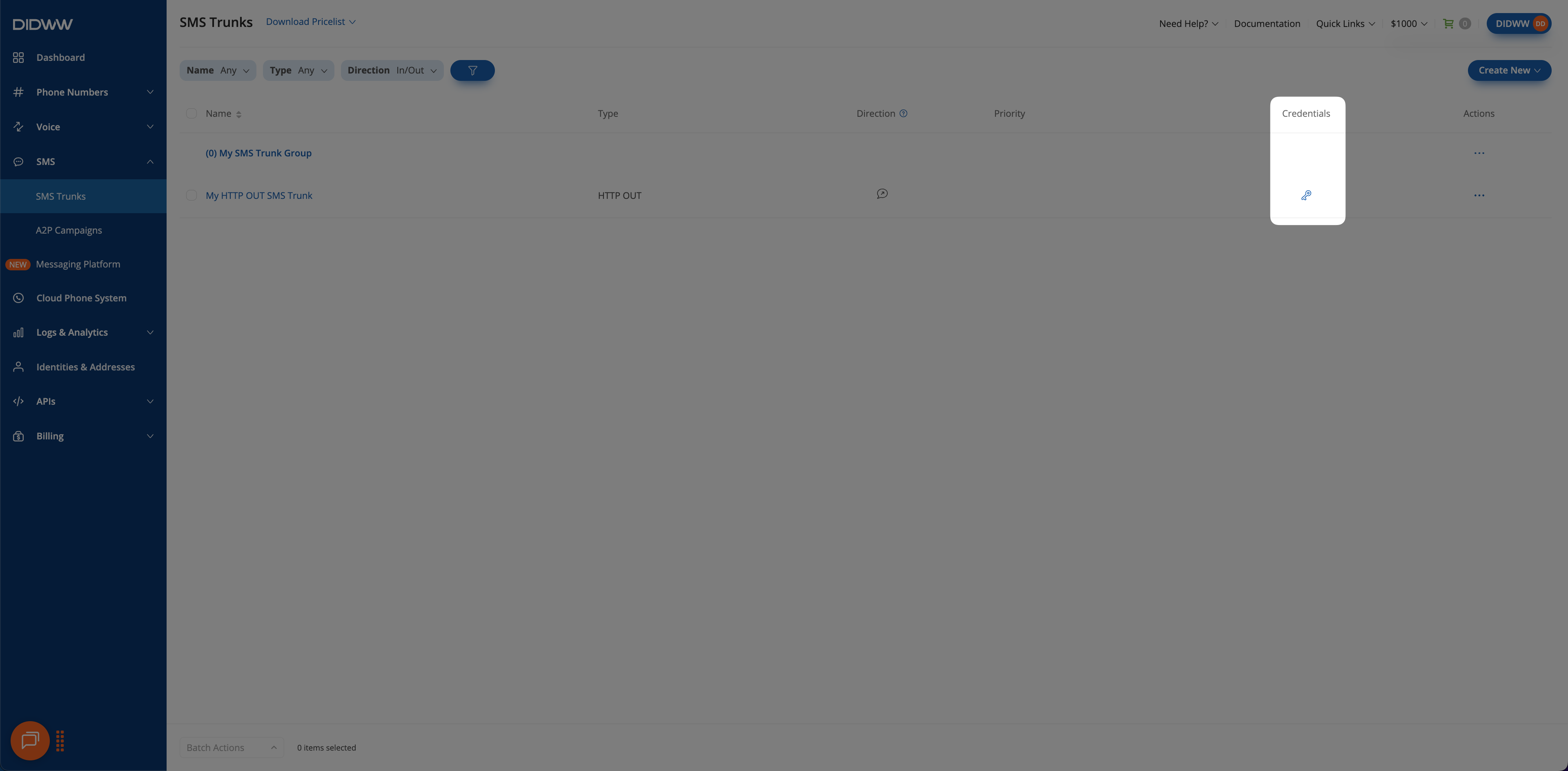
Fig. 1. Open the trunk credentials#
Step 2: View the connection details#
In the credentials window, review the trunk Username, Password, and Host(s).
Click the eye icon next to Password to show the password.
Host(s) lists one endpoint for each DIDWW location:
Location |
Endpoint |
|---|---|
US, NY |
|
NL, AMS |
|
Note
HTTP OUT trunks have no location setting. To use a location, send your requests to its endpoint. See Endpoints and headers.
The window also shows the trunk’s Allowed IPs and Allowed Source Addresses. To change them, edit the trunk.
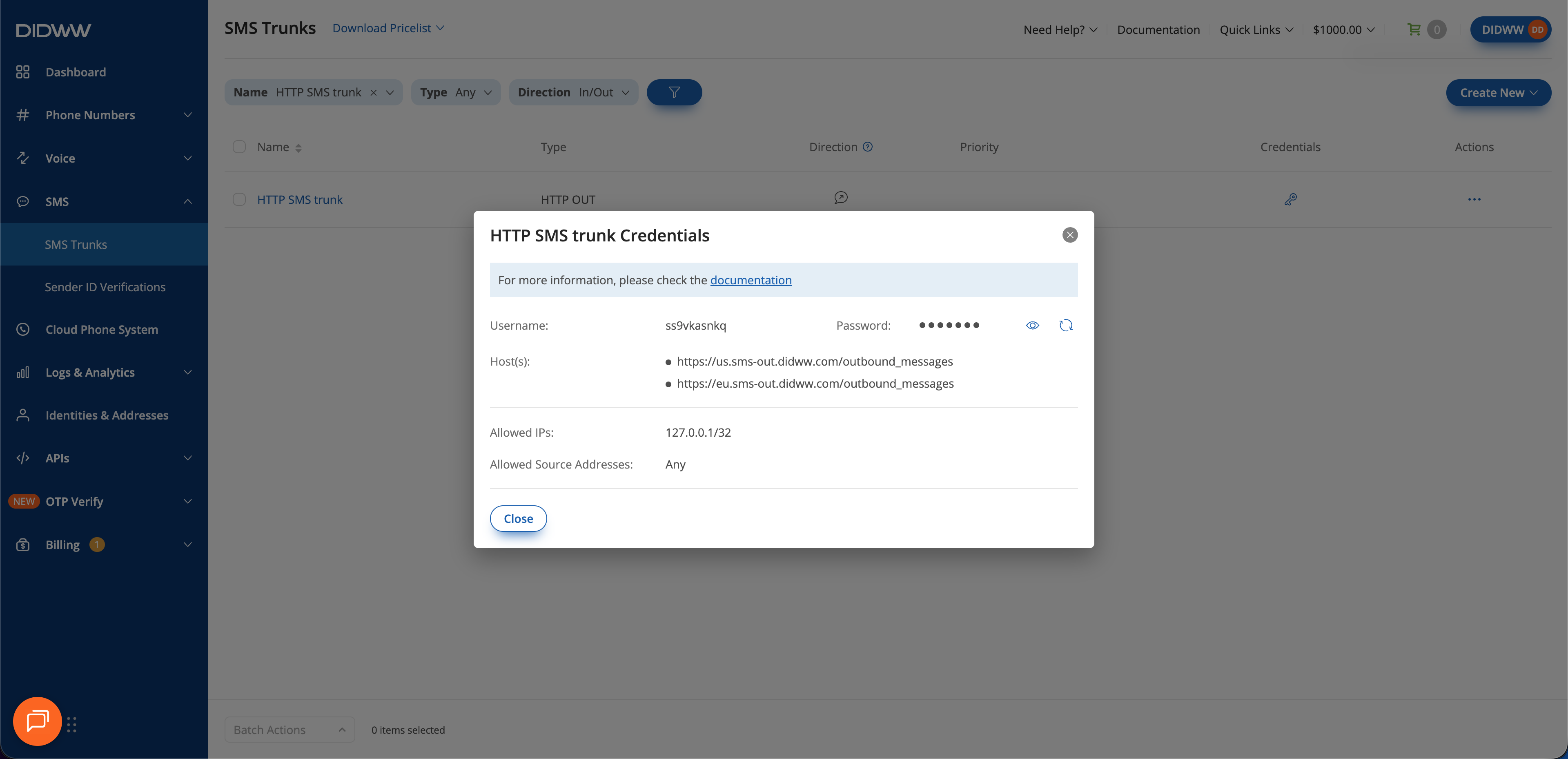
Fig. 2. View the credentials#