

Cancel specific number porting#
Cancel selected numbers inside a porting request without canceling the whole request.
Before you begin#
Numbers are grouped by Porting Number Status. You can request cancellation for a status group, but numbers in Canceled, Cancellation Pending, or Completed status cannot be canceled.
Step 1: Open the porting request#
In the DIDWW User Panel, go to Phone Numbers > Number Porting.
Open the Porting Requests tab.
Click Actions (…) next to the porting request.
Select Edit.
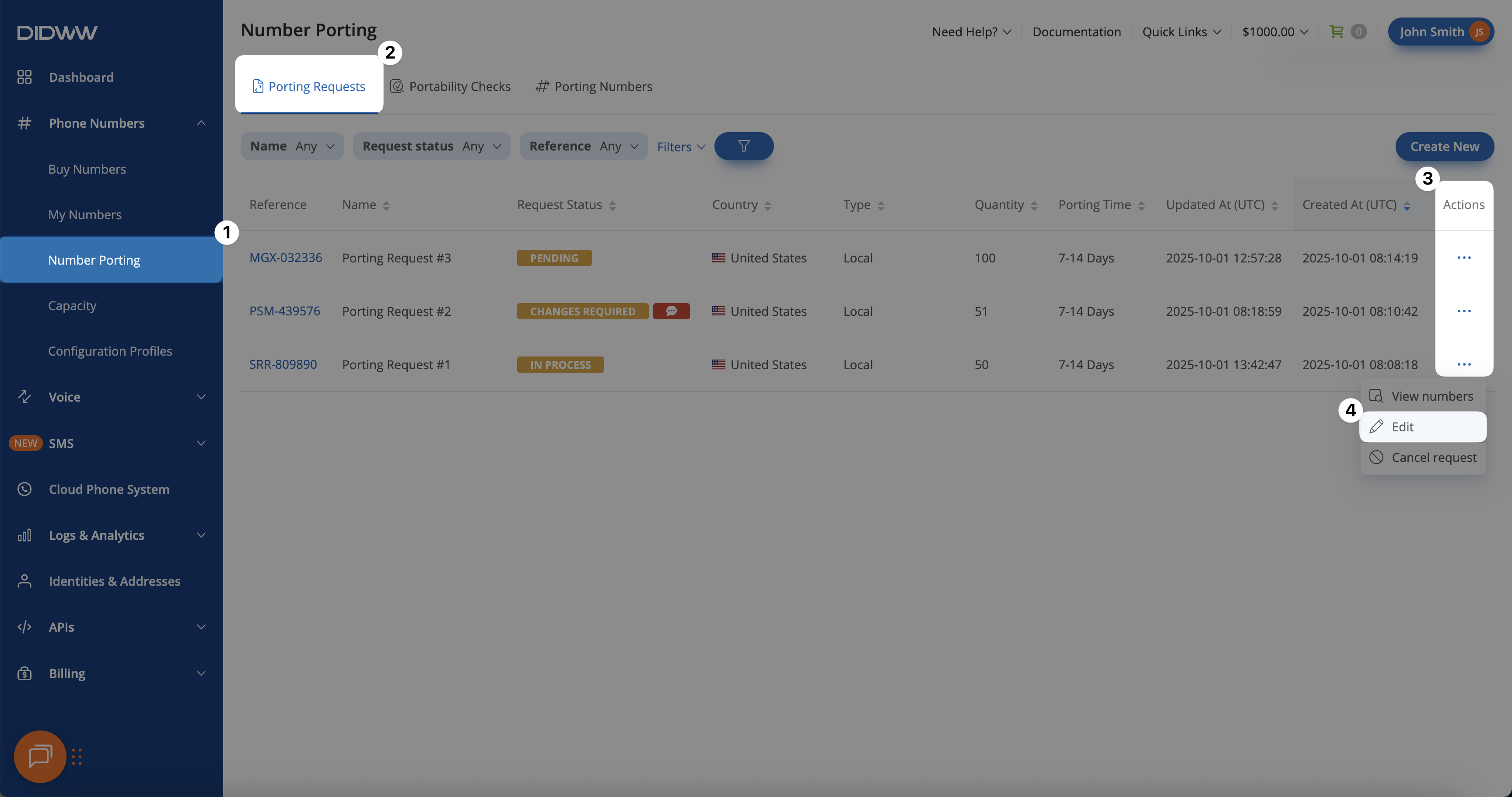
Fig. 1. Opening the Edit Porting Request page.#
Step 2: Select the number status group#
On the Edit Porting Request page, find the Porting Number Status group you want to cancel.
Expand the status group if needed.
Click Actions > Request cancellation for the selected group.
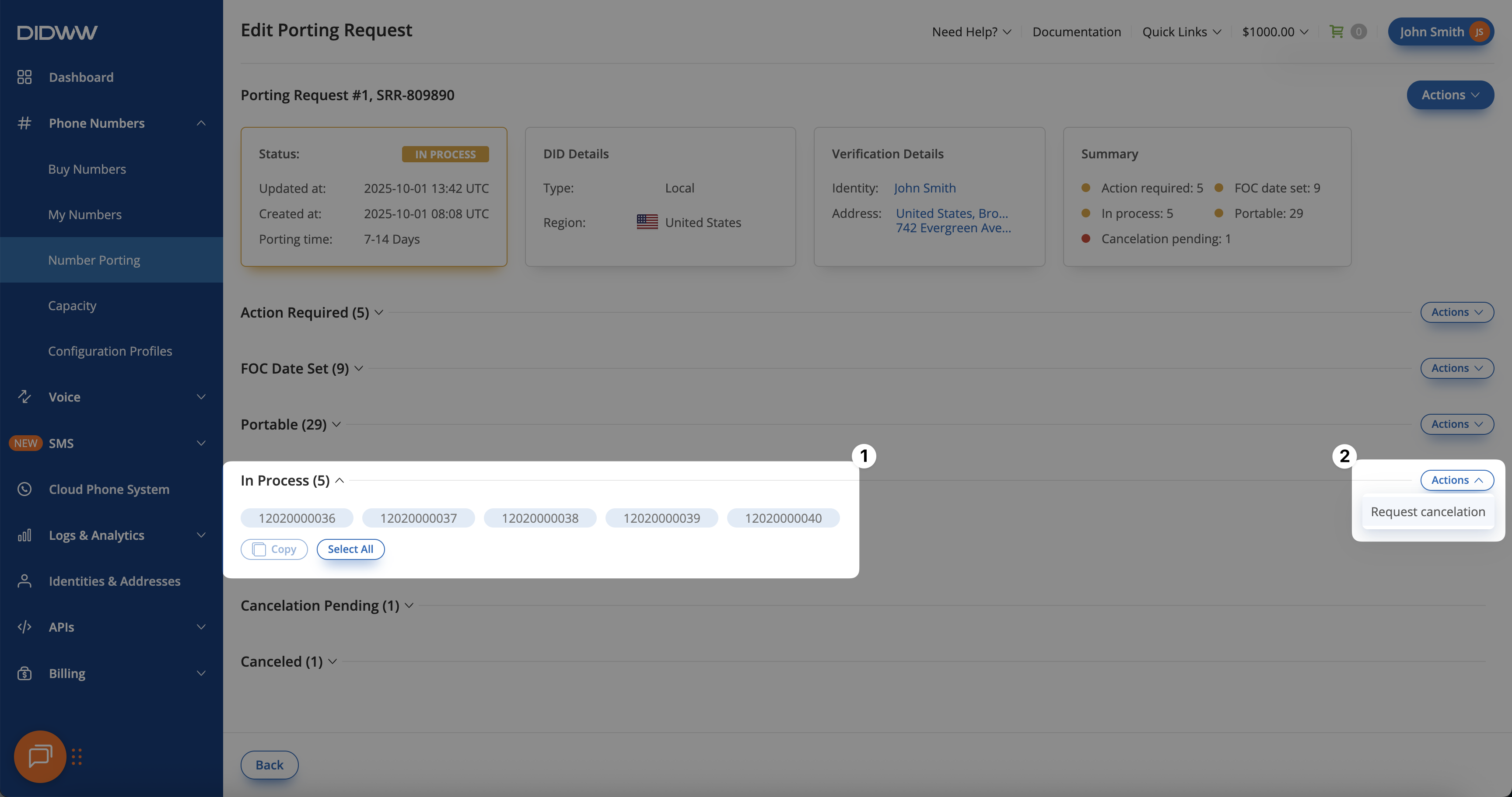
Fig. 2. Selecting the group of numbers for cancellation.#
Step 3: Confirm the cancellation request#
Review the numbers in the Request Cancelation pop-up window, then click Confirm.
Note
For porting requests in In Process status, cancellations are reviewed by DIDWW staff.
When cancellation is still possible, the request is approved and the numbers are canceled.
If it is too late, the request is rejected and porting continues.
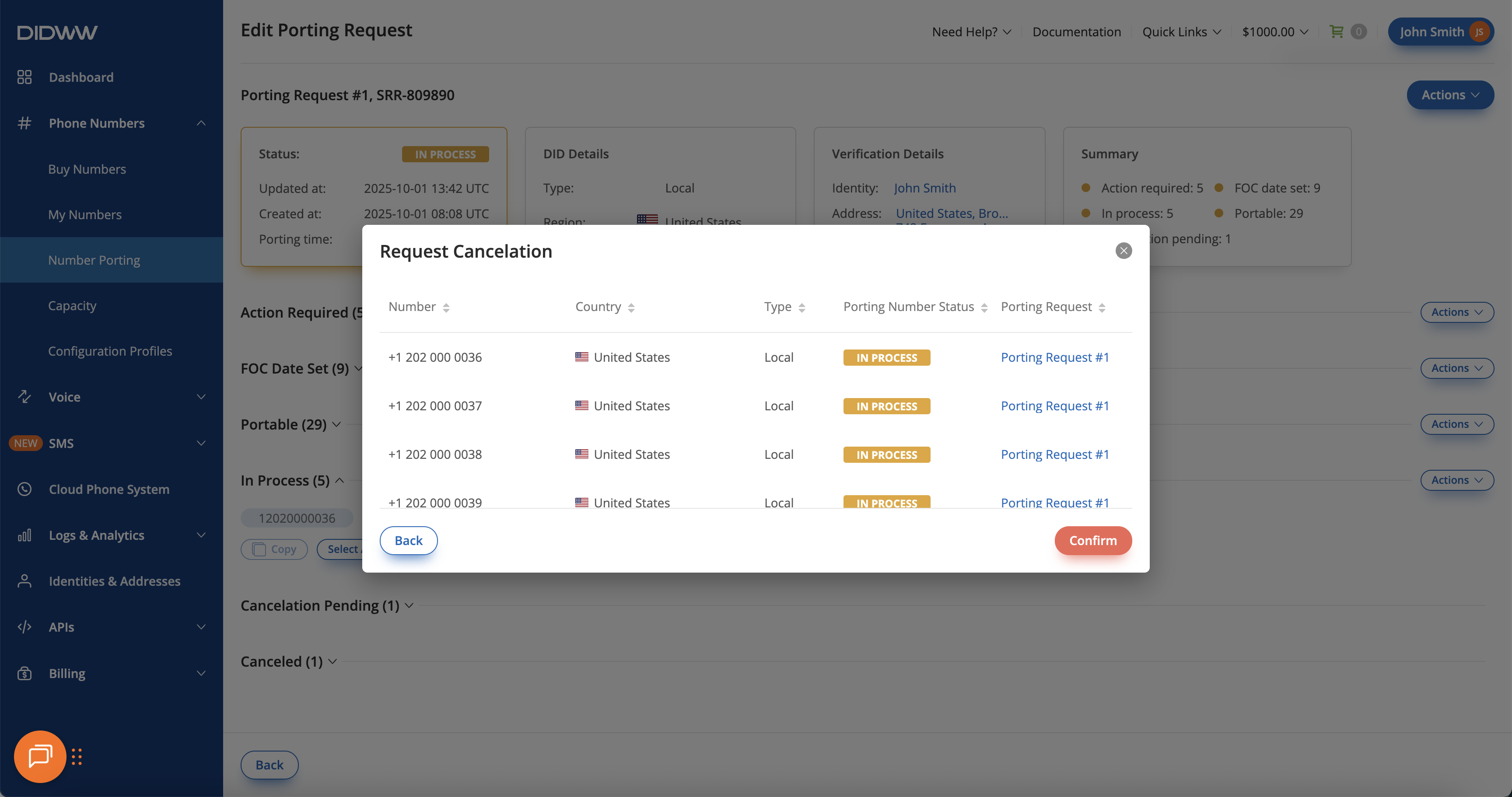
Fig. 3. Confirming cancellation for a number group.#