

Use number lists for load balancing#
Scenario: A global service provider needs to route incoming calls based on the caller’s country code (CLI prefix), while using a single DID number.
Solution: To manage this, the provider assigns specific number lists to trunks within a trunk group. The system uses the CLI prefix to match the call to the correct number list and selects the appropriate trunk for routing.
For example:
Calls whose calling numbers begin with
1are routed to a US-based trunk. Prefix1covers all countries in the North American Numbering Plan, not only the United States.Calls whose calling numbers begin with
44are routed to a UK-based trunk.
This setup enables efficient load balancing and region-specific routing while maintaining a single DID.
Step 1: Create Number Lists#
The prefixes 1 and 44 match only calling numbers in E.164 format without a leading +. For a SIP trunk, this example requires CLI Format set to E.164 and no CLI Prefix.
Go to Voice > Inbound Trunks and open the Number Lists tab.
Click Create New and enter a Friendly name (e.g., US Source Filter).
Set the Mode to Prefix match.
Set the Default action to Reject call.
Click Create.
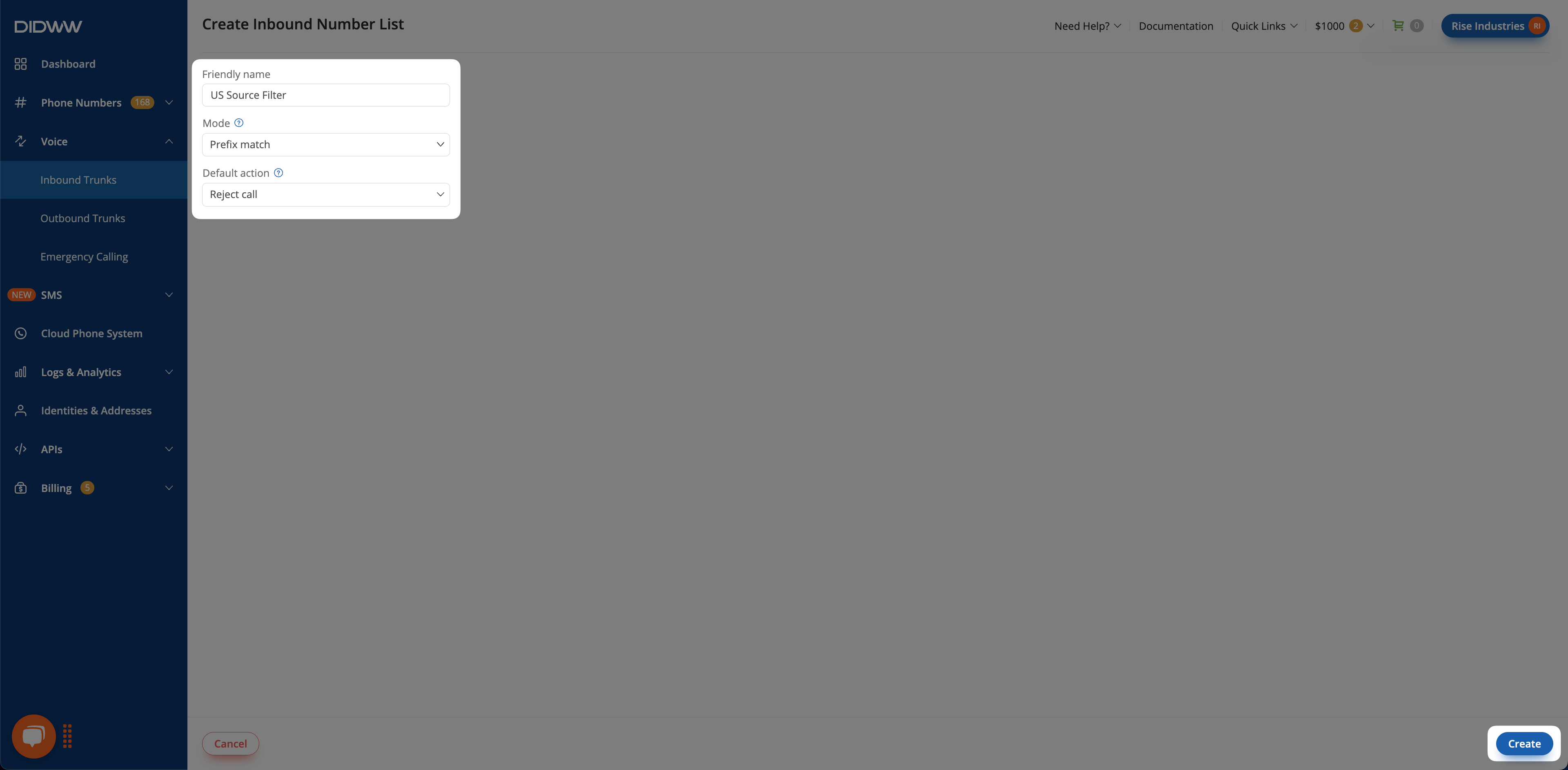
Fig. 1. Creating a Number List for Load Balancing (US)#
Click the Actions button next to the US Source Filter Number List.
Select Manage numbers.
Click Add Numbers.
Enter 1 and set the action to Allow call.
Click Submit.
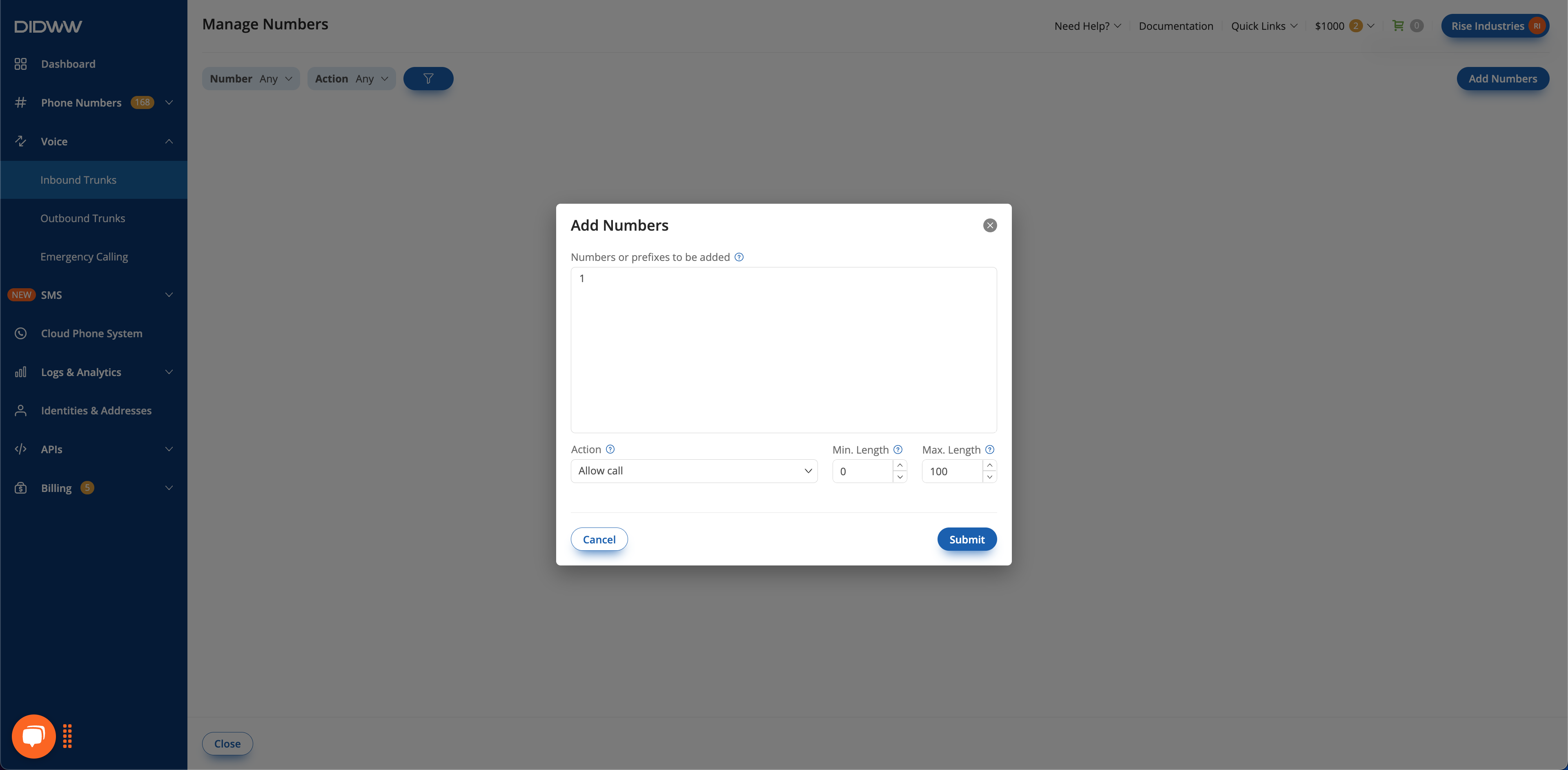
Fig. 2. Adding 1 Prefix for US#
Repeat the steps above to create a second list named UK Source Filter and add prefix 44.
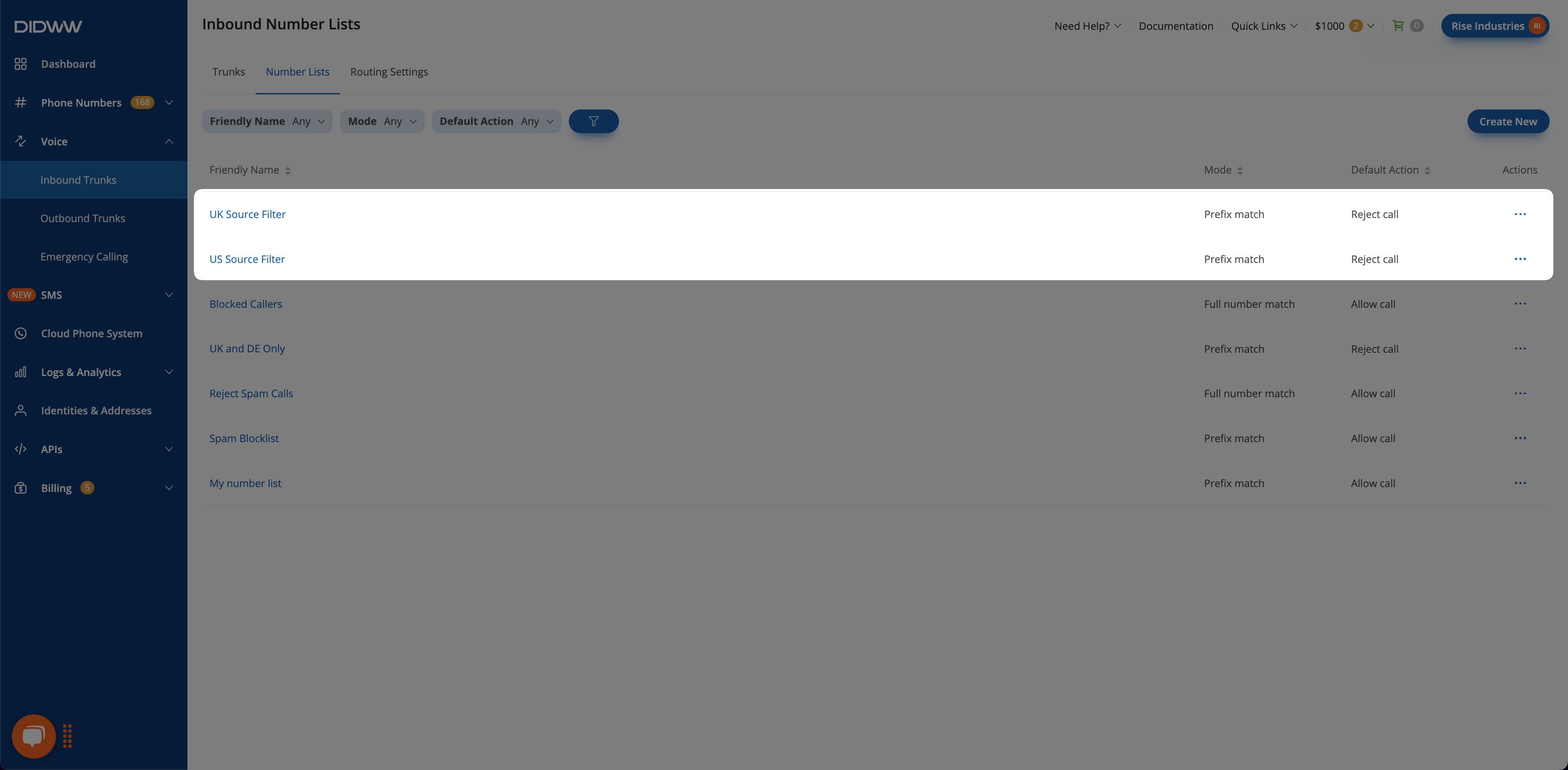
Fig. 3. UK and US Source Filter Number Lists#
Step 2: Assign Number Lists to trunks#
This step uses two existing SIP trunks, US SIP Trunk and UK SIP Trunk. If you need to create them first, see Create a SIP trunk.
To assign the number lists to trunks, see Assign a Number List to a SIP Trunk or follow these steps:
Go to Voice > Inbound Trunks.
Click the name of the trunk, and then click Actions > Edit on the trunk page.
Open the Number Translations tab and locate CLI Number List.
Select the Number List for the trunk and click Submit to save the changes. Assign US Source Filter to US SIP Trunk.
Repeat the steps above to assign UK Source Filter to UK SIP Trunk.
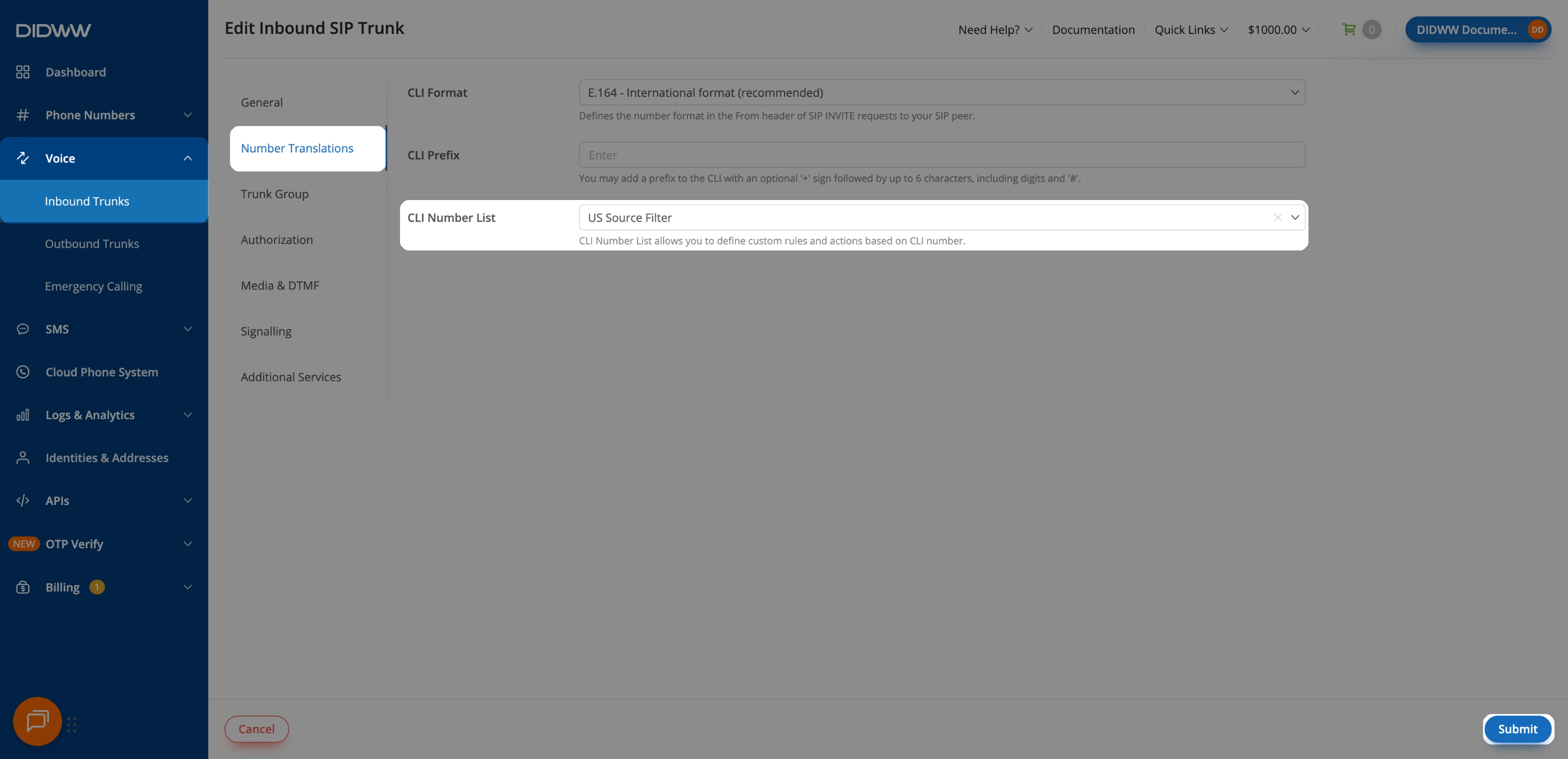
Fig. 4. Assign the Number Lists to Trunks#
Step 3: Create a Trunk Group#
To create a trunk group, see Create a Trunk Group or follow these steps:
Go to Voice > Inbound Trunks.
Click Create New and select Trunk Group.
Enter the trunk group Name, for example Load Balancing Trunk Group.
In Trunks, add US SIP Trunk and UK SIP Trunk, then click Create.
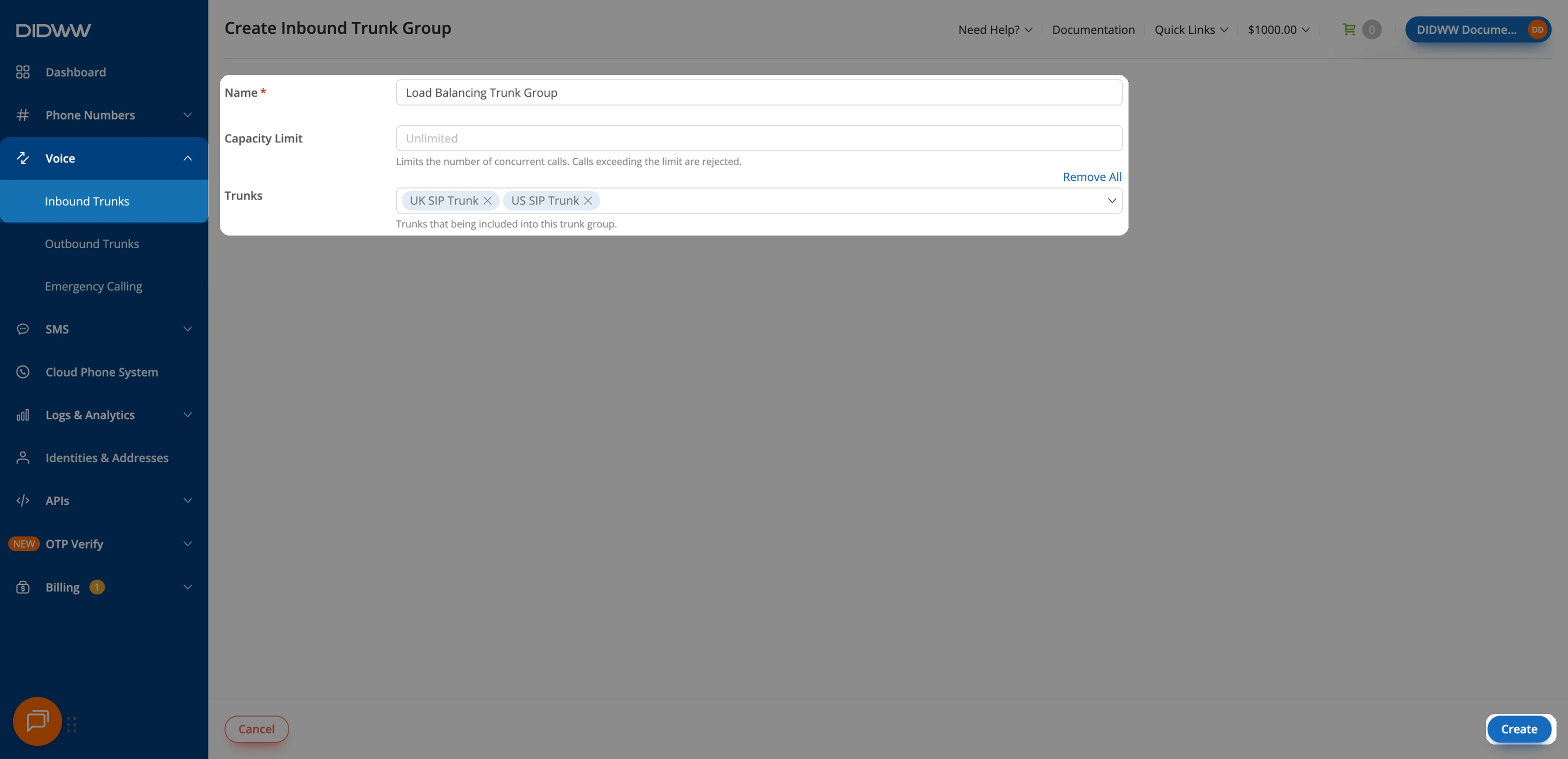
Fig. 5. Create a Trunk Group#
Step 4: Assign the Trunk Group to a DID number#
Navigate to Phone Numbers > My Numbers.
Select the desired DID number and click on the voice trunk field. If the DID has no trunks assigned, the trunk field will display
Voice: none.Assign the Load Balancing Trunk Group and click Confirm.
For more details, see Assign a voice trunk.
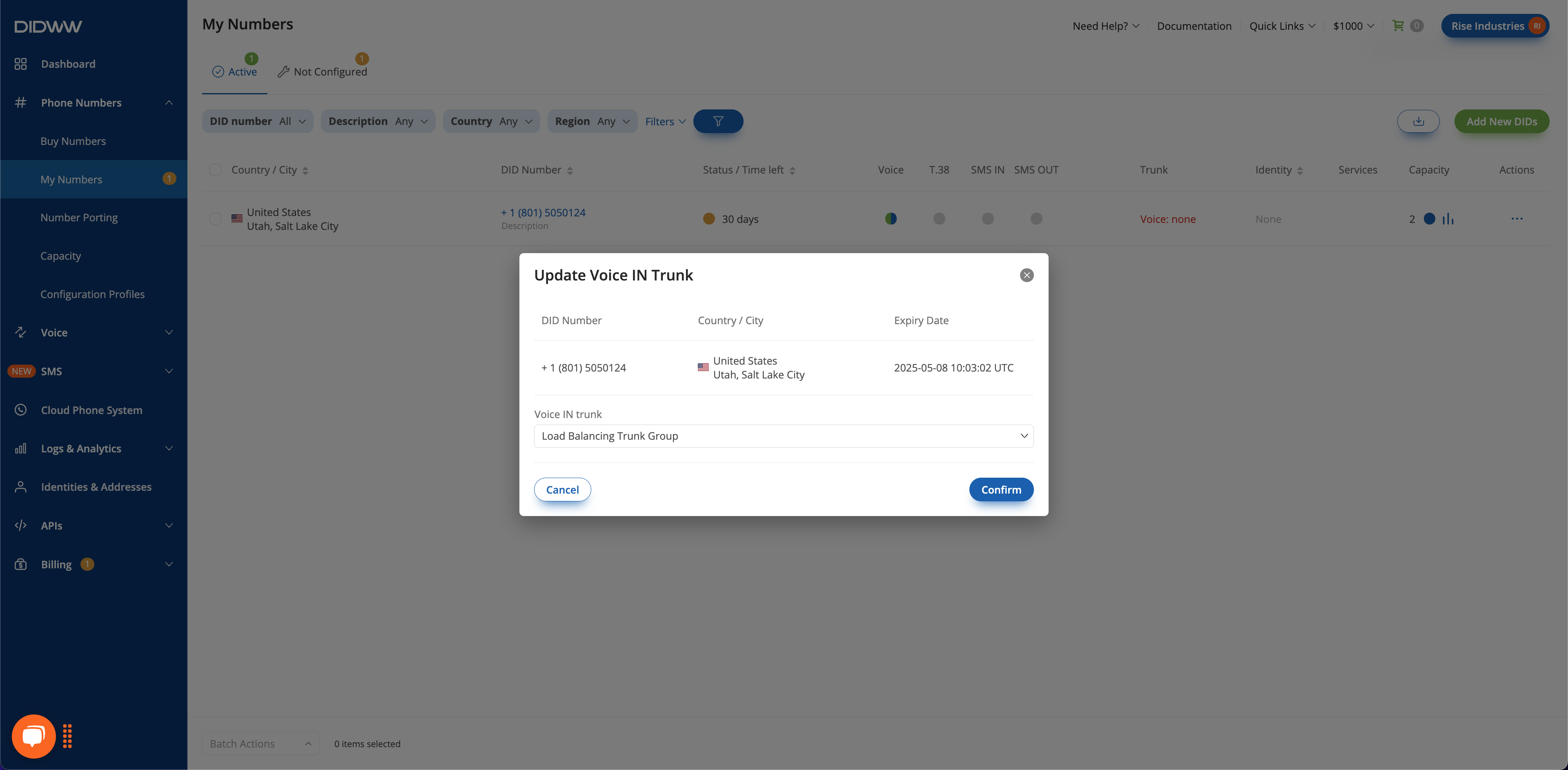
Fig. 6. Assigning the Trunk Group to a DID Number#
Result#
Calls whose calling numbers begin with
1are routed to US SIP Trunk.Calls whose calling numbers begin with
44are routed to UK SIP Trunk.All other calls are rejected by default.
This setup allows a single DID number to intelligently route incoming traffic to country-specific trunks, improving routing efficiency and regional control.
Tip
Scale the trunk group to include as many trunks and number lists as needed to achieve traffic load balancing in expected countries or regions.
How it works#
Each trunk in the group accepts only the calls that its Number List allows. When a trunk’s Number List rejects a call, the trunk group tries the next trunk. This works because 403 Forbidden, the response for calls rejected by a Number List, is selected by default in the SIP trunks’ Re-routing Disconnect Codes. Make sure 403 Forbidden is still selected on both trunks, because existing trunks may use different settings.
In this example, the Number Lists act as filters. They decide which trunk can accept a caller, so the setup mainly demonstrates prefix-based routing. Priority and Weight decide how the group chooses among trunks that can accept the same caller. For how trunks in a group are selected, see Service failover and load balancing.