

Delete outbound trunks#
Deleting a trunk removes its configuration and prevents further calls through it.
Before you begin#
An active DIDWW account is required. Sign in to DIDWW.
An existing outbound trunk that you no longer need.
Warning
Deleting a trunk is permanent and cannot be undone. Make sure the trunk is no longer needed before you continue.
Delete a single trunk#
In the DIDWW User Panel, go to Voice > Outbound Trunks.
Locate the trunk and click the actions button.
Click Delete.
In the confirmation dialog, click Delete.
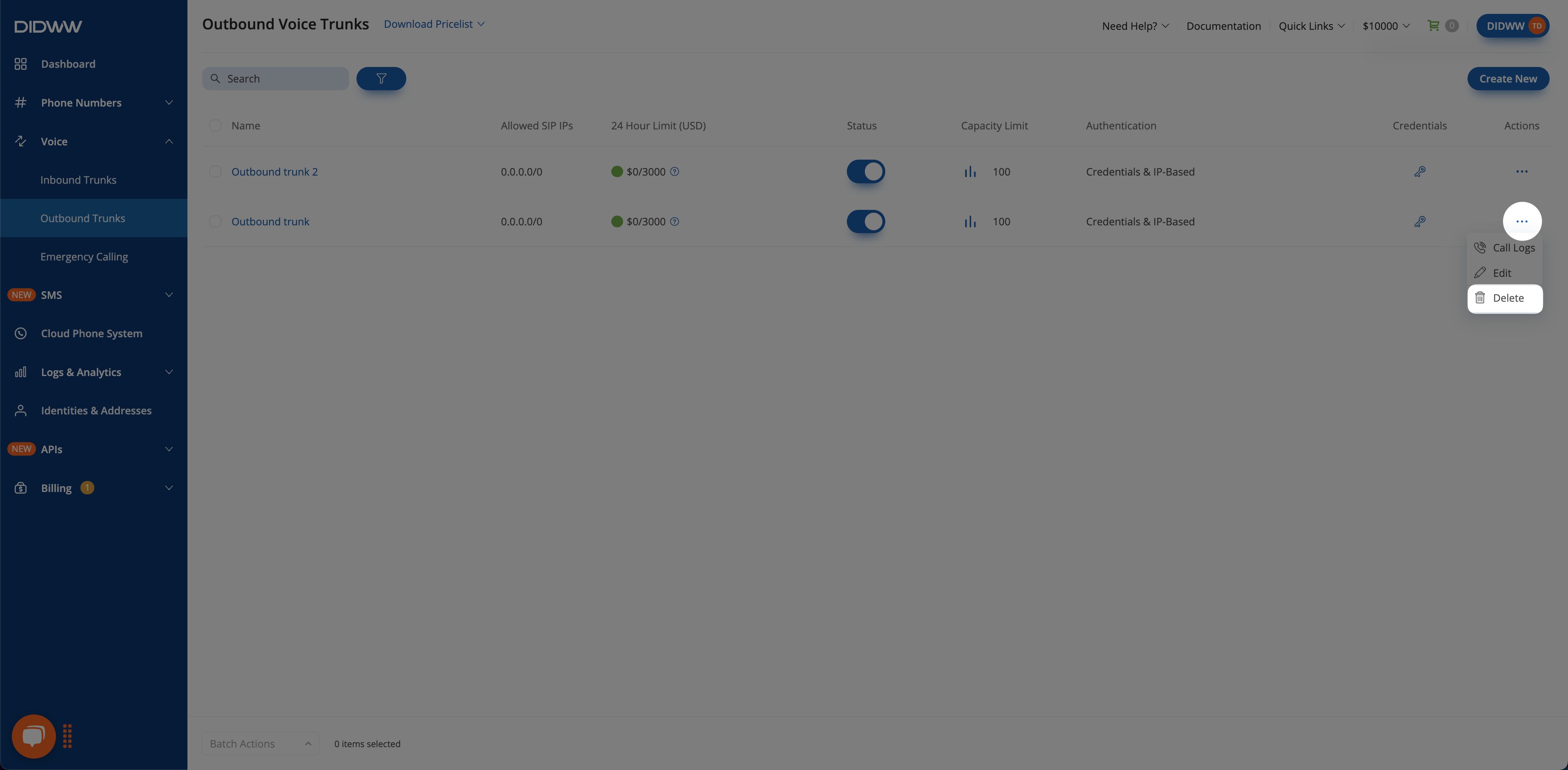
Fig. 1. Delete one trunk#
Delete multiple trunks#
In the DIDWW User Panel, go to Voice > Outbound Trunks and select the trunks.
Click Batch Actions > Delete.
In the confirmation dialog, click Delete.
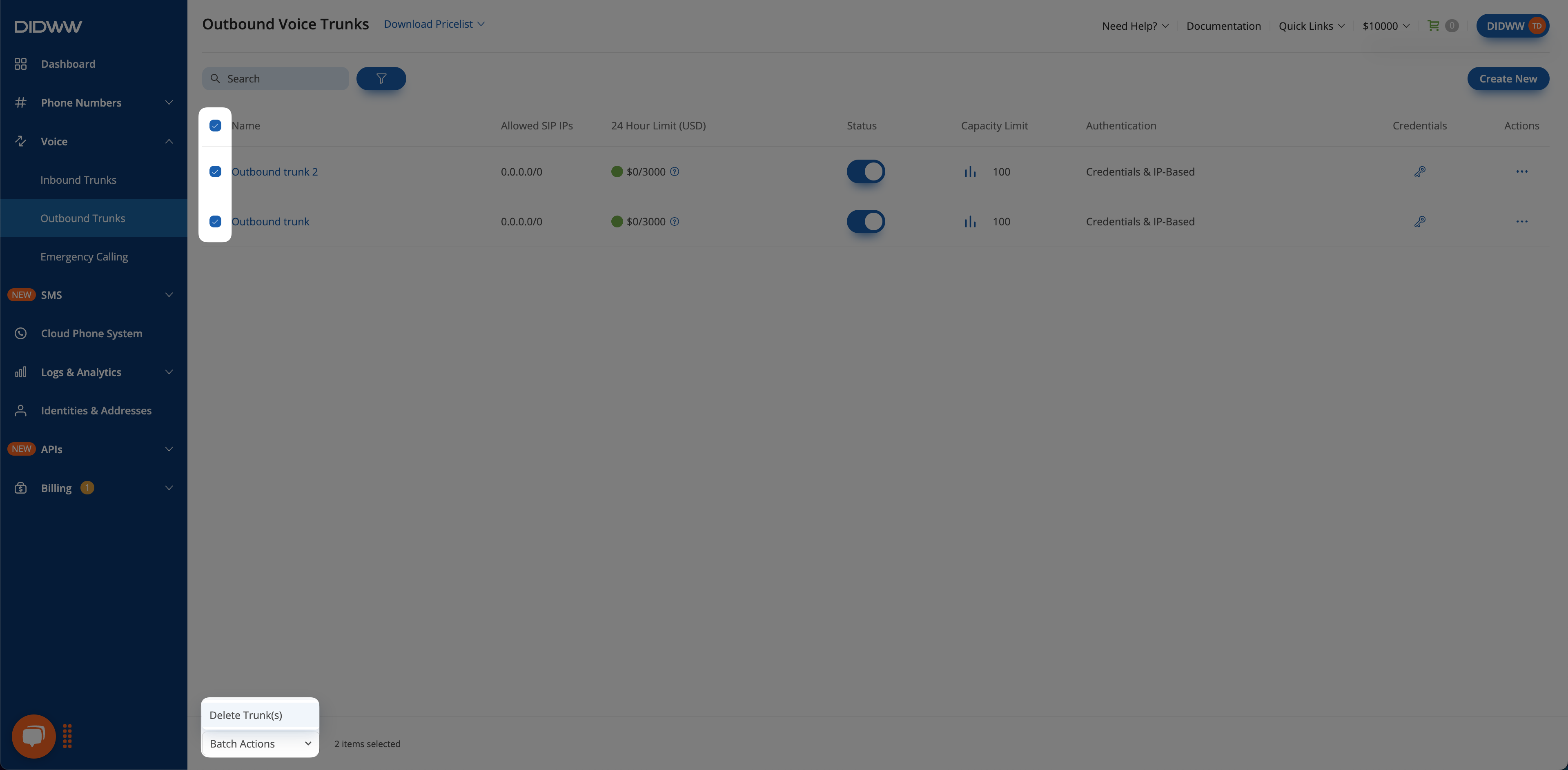
Fig. 2. Delete several trunks#