

Manage numbers#
My Numbers page is the main workspace for managing DID numbers assigned to your account. It allows you to configure inbound routing, manage capacity, assign end-user details, control renewal behavior, and manage supported DID number services.
My Numbers provides two primary ways to manage DID numbers: the My Numbers table and the DID number details page.
My Numbers table#
The My Numbers table lets you review and update DID numbers assigned to your account. It provides centralized tools for filtering, searching, exporting, monitoring lifecycle state, and applying single-number or batch updates.
For details about table fields, filters, and batch actions, see My Numbers reference, Filters reference, and Batch actions reference.
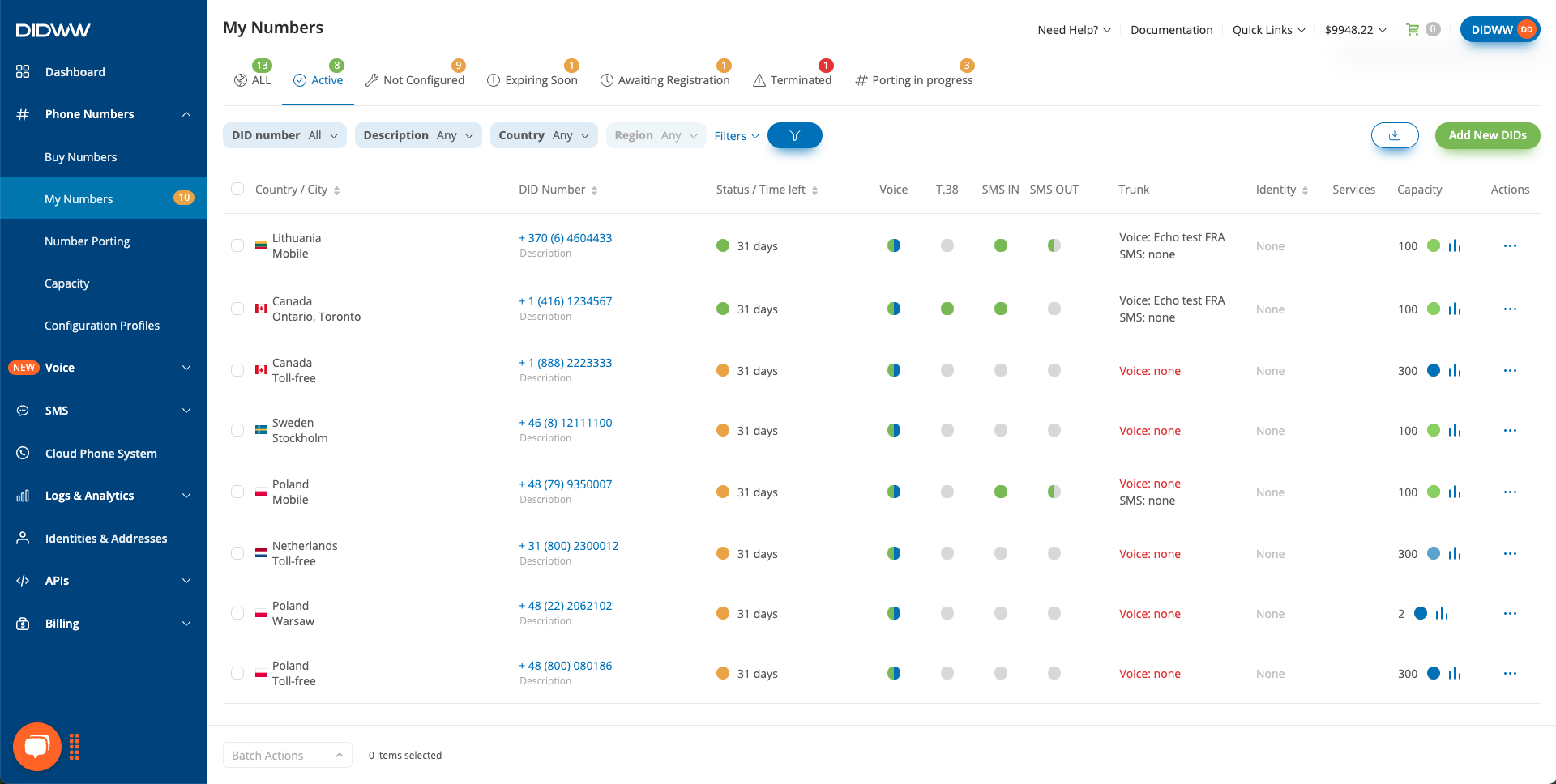
Fig. 1. DID number management from the My Numbers table.#
View details page#
The View Details page is used to review and manage one DID number in more detail. It groups DID number information into Trunks, Capacity, Order Details, Billing, and Services sections.
To view details, click the DID number or use Actions > Manage DID for the selected DID number.
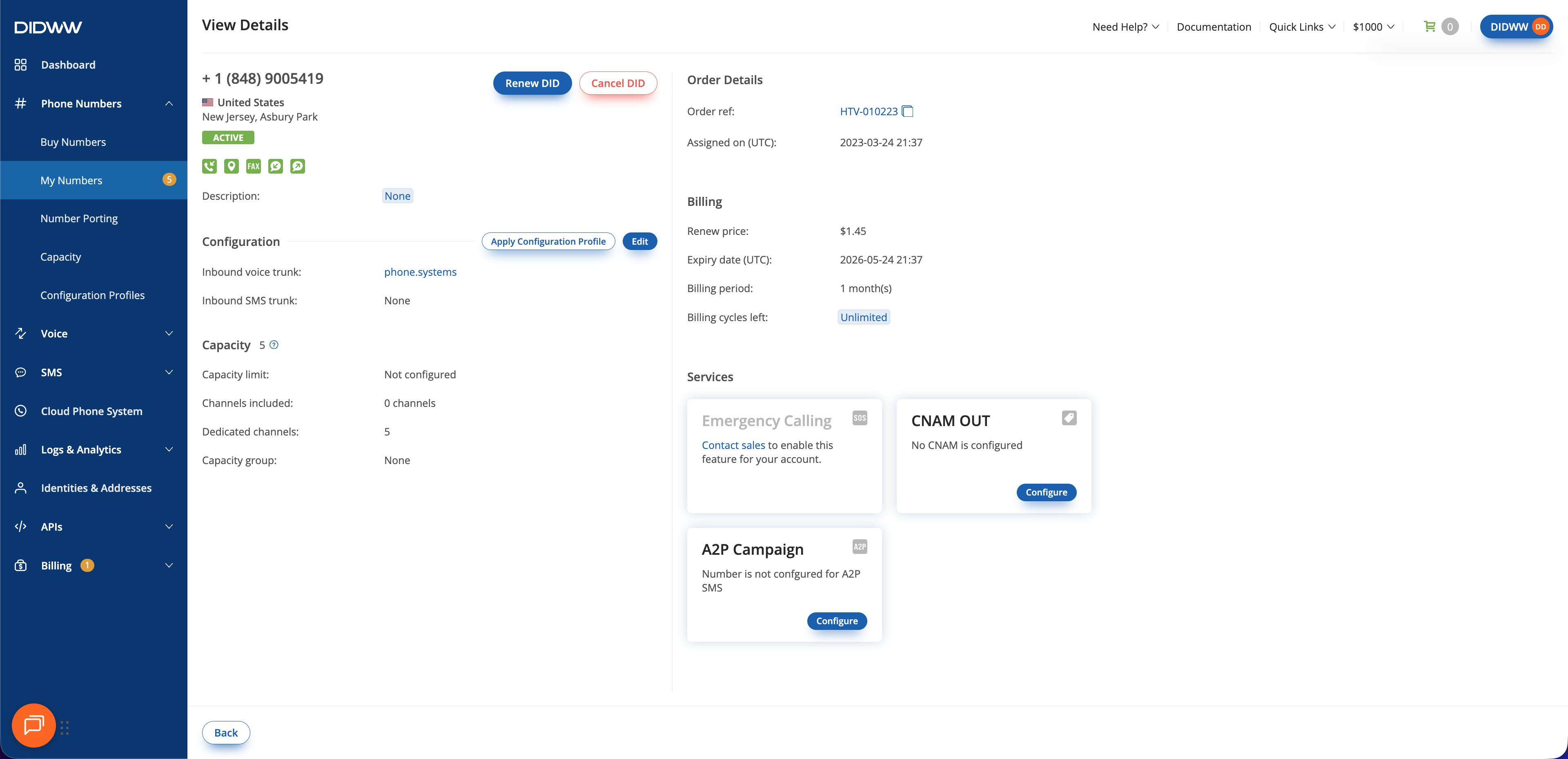
Fig. 2. DID number details page.#
General information#
DID number information identifies the DID number and shows its current operational and lifecycle state. This information is used to determine whether the DID number is active, which features it supports, where it is located, and whether additional configuration or review may still be required.
Displayed DID number information includes identifying, status, lifecycle, and supported-feature information associated with the DID number.
Supported feature indicators show which DID number capabilities are available for the number, such as voice, SMS, fax, local CLI, or other supported DID features. A supported feature does not mean the related configuration is already complete. For example, a DID number may support inbound SMS, but SMS messages are not delivered until an inbound SMS trunk is assigned.
For DID number statuses, supported feature indicators, and related UI values, see My Numbers reference.
Trunks#
Trunks control where inbound calls and inbound SMS messages are routed for a DID number.
Inbound voice trunks are used for inbound call routing.
Inbound SMS trunks are used for inbound SMS message routing.
Voice and SMS trunk assignments are independent.
As shown in Setup and activation, DID numbers require trunk assignment before inbound calls or inbound SMS messages can be delivered.
For trunk assignment fields and related UI values, see My Numbers reference.
To learn how to assign trunks to your DID numbers, see Assign a voice trunk and Assign an SMS trunk.
End user details#
Some DID numbers require approved end-user details before they can become active.
End user details connect DID numbers to identity and address information used for regulatory verification and DID number activation.
Verification requirements depend on country, DID number type, and local telecommunications regulations.
When verification is required, the DID number remains pending until the submitted information is reviewed and approved.
For verification states, and other registration-related indicators, see My Numbers reference.
To learn how to assign end-user details to your DID numbers, see Assign end-user details.
Capacity#
Capacity controls how many concurrent inbound calls a DID number can receive.
Inbound call delivery depends on both assigned inbound voice trunks and available inbound capacity.
Depending on the DID number billing model and capacity configuration, inbound capacity may be provided through included channels, dedicated channels, or shared capacity groups.
Capacity limits can also be used to restrict concurrent inbound call handling for a DID number.
Capacity settings determine how inbound call capacity is allocated and how concurrent inbound calls are handled for the DID number.
For capacity-related fields, indicators, and channel values, see My Numbers reference.
For capacity modes, channel allocation, and capacity configuration details, see Capacity. To change Channels included for a DID number, see Change next capacity mode. To restrict concurrent inbound calls for a DID number, see Set capacity limits.
Order details#
Order details identify how and when the DID number was assigned to your account.
Order information connects the DID number to the original purchase or porting order associated with the DID number.
Order references and assignment timestamps are used to track DID number provisioning and lifecycle activity.
For order-related fields and values, see My Numbers reference.
Billing#
Billing information determines how long a DID number remains active and how the DID number renews over time.
Billing settings are used to determine DID number expiry, billing period, renewal behavior, and remaining billing cycles.
Billing information is also used to identify DID numbers that require renewal, restoration, or removal.
For billing-related fields, lifecycle values, and renewal indicators, see My Numbers reference.
For number billing concepts, including setup and recurring charges, see Number billing.
For lifecycle tasks, see Renew a number, Remove a number, and Restore a number.
Billing cycles#
The billing period defines the length of each renewal, while billing cycles control how many future automatic renewals can occur. A billing cycle follows the billing period configured for the DID number, so one cycle may represent a month, a quarter, a year, or another supported period.
Billing cycles can be used to keep a DID number renewing indefinitely or to schedule a limited number of renewals. This is useful for temporary projects, planned migrations, or DID numbers that should remain active until a known future date without requiring immediate cancellation.
An unlimited setting allows automatic renewal to continue until the setting is changed or the DID number is removed. When a specific number of billing cycles is set, the value decreases after each automatic renewal. When it reaches 0, the DID number does not renew again and expires at the end of its current paid service period.
For example, if a DID number with a monthly billing period is no longer needed after three more renewals, set its remaining billing cycles to 3. The DID number renews for three additional monthly periods. After the third renewal, the remaining value reaches 0 and the number expires when that final paid period ends.
Note
Billing cycles cannot be configured while purchasing a DID number. After the purchase is complete, set the remaining billing cycles from Phone Numbers > My Numbers.
Setting a limited number of billing cycles does not cancel a DID number immediately. The DID number remains active until all remaining billing cycles have been used. You can change the remaining billing cycles at any time before the DID number expires. To cancel a DID number immediately, remove it manually instead of waiting for the remaining billing cycles to complete.
When a DID number expires after all billing cycles have been used, it is moved to the Service Aging Pool (SAP), where it remains recoverable for 34 days before being permanently removed.
For billing period values and billing cycle values, see My Numbers billing fields. To set the remaining billing cycles for one or more DID numbers, see Batch actions reference.
Services#
Services represent additional services associated with the DID number, such as Emergency Calling, CNAM OUT, or A2P messaging services.
Available services depend on factors such as country, DID number type, and regulatory requirements.
Some services require additional configuration, approval, verification, or linked resources before they become operational.
Service information shows the current state of services associated with the DID number.
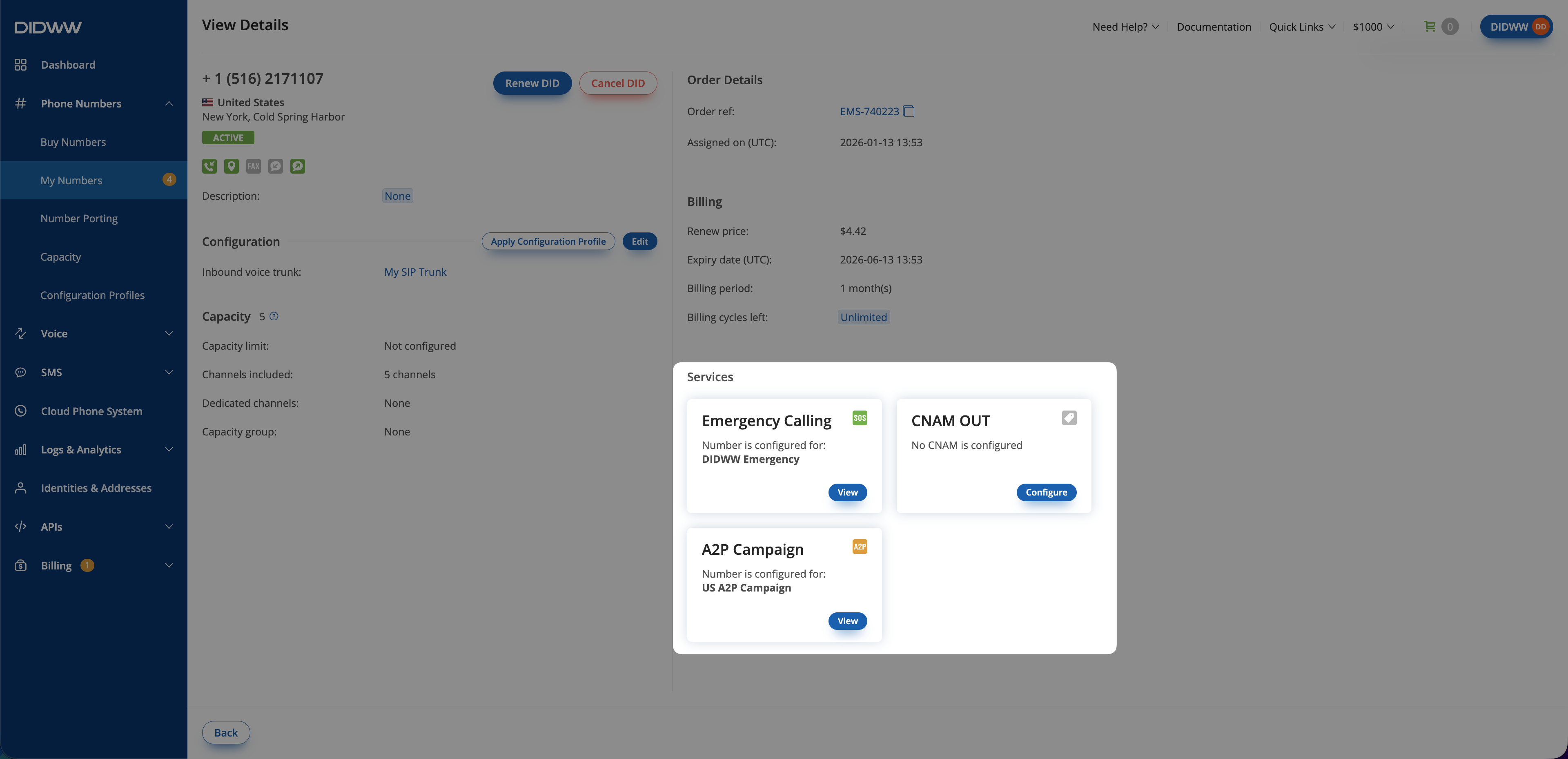
Fig. 3. DID number services and service states.#
For service indicators and service-related values, see My Numbers reference.
For service configuration tasks, see Manage CNAM OUT, Emergency Calling, and Sender ID Verifications.