

Create portability check#
Create a portability check to verify whether numbers can be ported to DIDWW before creating a porting request.
Create a new portability check#
In the DIDWW User Panel, go to Phone Numbers > Number Porting.
Open the Portability Checks tab.
Click Create New.
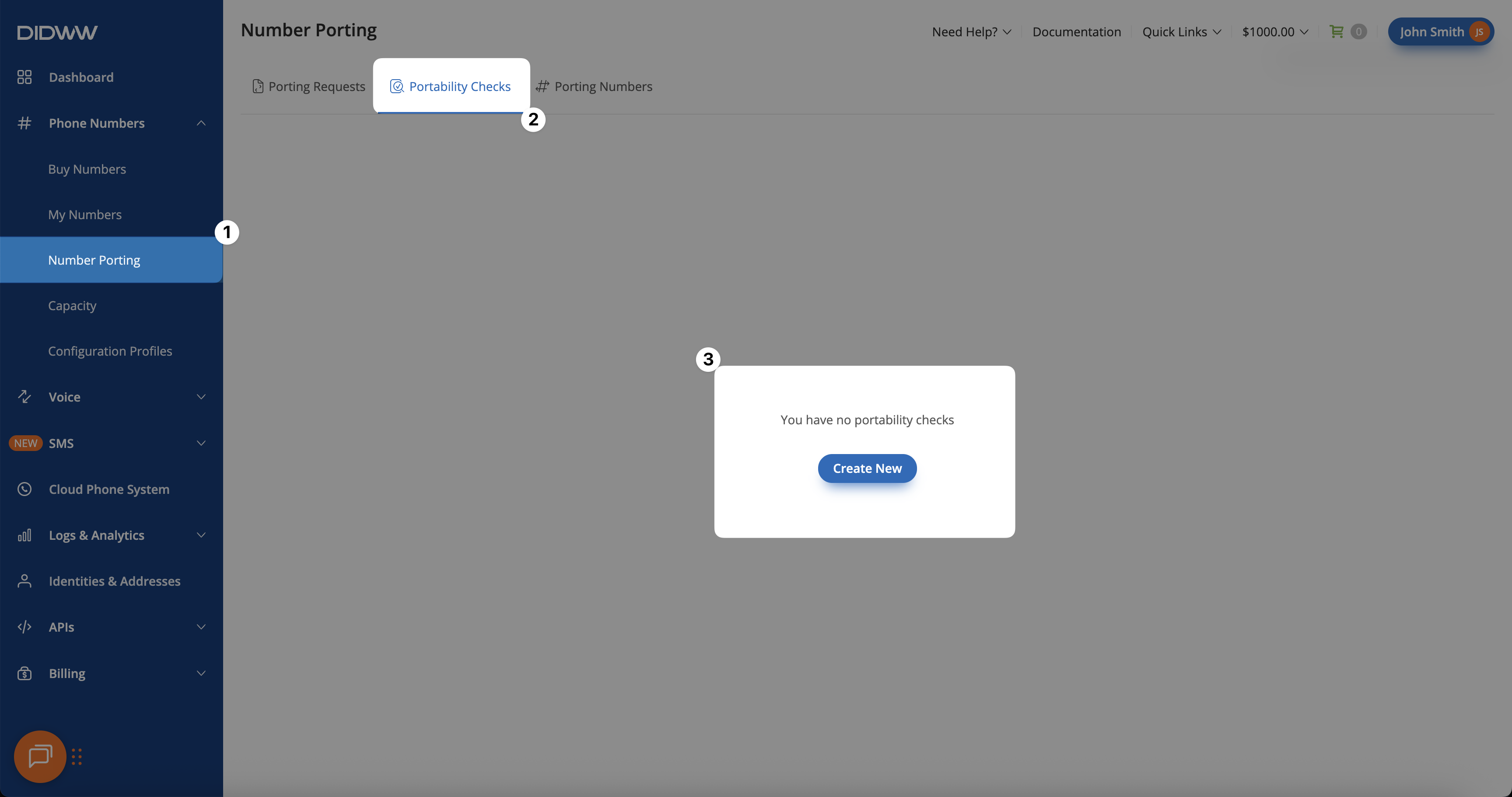
Fig. 1. Creating a new portability check.#
Step 2: Enter the friendly name and DIDs#
On the New Portability Check page, enter a Friendly Name.
In the DIDs section, enter the numbers you want to check for portability.
Click Continue.
Enter numbers with country, area, and local codes:
35310111111
353 1 0111111
353 (1) 0111111
353 (1) 011-1111
List numbers in a column:
35310111111
35310111112
35310111113
35310111114
Enter number ranges:
35310001110 - 35310001114
35310001120 - 30
35310001140 - 35310001160
35310001170 - 90
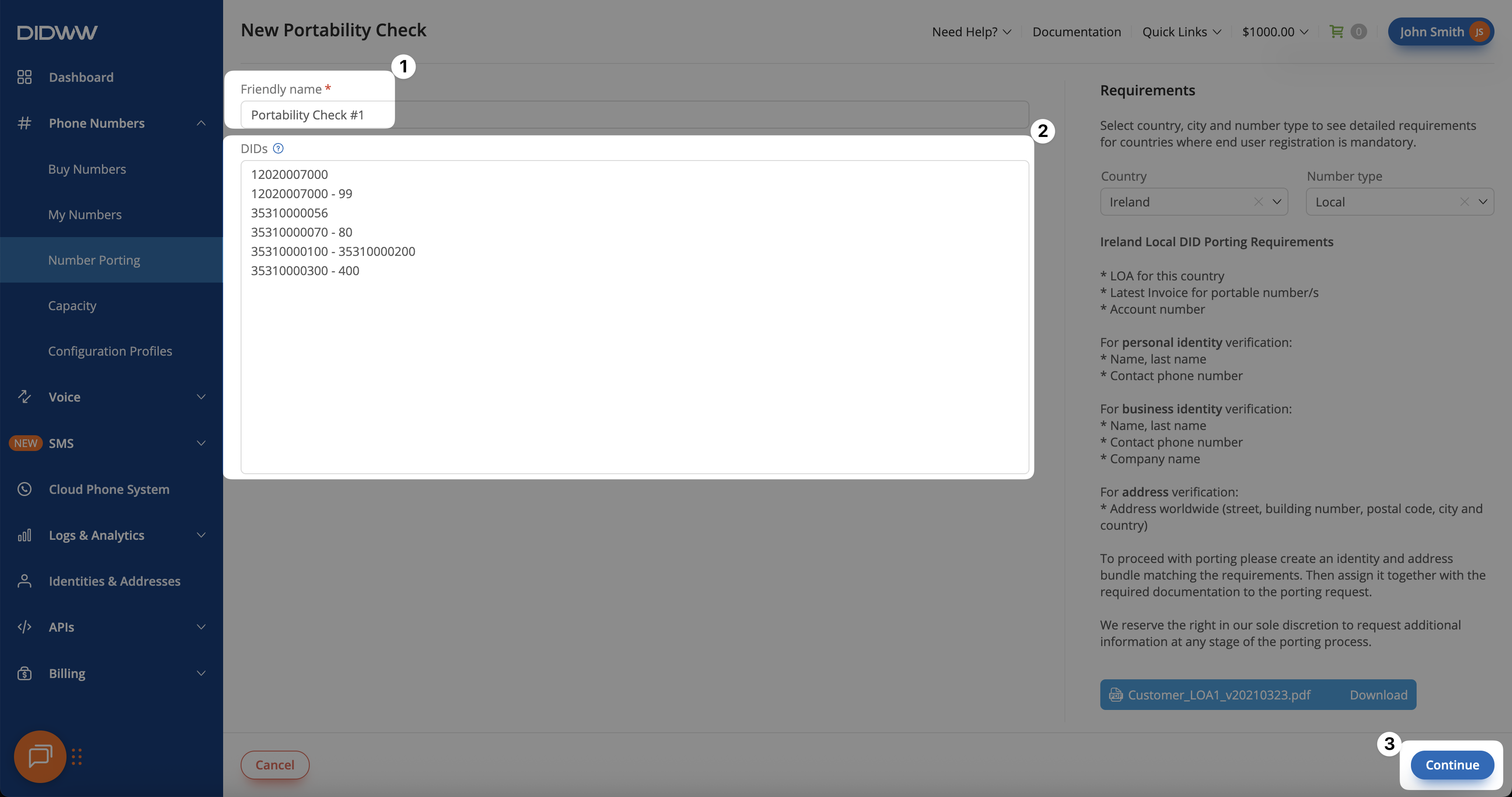
Fig. 2. Entered DIDs in the portability check form.#
Step 3: Review the created portability check#
After submitting the portability check, you are redirected to the Edit Portability Check page. Numbers are grouped by country and number type, and the new portability check has New status.
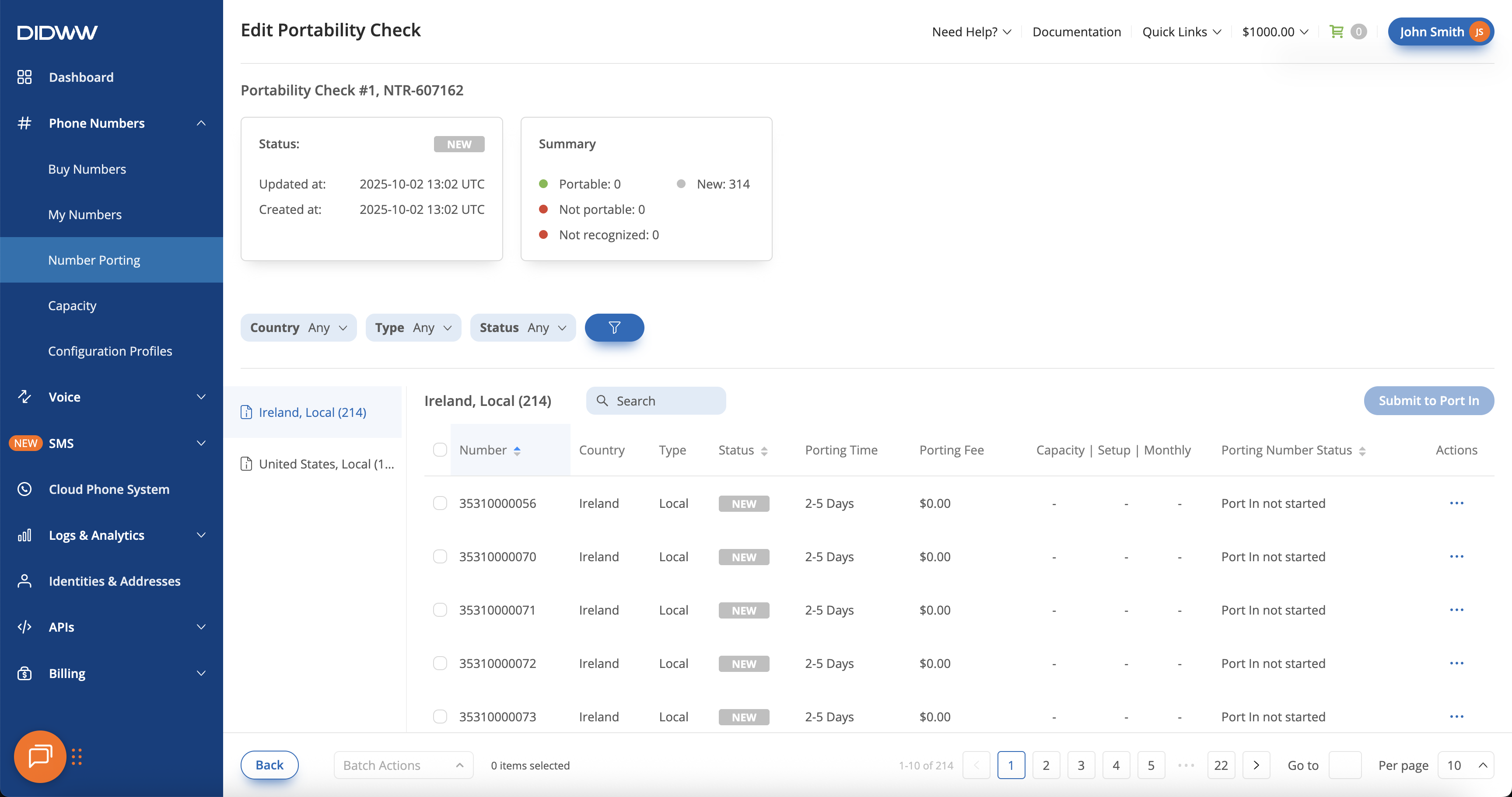
Fig. 3. Created portability check with summarized results.#