

Create configuration profile#
Create a configuration profile to apply reusable DID number settings in one action.
Before you begin#
A voice trunk is required before it can be selected in the Trunk field. See Inbound Trunks.
An SMS trunk is required before it can be selected in the SMS Trunk field. See SMS Trunks.
A Capacity group is required before it can be selected in the Capacity Group field. See Create a capacity group.
Step 1: Open the create profile form#
In the DIDWW User Panel, go to Phone Numbers > Configuration Profiles.
Open the Profiles tab.
Click Create Profile.
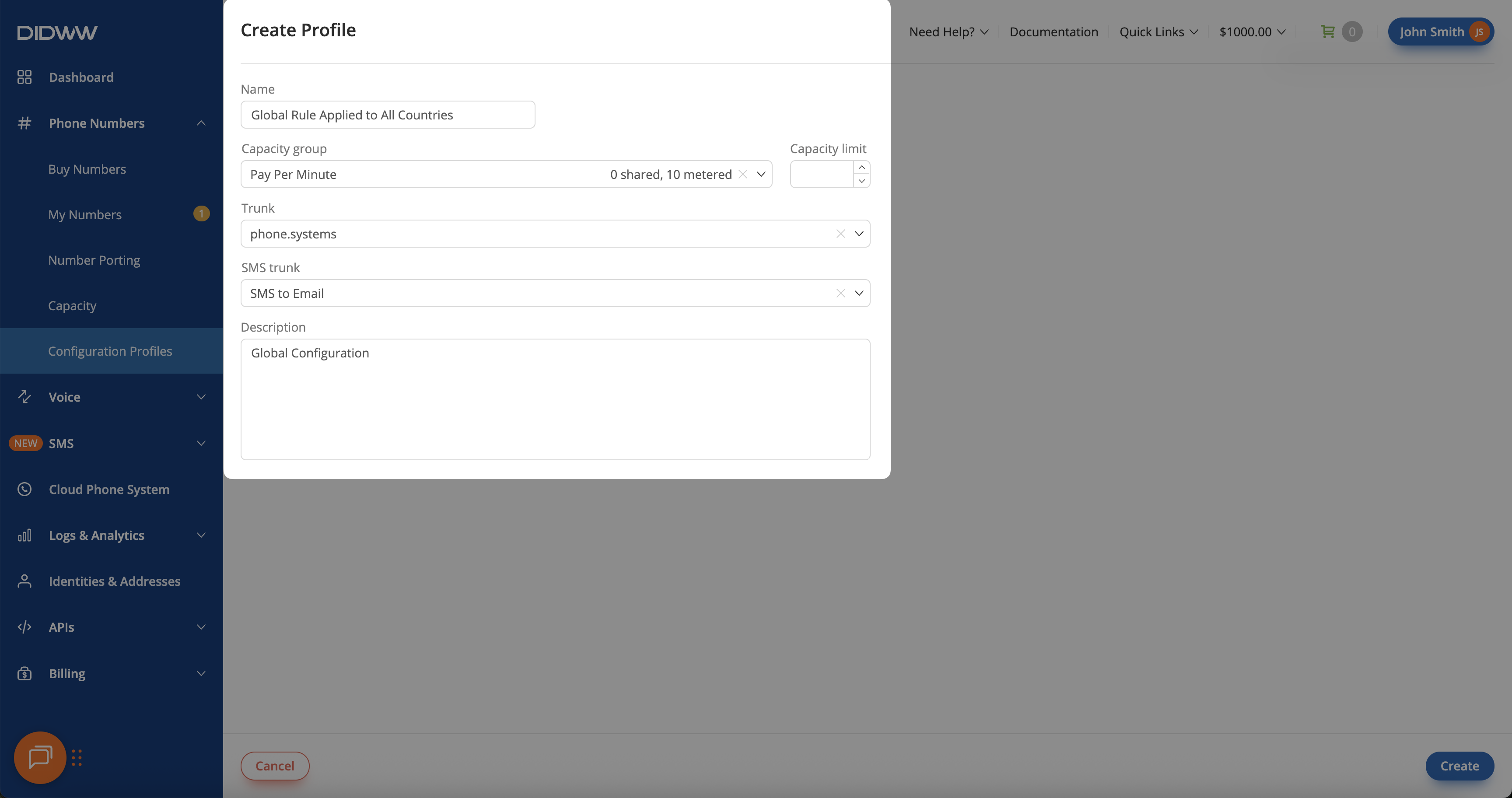
Fig. 1. Create Configuration Profile form.#
Step 2: Configure the profile#
Enter a profile name.
Select the settings the profile should apply.
Note
At least one configuration must be selected to apply the profile to a number.
Click Create.
Fig. 2. Configured Configuration Profile fields.#