

Send bulk SMS with the API#
Send the same message to several destination numbers in one Outbound SMS API request. DIDWW creates a separate outbound message for each destination and reports the result of each message in its own status callback.
Before you begin#
An HTTP OUT trunk. If you do not have one, create an HTTP OUT trunk.
A sender that the trunk can use: a DID number with Outbound P2P SMS allowed in the trunk’s Source Address Settings, or an active Sender ID Verification for A2P messaging.
A Callback URL on the trunk to receive the result of each message.
If you have not sent a message with the API before, complete Send your first SMS with the API first.
Step 1: Get your trunk credentials#
In the DIDWW User Panel, go to SMS > SMS Trunks.
Locate your HTTP OUT trunk and click the key icon in the Credentials column.
Copy the Username and Password.
For details, see View HTTP OUT trunk credentials.
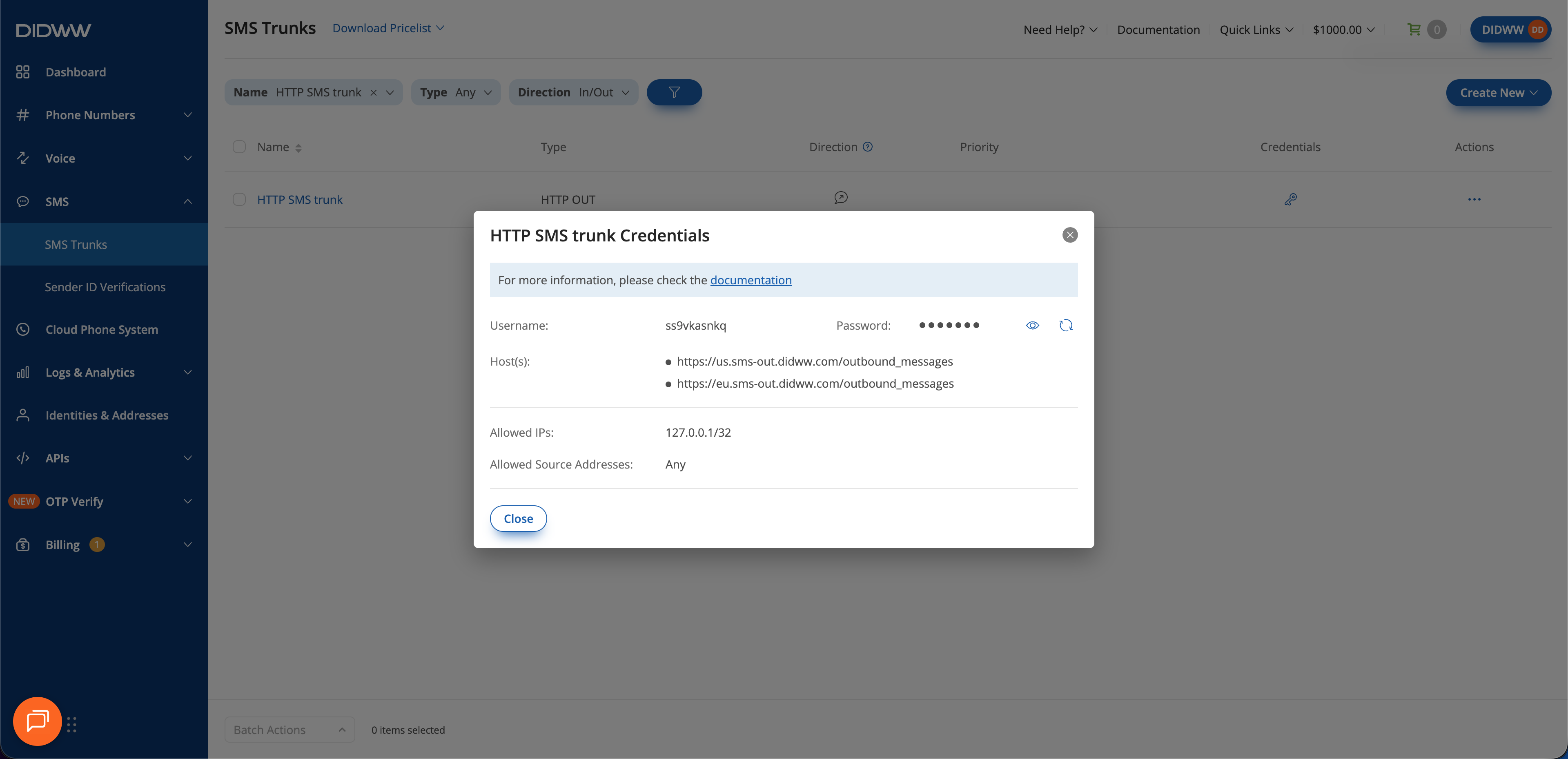
Fig. 1. Get the trunk credentials#
Step 2: Prepare the bulk request#
A bulk request uses the bulk_outbound_messages resource type and the
/bulk_outbound_messages path. Its attributes apply to every message in
the request:
destination: an array of recipient numbers in E.164 format, digits only, without the leading+. A request can contain up to 1000 numbers. A request with more numbers returns400 Bad Request.sourceorcampaign_id: the sender of all messages. See Request attributes.content: the message text that every recipient receives.
 1{
 2  "data": {
 3    "type": "bulk_outbound_messages",
 4    "attributes": {
 5      "destination": ["15551234567", "15551234568"],
 6      "source": "12125551234",
 7      "content": "Hello World!"
 8    }
 9  }
10}
Step 3: Submit the request#
Send the request to https://sms-out.didww.com/bulk_outbound_messages, or
replace https://sms-out.didww.com with a regional endpoint. See
Endpoints. Replace USERNAME and
PASSWORD with the credentials from step 1.
 1curl -u USERNAME:PASSWORD \
 2  -X POST \
 3  -H "Content-Type: application/vnd.api+json" \
 4  https://sms-out.didww.com/bulk_outbound_messages \
 5  -d '{
 6    "data": {
 7      "type": "bulk_outbound_messages",
 8      "attributes": {
 9        "destination": ["15551234567", "15551234568"],
10        "source": "12125551234",
11        "content": "Hello World!"
12      }
13    }
14  }'
The maximum request rate for HTTP OUT trunks is 10 requests per second. To reach more than 1000 recipients, split them into several bulk requests and keep within the rate limit.
Step 4: Review message results#
Check the API response. A
201 Createdresponse contains the ID of the bulk request and the ID of each outbound message:1{ 2 "data": { 3 "type": "bulk_outbound_messages", 4 "id": "2C4807D1-74E4-4639-BBC4-057402F052FF", 5 "relationships": { 6 "outbound_messages": { 7 "data": [ 8 {"type": "outbound_messages", "id": "E34C1810-434B-4E64-AFD9-EC0568F324A9"}, 9 {"type": "outbound_messages", "id": "B6A48E34-3219-407D-99E6-770CF524F611"} 10 ] 11 } 12 } 13 } 14}
Store the message IDs. Each ID identifies the message sent to one destination number. The IDs are listed in the same order as the numbers in the
destinationarray.Match the status callbacks to the messages. DIDWW sends a separate status callback for each destination number. Each callback contains the message
idand thedestination, so you can match it to the message IDs from the response. See Callback examples.Review failed messages. A callback with a
statusother thanSuccesscontains acode_idthat explains the failure. See Callback error codes.