

View a Sender ID Verification#
Open a Sender ID Verification to see its Sender IDs, along with its status and other fields and available actions.
Step 1: Locate the verification#
In the DIDWW User Panel, go to SMS > Sender ID Verifications.
Open the Verifications tab.
Find the verification and click its name to open it. Use the filters if you have many verifications.
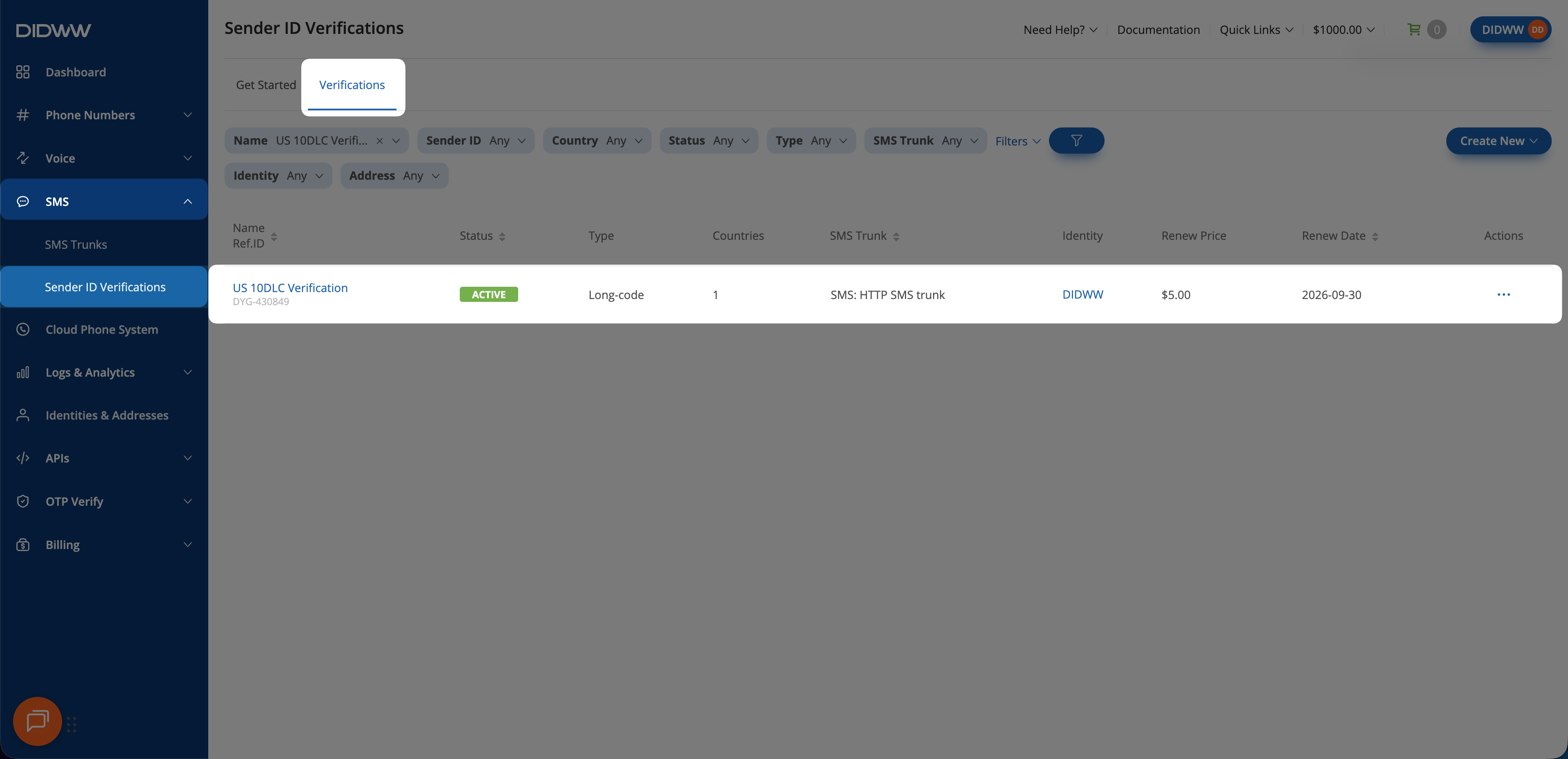
Fig. 1. Locate the verification.#
Step 2: Review the verification#
Review the verification’s fields, status, and available actions on its details page.
For field descriptions, see Sender ID Verification fields.
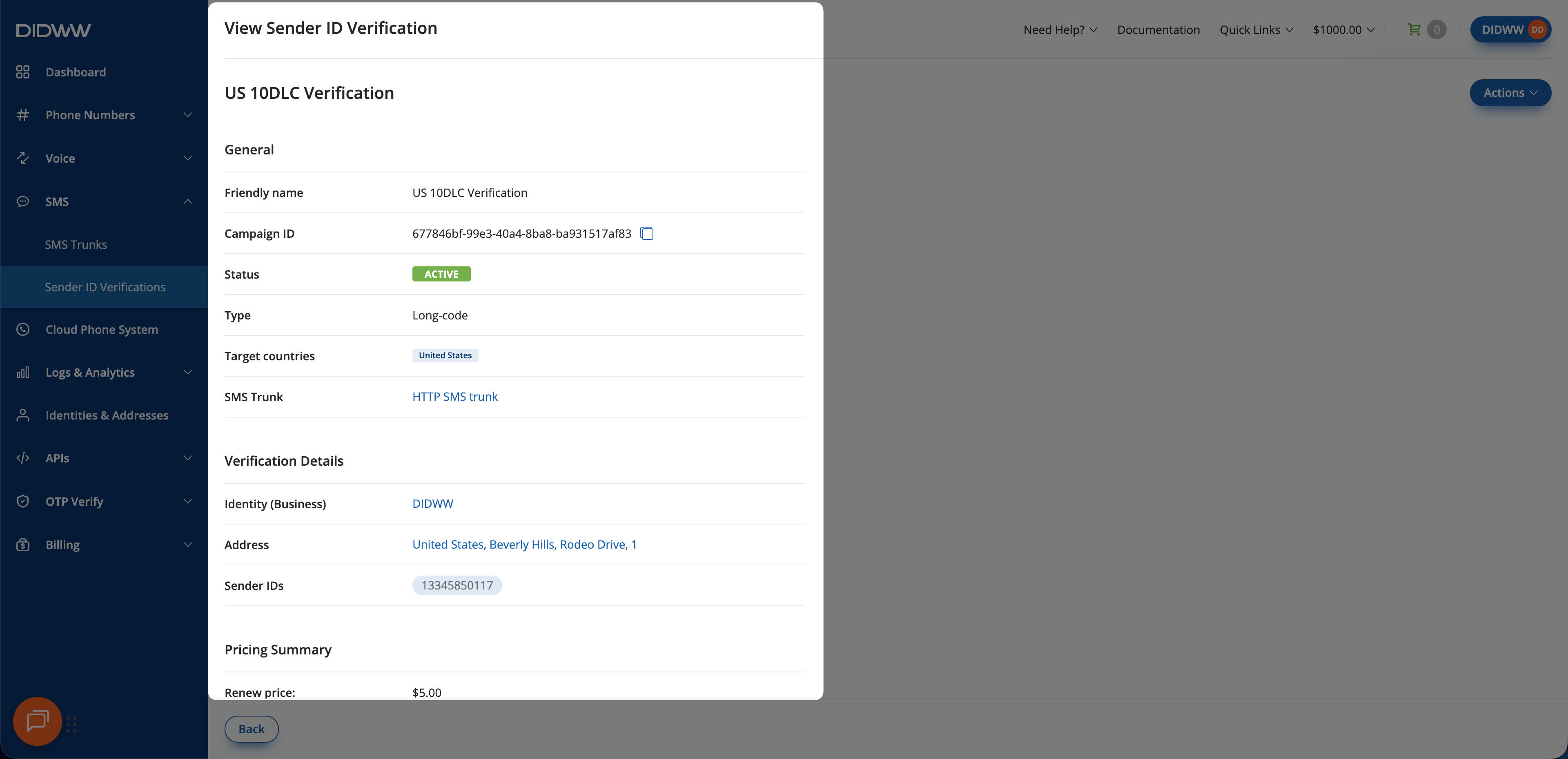
Fig. 2. The verification details page.#