

Get access to outbound trunks#
DIDWW Outbound Trunks provide local and international voice termination for operators and businesses, ensuring high-quality and reliable call routing.
Outbound trunks are not enabled by default. To activate them on your account and start placing outbound calls, you must request access and fill in a short Outbound Voice Trunk Application Form — an approval step that confirms your eligibility, including a Business Account with Company Name and VAT/TAX ID.
Before you begin#
An active DIDWW account is required. Sign in to DIDWW or Create DIDWW account.
Service availability and eligibility#
Outbound Trunks access is subject to an eligibility and application review. It is not enabled automatically when you sign up. As part of the application, you select an anticipated usage type (Wholesale or Business) and the regions you intend to call. Some regions require additional registration information before DIDWW can approve traffic to them. You can leave a region disabled if you do not need it. Requirements can differ between Wholesale and Business usage, as shown in the application fields below.
Step 1: Open Outbound Trunks#
On the DIDWW User Panel Menu, click Voice.
Click Outbound Trunks.
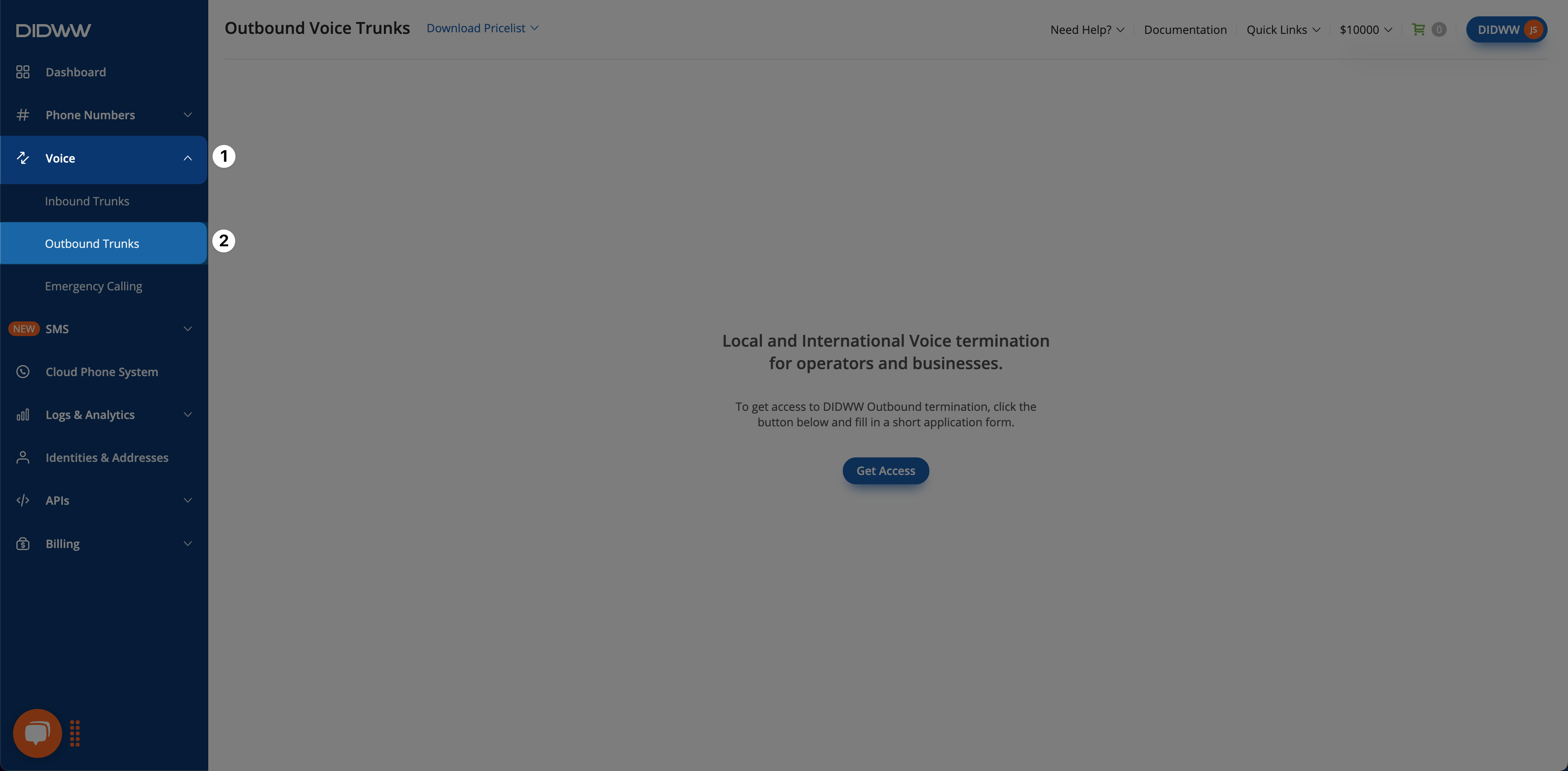
Fig. 1. Open Outbound Trunks#
Step 2: Request access#
Click Get Access.
Note
For a Personal Account without a Company Name or VAT/TAX ID, complete Step 1: Account Details and upgrade to a Business Account.
For a Business Account without a Company Website or VAT/TAX ID, add the missing details in Step 1: Account Details.
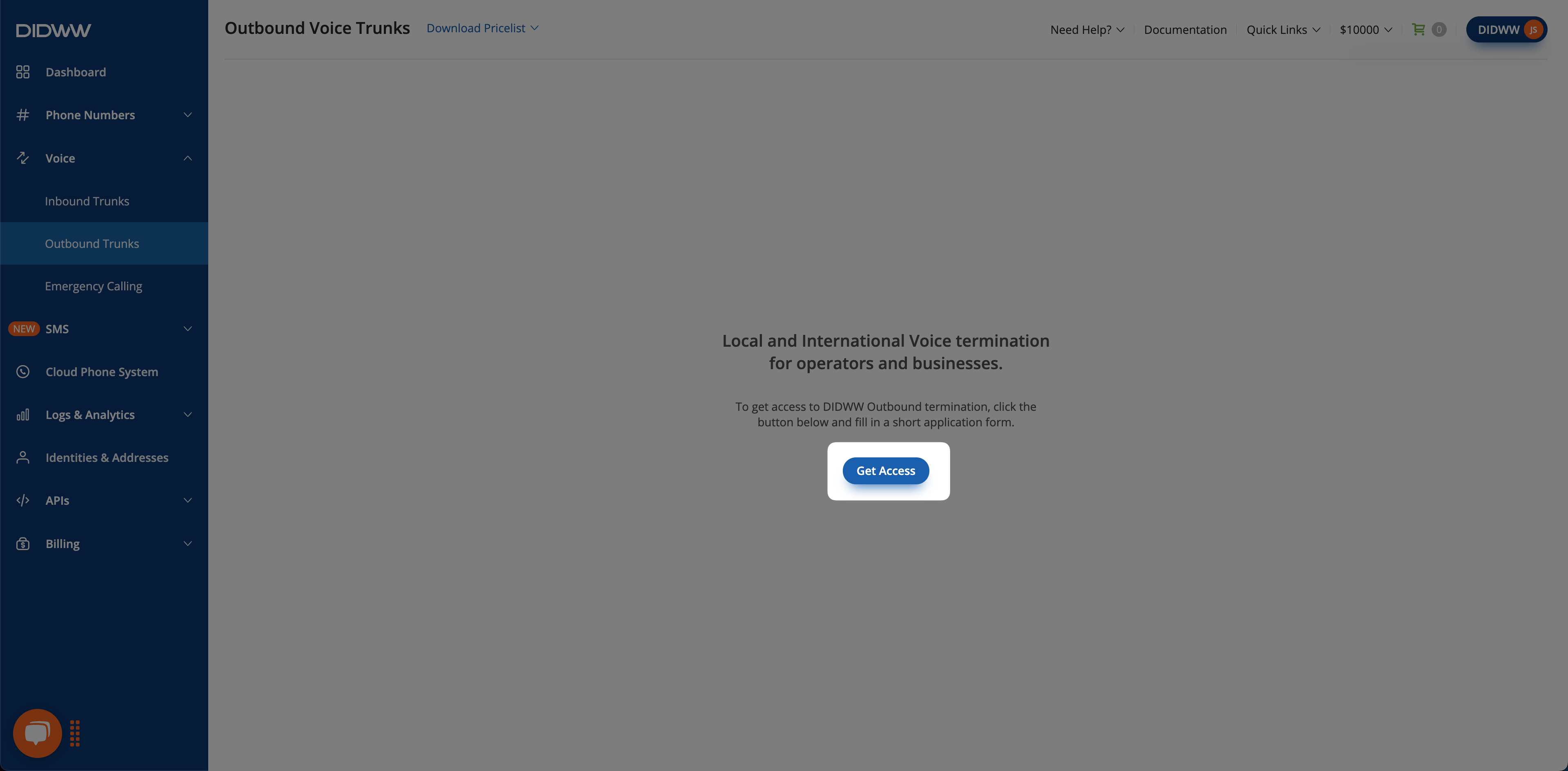
Fig. 2. Start the access request#
Step 3: Complete the application#
Provide the required General Information and select the appropriate Anticipated Usage:
Wholesale: Your organization resells DIDWW termination routes to downstream vendors or customers.
Business: Your organization uses DIDWW termination for its own business communications.
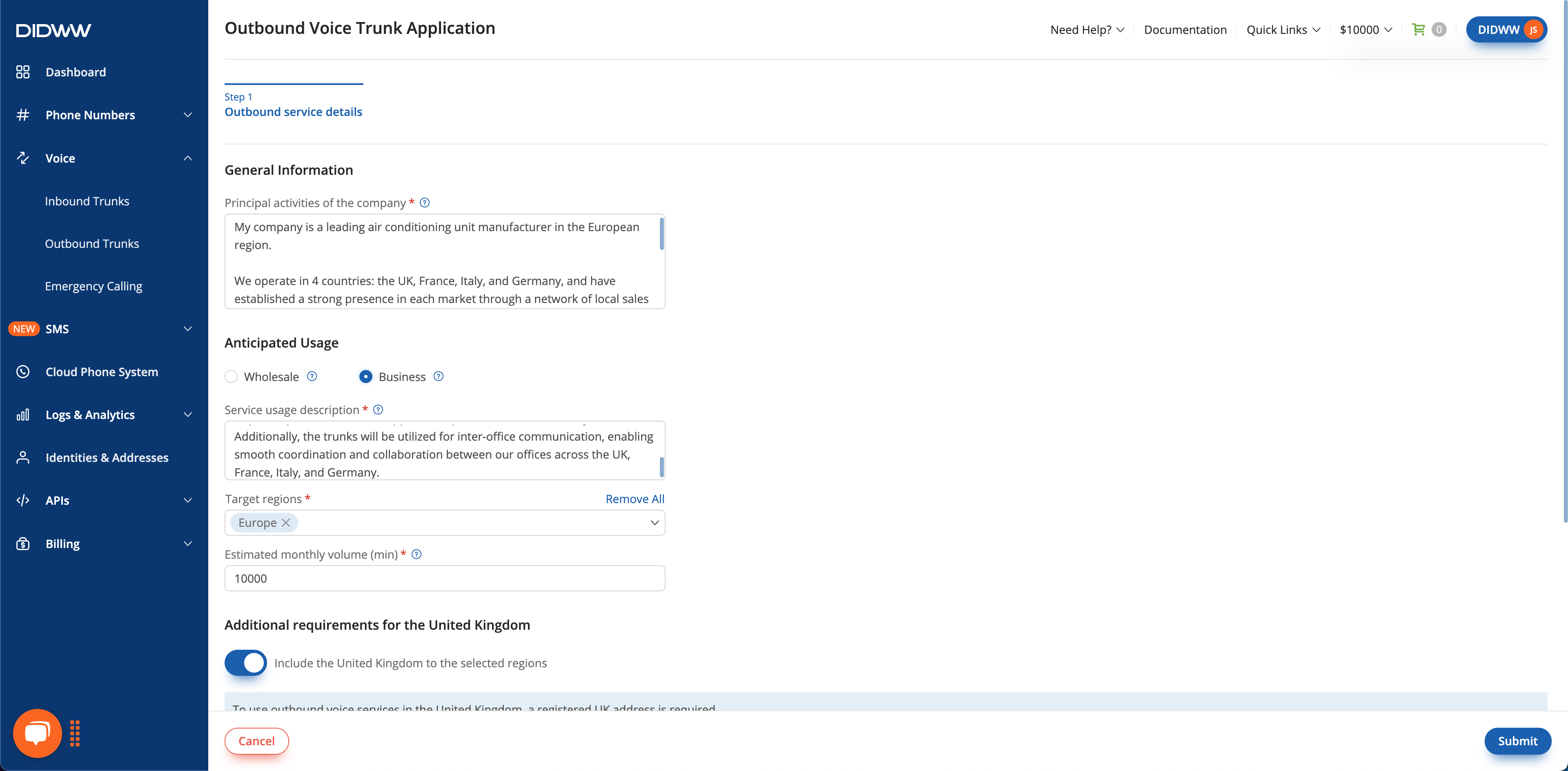
Fig. 3. Complete the application#
The form fields change based on the selected Anticipated Usage. The table below explains what to enter in each field and whether it applies to both application types or only to Wholesale.
Field |
Description |
Applies to |
|---|---|---|
Principal Activities of the Company (Required) |
Describe your company’s main business activities. |
Wholesale and Business |
Service Usage Description (Required) |
Describe how the outbound service will be used. |
Wholesale and Business |
Target Regions (Required) |
Select the regions to which calls will be sent. |
Wholesale and Business |
Estimated Monthly Volume (min) (Required) |
Enter the expected monthly call volume in minutes. |
Wholesale and Business |
Average Call Duration (ACD) (sec) (Required for Wholesale) |
Enter the estimated average call duration in seconds. |
Wholesale only |
Answer-Seizure Ratio (ASR%) (Required for Wholesale) |
Enter the expected percentage of attempted calls that are answered. |
Wholesale only |
Calls Per Second (CPS) (Required for Wholesale) |
Enter the expected number of call attempts per second. |
Wholesale only |
Step 4: Provide regional information when required#
Some selected target regions require additional information:
North America: If you selected Anticipated Usage as Wholesale and plan to use your outbound trunk for destinations in the United States, you must provide your FCC Registration Number (FRN). This step is not required if you selected Anticipated Usage as Business.
Europe: If you plan to use your outbound trunk for destinations in the United Kingdom, additional information is required.
Asia & Asia Pacific: If you plan to use your outbound trunk for destinations in Singapore or Hong Kong, additional information is required.
Note
Toggle off a target region if you do not want to submit its additional information.
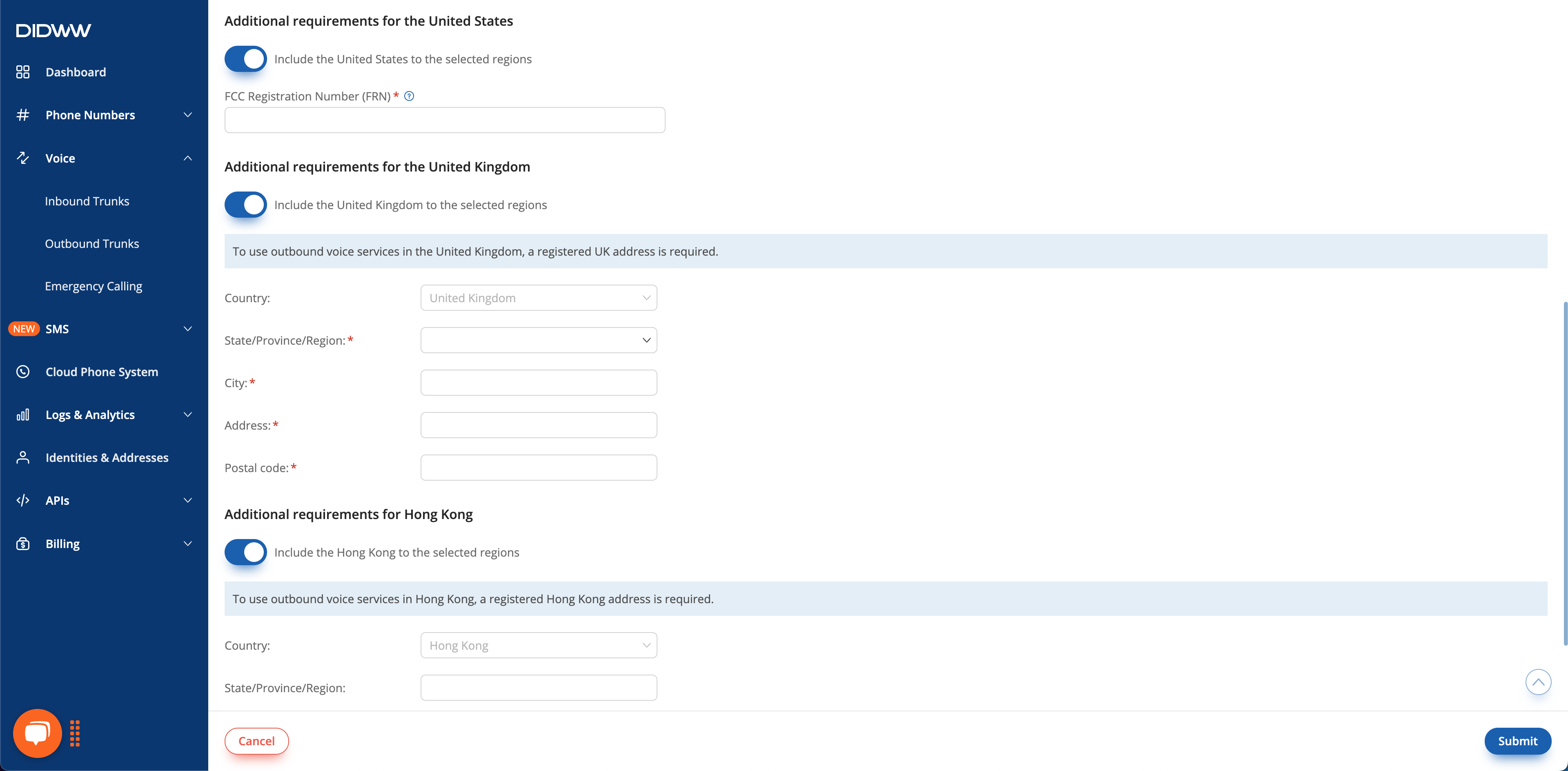
Fig. 4. Provide regional information#
Step 5: Submit the application#
Click Submit to send your request. You will receive an email notification within 48 business hours confirming service activation or requesting additional information.
Once the application is approved, the Outbound Trunks page allows you to create a trunk. If access is not available after receiving an approval notification, contact DIDWW Customer Care for more details.
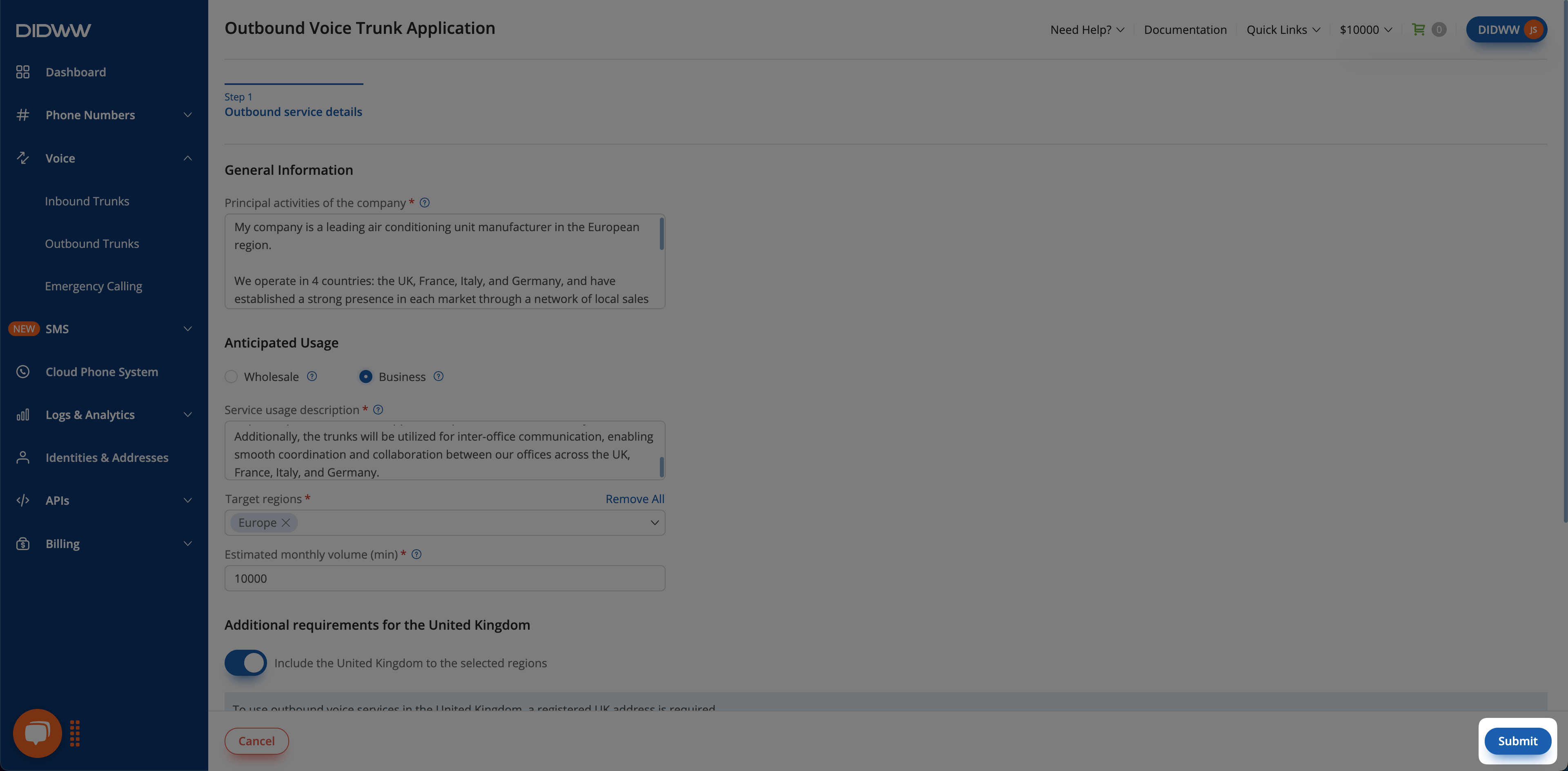
Fig. 5. Submit the application#
Next steps#
Configure your first outbound trunk now that access is approved.
Review number formats, local routes, and short-number dialing.