Invoices
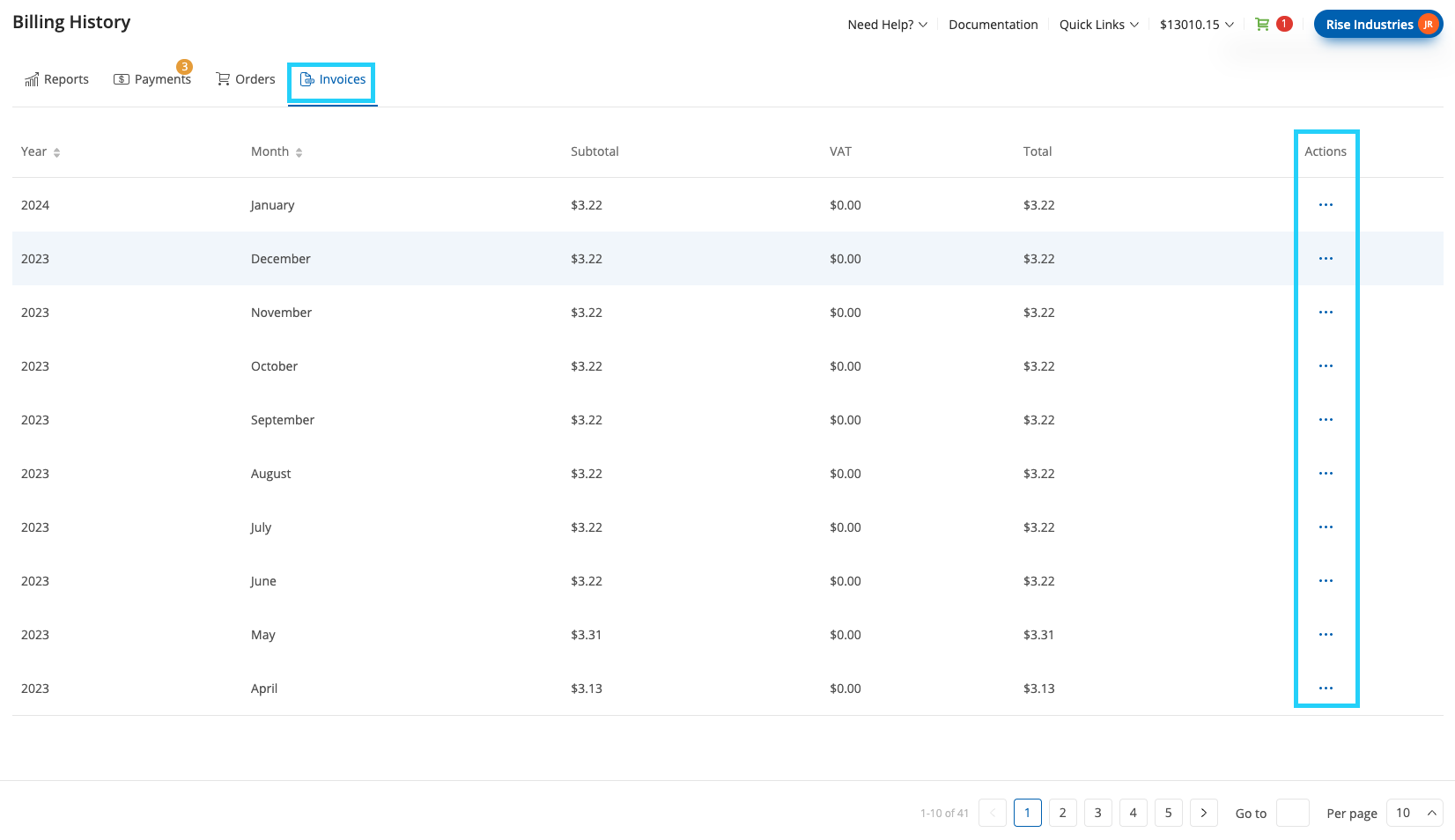
The Invoices tab provides a monthly summary of charges for your account. Each entry represents the invoice for a specific month, including subtotal, VAT, and total amounts. You can access detailed invoice information and download invoice files directly from this tab.
View invoices grouped by year and month, with their corresponding subtotal, VAT, and total values.
Open detailed invoice information.
Download a copy of the invoice in PDF format.
Fig. 1. Invoices Tab.
Actions
Each invoice includes available actions for accessing more details or downloading a copy of the invoice.
Action |
Description |
|---|---|
Invoice Details |
Opens a page displaying full invoice information, including line items such as services, quantities, and pricing. |
Download Invoice |
Downloads the invoice as a PDF document. |
Fig. 2. Invoices Actions Menu.
Invoice Details View
Select Invoice Details to view a breakdown of charges for the billing period.
Note
Invoices are also automatically delivered to the customer’s email address each month.
The Amount Info section shows:
Service – The billed product or service (e.g., DID service, phone.systems™ Seats)
Quantity – Number of billed units
Setup – One-time setup fee
Monthly – Recurring monthly charge
Subtotal – Amount per line item before tax
At the bottom of the page:
Subtotal – Total before VAT
VAT – Tax amount and rate
Total – Final amount with tax included
Fig. 3. Invoice Details View.