

AI Call Scoring#
AI Call Scoring provides an automated way to review the quality of recorded calls. Each matching call is evaluated against the criteria in a configured scorecard, producing an overall score, item-level results, AI-generated reasoning, and coaching suggestions.
Use the dashboard to monitor scoring results over time, identify scorecard items that may require attention, and review the evaluation of individual calls. Results can help reveal recurring strengths and areas for improvement without requiring every recording to be reviewed manually.
Scorecards define which call directions are evaluated, the criteria used for scoring, the maximum points available, and an optional target score. Create and manage them under AI > Call Scoring.
Important
The date and time shown in AI Call Scoring follow the time zone used by the interface on the device in use.
Filters#
Use the filters at the top of the page to select the results shown in the dashboard.
Filter |
Description |
|---|---|
Scorecard |
Select the scorecard whose results you want to review. The selection shows the scorecard’s call direction and status. Results for one scorecard are displayed at a time. |
Time range |
Select the date range for the evaluations included in the dashboard. The maximum range is the last three months. |
Click the refresh icon to retrieve the latest results while keeping the selected filters. If no evaluated calls match the selected filters, the dashboard shows zero values and empty tables.
Click the settings icon next to the selected scorecard to open it under AI > Call Scoring.
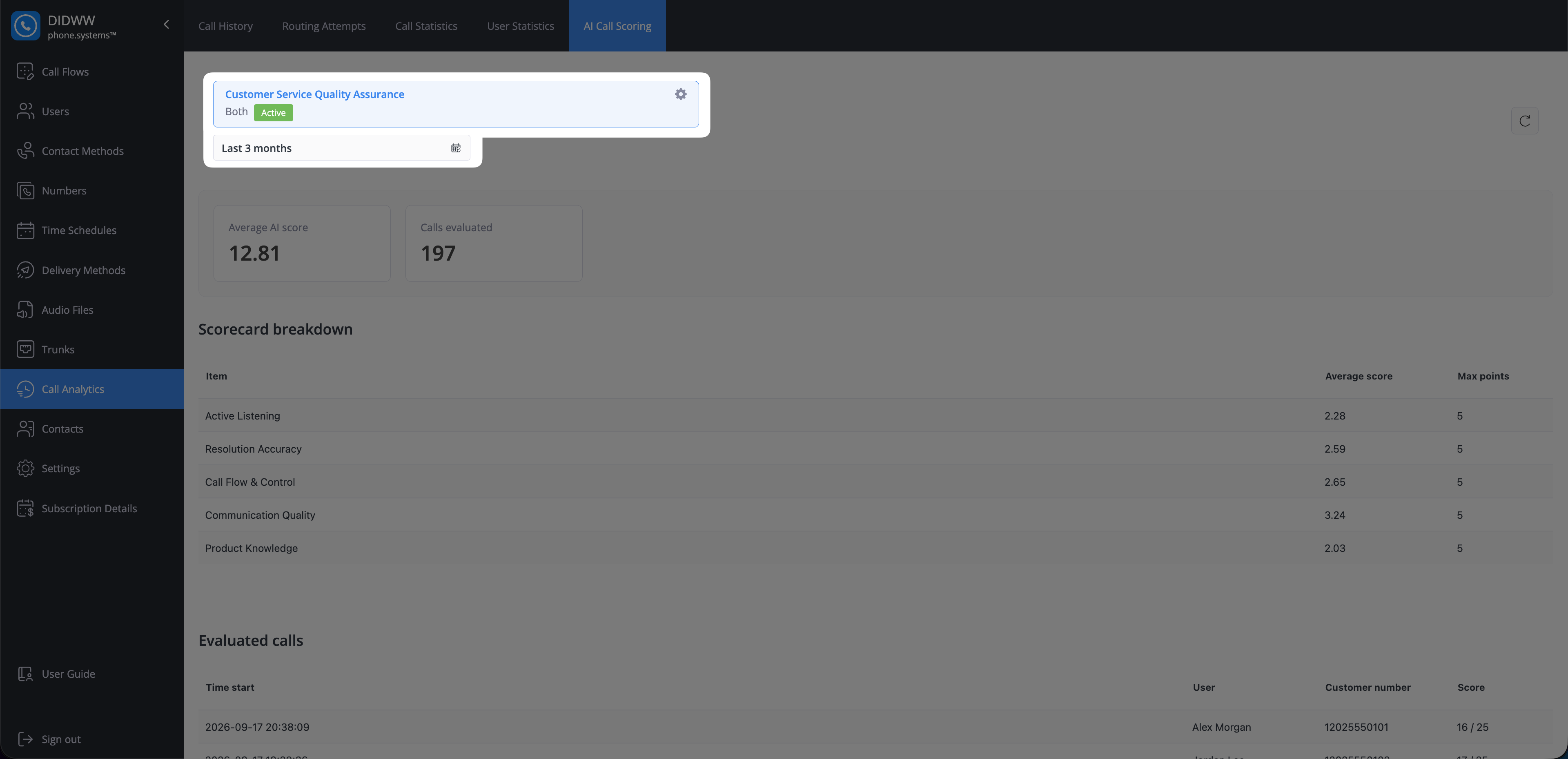
Fig. 1. AI Call Scoring filters#
Dashboard summary#
The summary cards show the combined results for the selected scorecard and date range.
Metric |
Description |
|---|---|
Average AI score |
The average total score awarded to evaluated calls. |
Calls evaluated |
The number of calls evaluated with the selected scorecard. |
Scores are displayed as points. To express a result as a percentage, divide the awarded score by the total maximum score and multiply by 100. See Suggested score and target ranges for general guidance on interpreting the result.
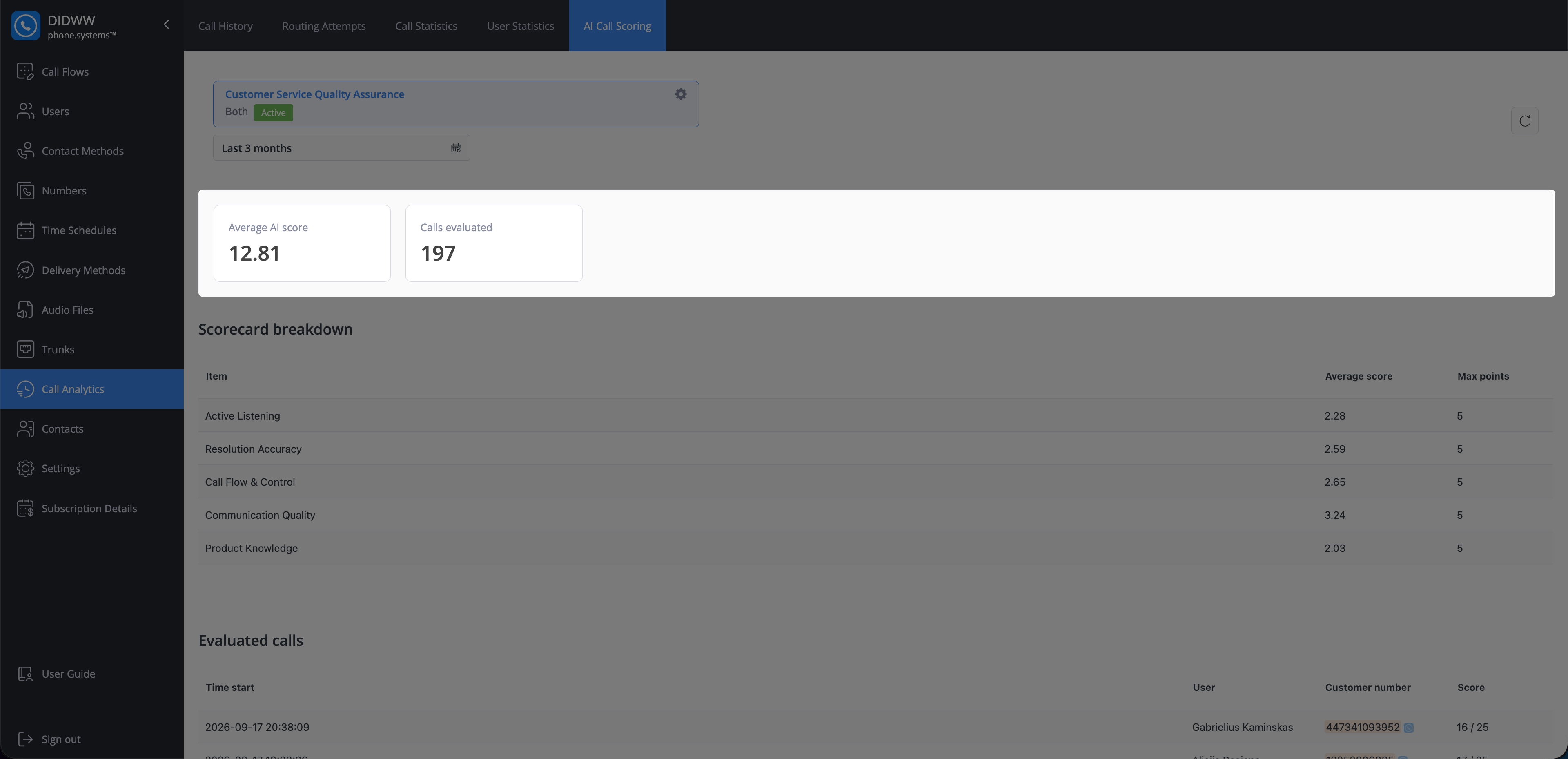
Fig. 2. Dashboard summary#
Scorecard breakdown#
The Scorecard breakdown summarizes performance for each item in the selected scorecard.
Column |
Description |
|---|---|
Item |
The scorecard item evaluated for each matching call. |
Average score |
The average number of points awarded for the item across the evaluated calls. |
Max points |
The maximum number of points available for the item. |
Compare Average score with Max points to identify criteria that perform well and criteria that may require further review or coaching.
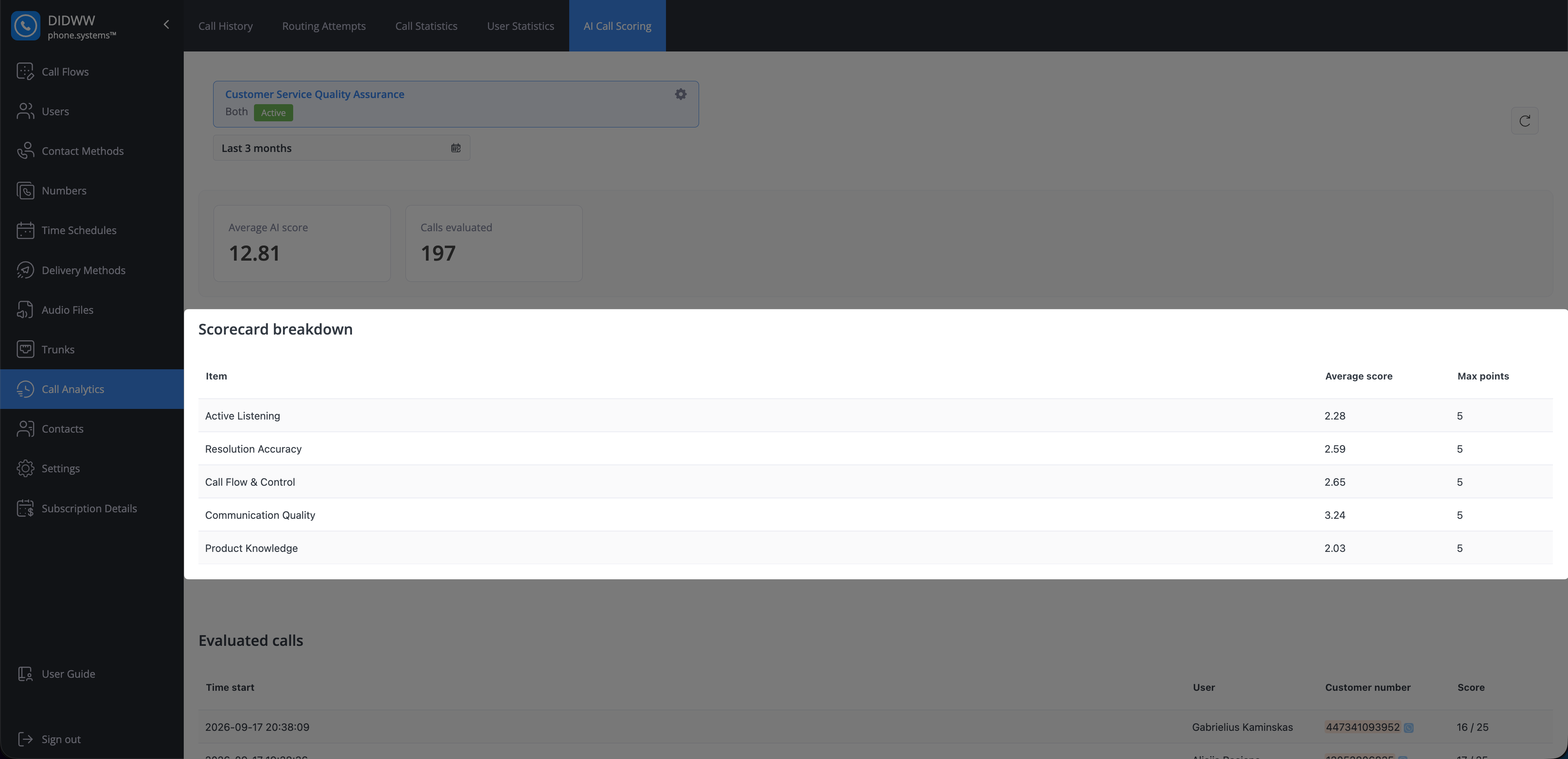
Fig. 3. Scorecard breakdown#
Evaluated calls#
The Evaluated calls table lists the calls scored with the selected scorecard during the selected date range.
Column |
Description |
|---|---|
Time start |
The date and time when the call started. |
User |
The phone.systems™ user associated with the call. |
Customer number |
The customer’s phone number. |
Score |
The awarded score followed by the scorecard’s total maximum score. |
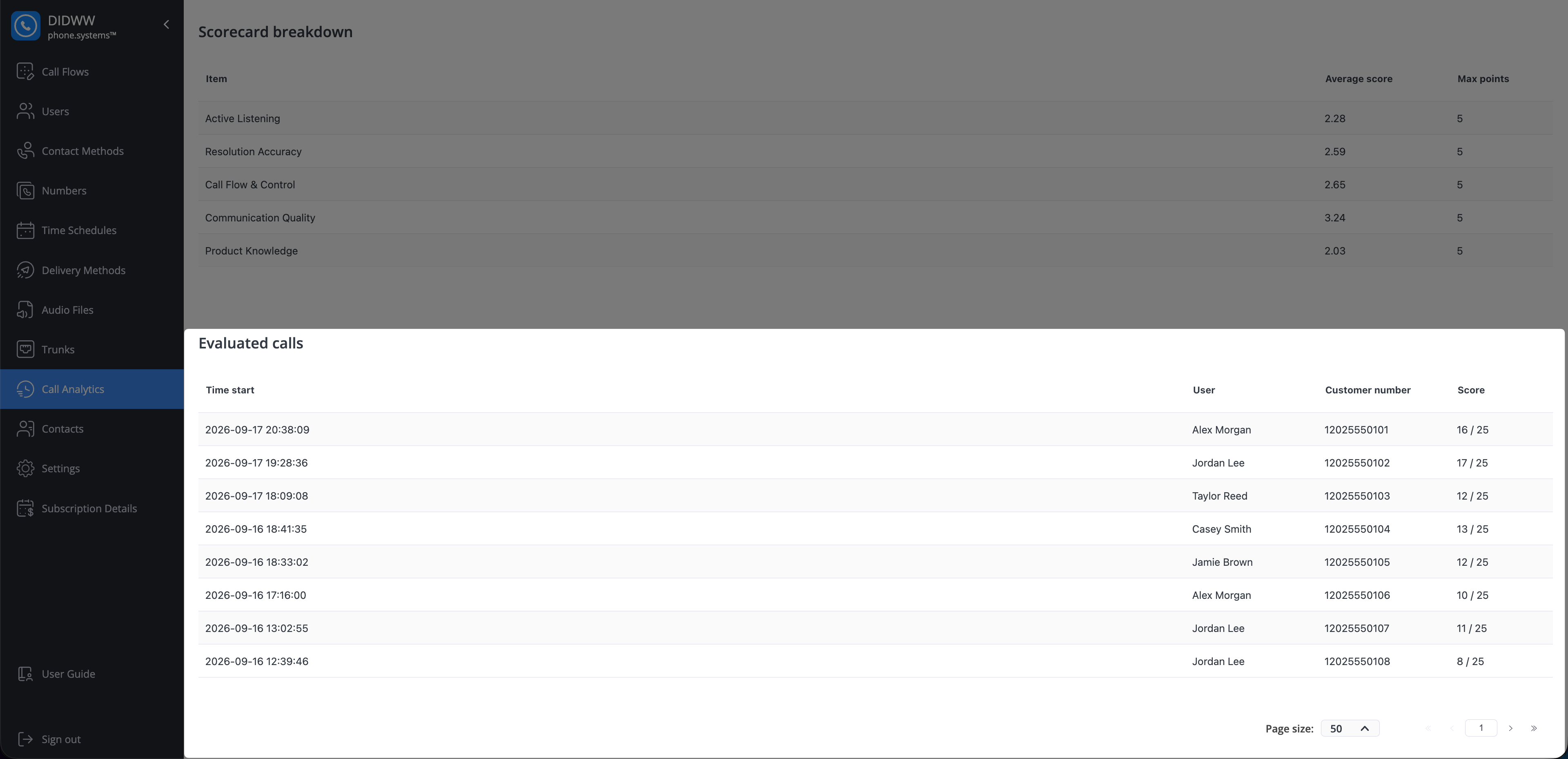
Fig. 4. Evaluated calls#
Select a call to open its evaluation. The evaluation shows the total score and the following details for each scorecard item:
Awarded points and maximum points.
AI-generated reasoning for the awarded score.
Coaching notes with suggestions for improvement.
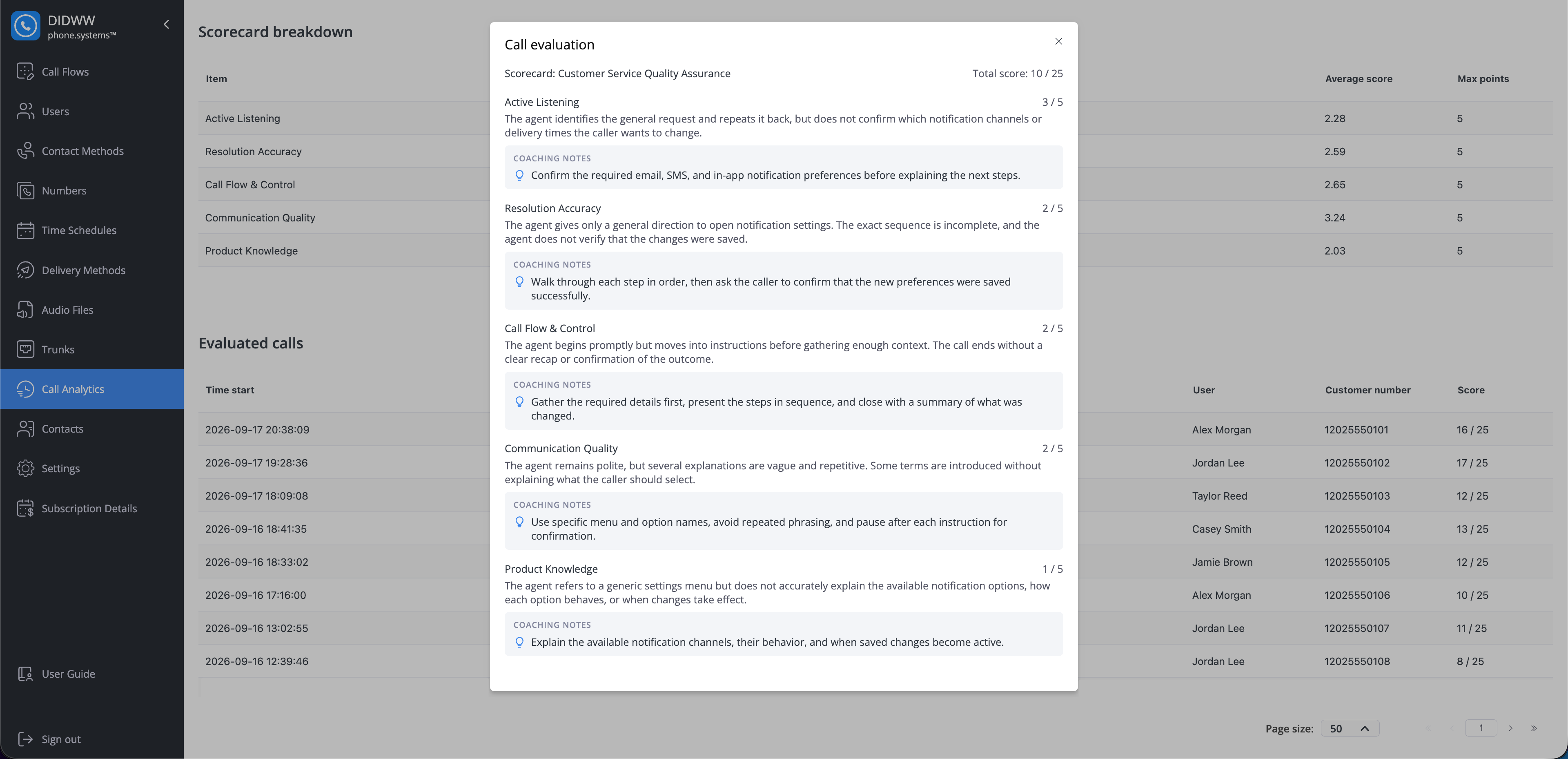
Fig. 5. Evaluated call details#
Why a call may not appear#
A call is not evaluated when:
The required recording or transcript is unavailable.
No active scorecard matches the call direction.
A matching scorecard was inactive when the call was processed.
The call is internal. Scorecards can evaluate inbound calls, outbound calls, both, or incoming calls handled by an AI agent.
The call was handled by an AI agent in a call flow without call recording enabled.
An evaluated call is not displayed when it falls outside the selected date range or was evaluated with a different scorecard.
A call can be evaluated by more than one matching active scorecard. Select each scorecard separately to review its stored results. Changes to a scorecard do not recalculate previously stored scores or AI reasoning.