

Cancel a phone.systems™ Subscription#
You can cancel your phone.systems™ subscription in the DIDWW User Panel. The cancellation takes effect immediately.
Warning
Canceling the subscription deletes all phone.systems™ users and their related data, together with your entire phone.systems™ configuration. This action is irreversible, and the deleted data cannot be restored.
Charges already paid for the current billing period are not refunded.
Your DID numbers are not affected. They remain in your DIDWW account.
To cancel your phone.systems™ subscription:
In the DIDWW User Panel, go to Cloud Phone System.
Click Edit subscription and select Cancel subscription.
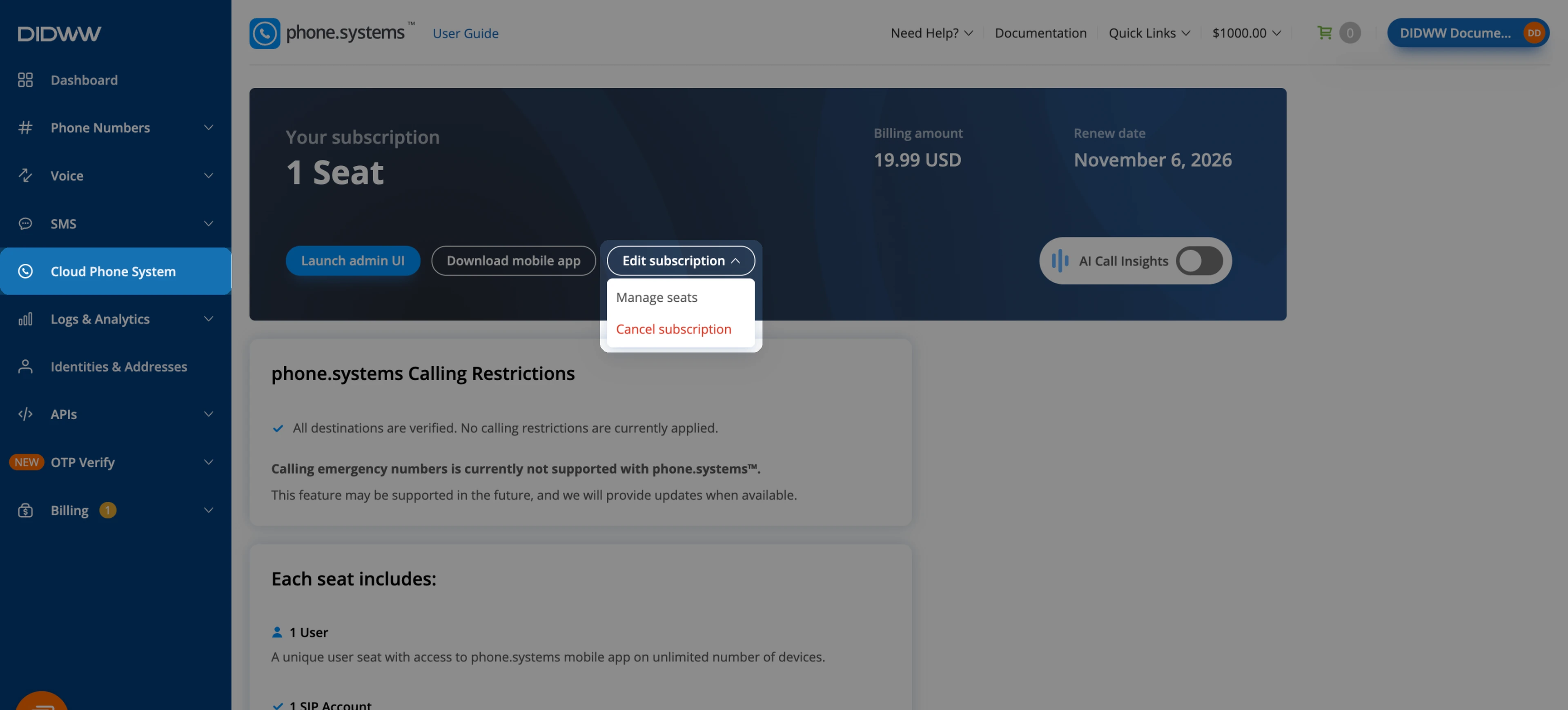
Fig. 1. Edit subscription menu#
In the Cancel phone.systems subscription window, enter the reason in Reason for cancelation and click Next.
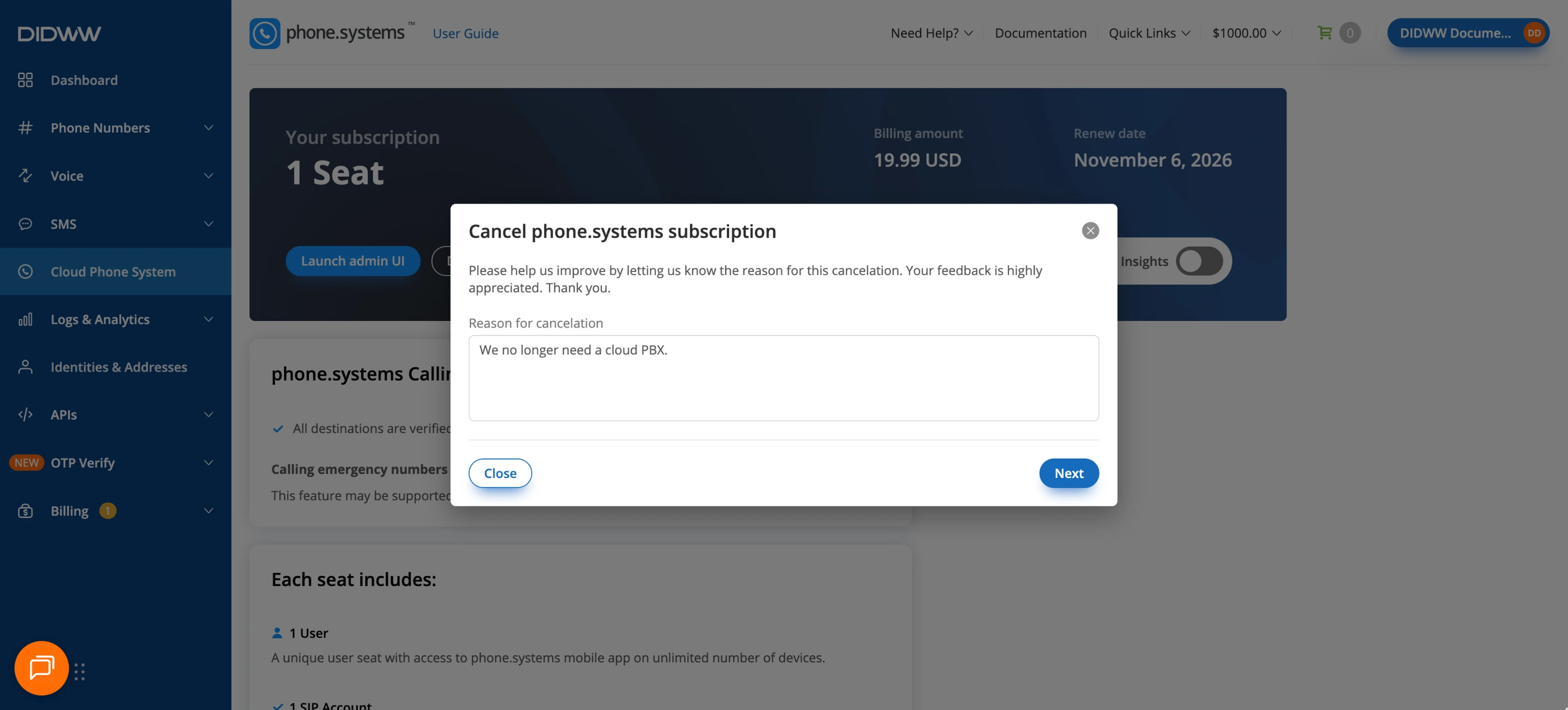
Fig. 2. Reason for cancelation#
Read the warning and select the I acknowledge that all users together with existing configuration will be deleted with no ability to restore it back checkbox.
Click Cancel Subscription.
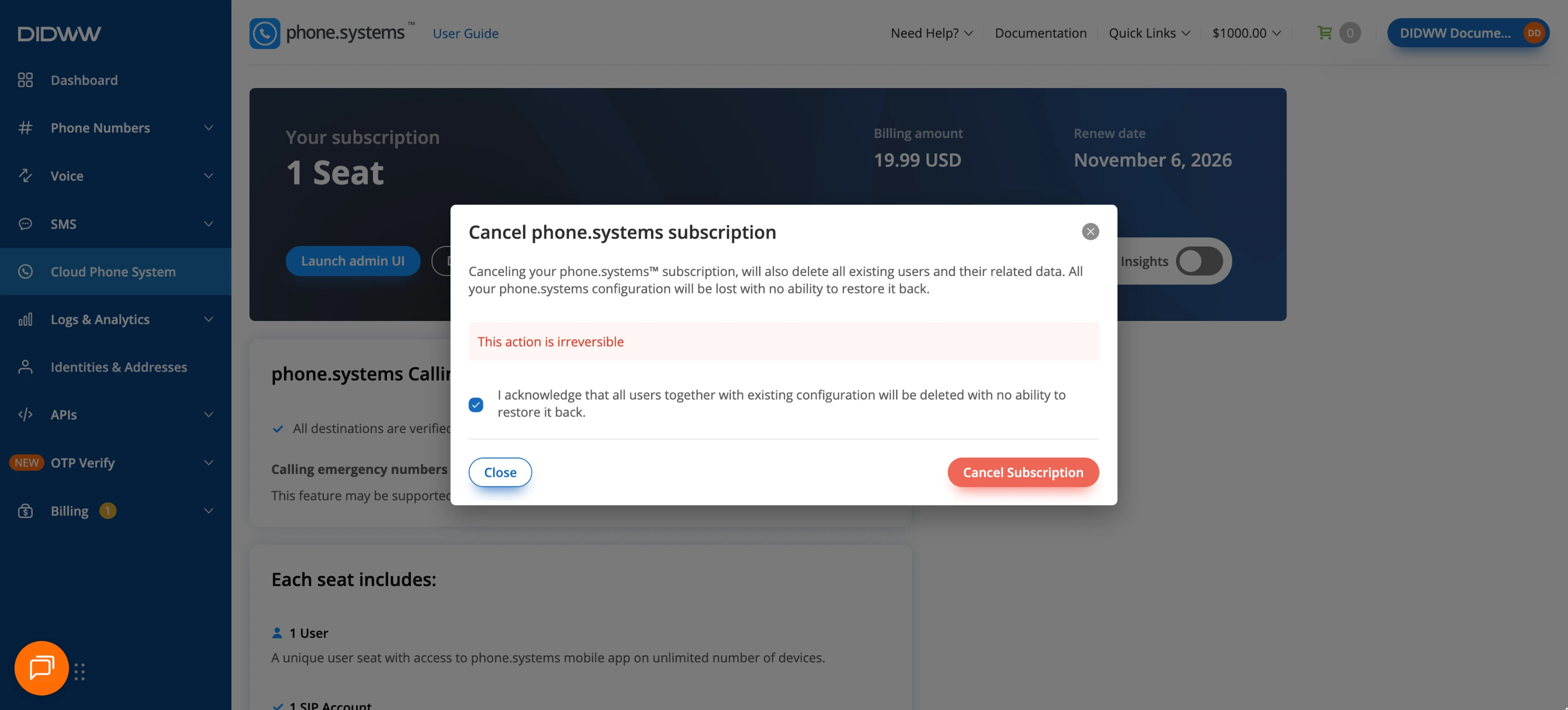
Fig. 3. Confirming the cancellation#
A confirmation message appears, and the Cloud Phone System page no longer shows your subscription. To use phone.systems™ again, start a new subscription with Get Access on the same page.