

Subscribe to phone.systems™#
Start your phone.systems™ subscription in the DIDWW User Panel. The subscription is billed per seat, and each seat includes one user, one SIP account, one SIP forwarding, and one PSTN forwarding contact method. For details, see Subscription Details.
In the DIDWW User Panel, go to Cloud Phone System.
Click Get Access.
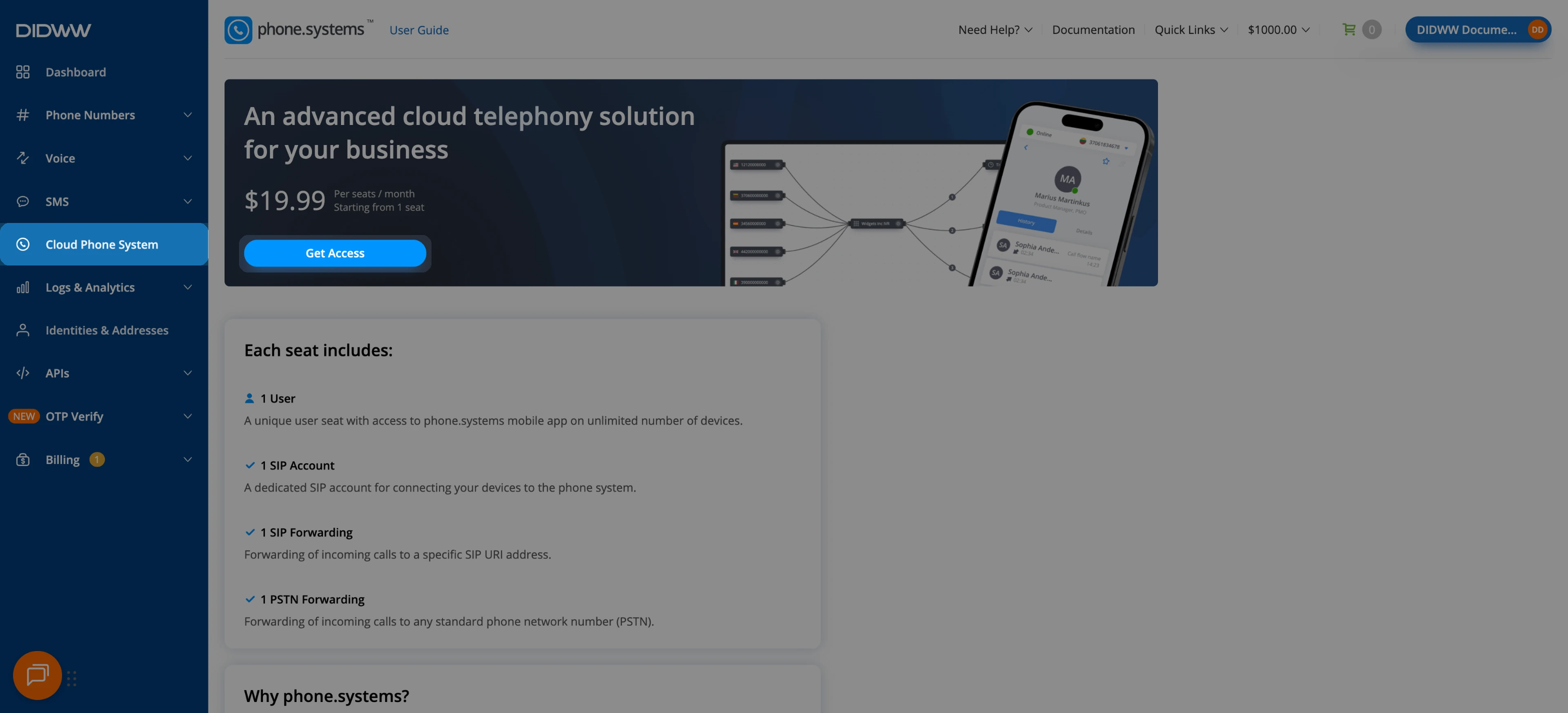
Fig. 1. Cloud Phone System page#
In the Get access to phone.systems window, set the number of Seats with the − and + buttons, or enter the number in the field.
Review the Billing period, VAT, Next billing amount, and Total.
Click Buy Now.
The Total is charged from your DIDWW account balance immediately. Make sure the balance covers it before you click Buy Now.
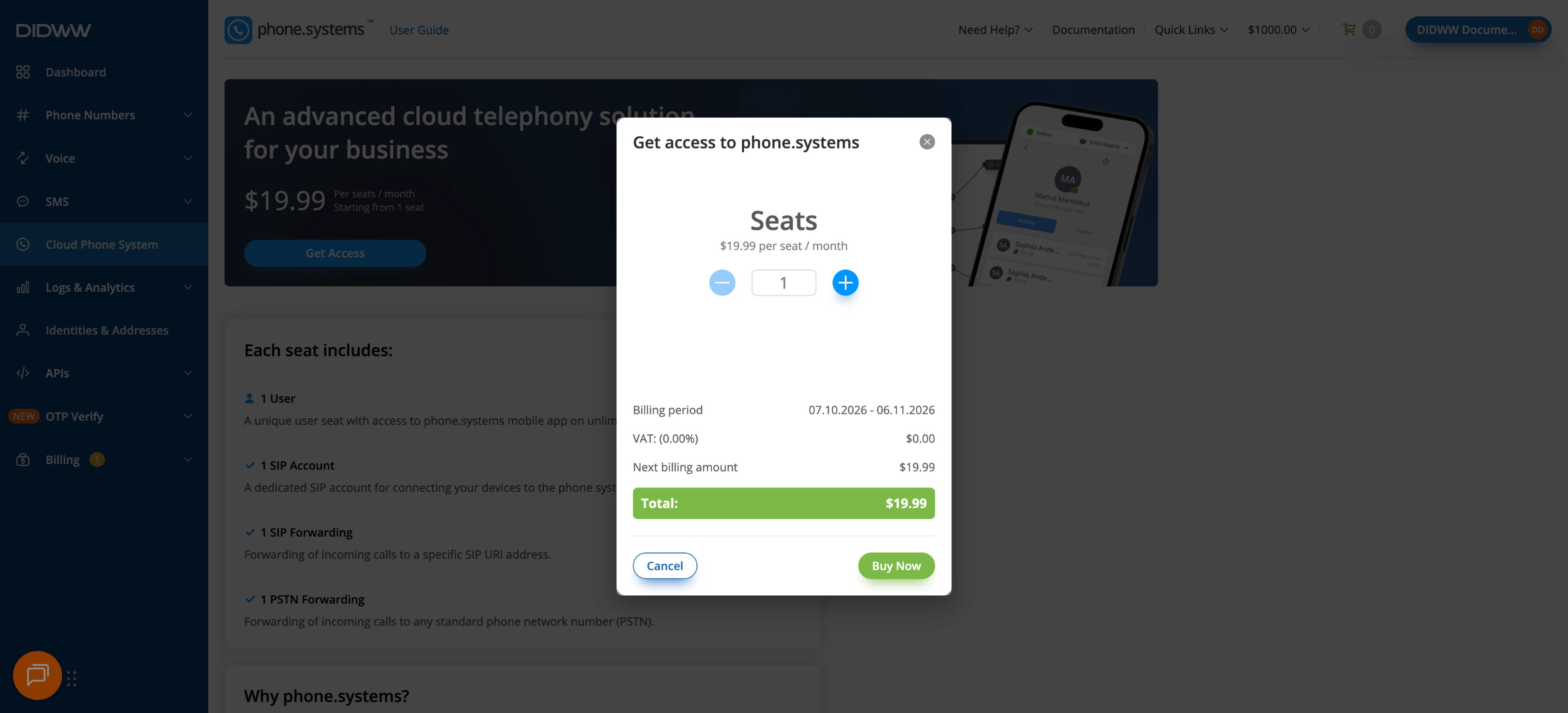
Fig. 2. Selecting the number of seats#
A confirmation message appears, and the Cloud Phone System page shows Your subscription with the number of seats, the Billing amount, and the Renew date. The subscription renews monthly on the Renew date.
Click Launch admin UI to open phone.systems™ and start configuring your account. To change the number of seats or cancel later, use Edit subscription. For details, see Manage phone.systems™ Seats and Cancel a phone.systems™ Subscription.
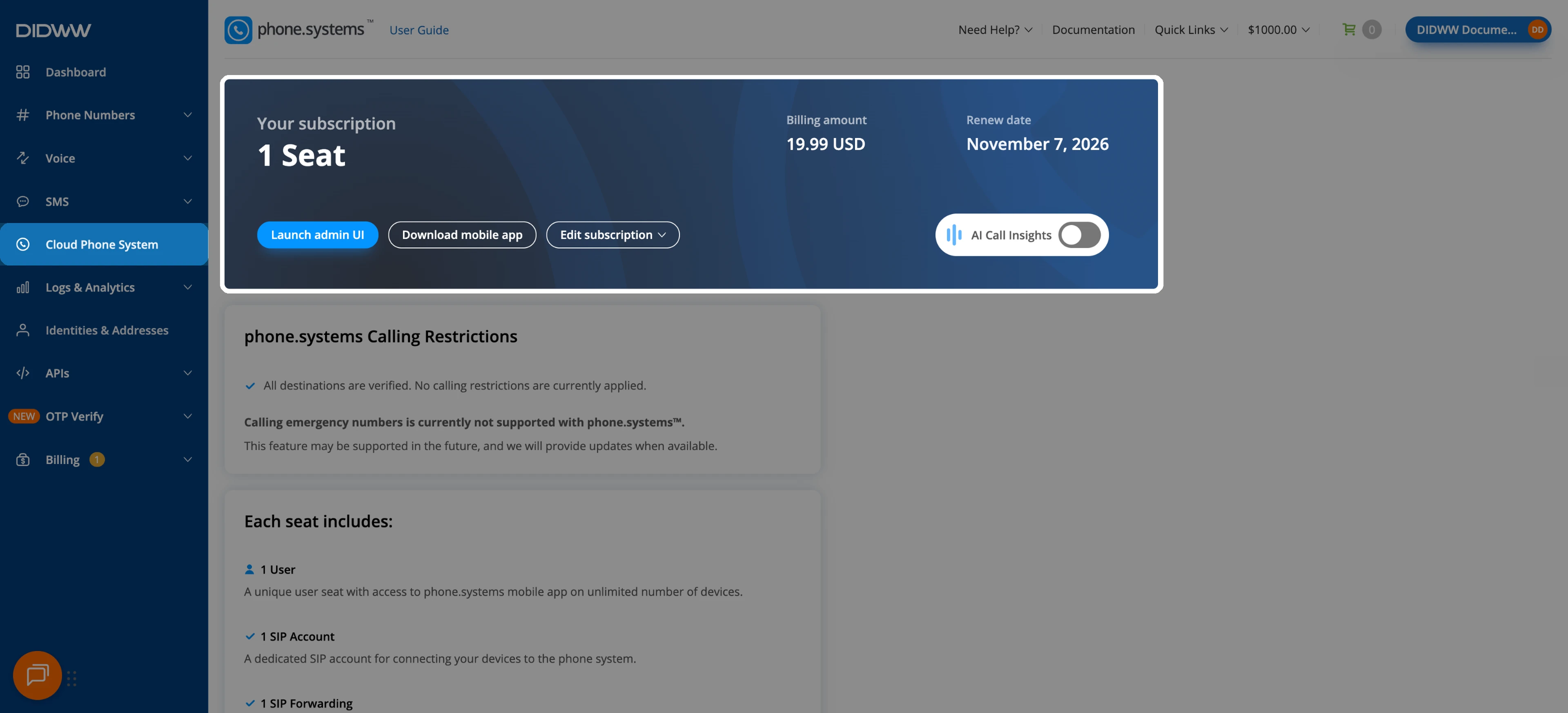
Fig. 3. Active subscription#