

Dial Plan#
The Dial Plan shows where phone numbers and internal numbers are routed in phone.systems™. Each entry connects a number to a destination. The Routing Settings determine when phone.systems™ checks the Dial Plan and when a call is sent outbound.
Each Dial Plan entry consists of:
Number: The phone number or internal number being routed.
Destination type: The type of destination that receives the call.
Destination: The configured name of the destination.
The Destination type shows how the call is routed:
Reject: Reject the call.
Outbound: Send the call outbound.
Call Flow: Route the call to a Call Flow through its automatically created Start component.
Mobile App: Route the call to a user’s App Configuration.
SIP Device: Route the call to a registered SIP Account.
External Account: Route the call to an external account.
PSTN: Route the call through a PSTN Forwarding contact method.
SIP Route: Route the call through a SIP Forwarding contact method.
For destination types that use a configured phone.systems™ resource, the Destination column shows the name of that resource.
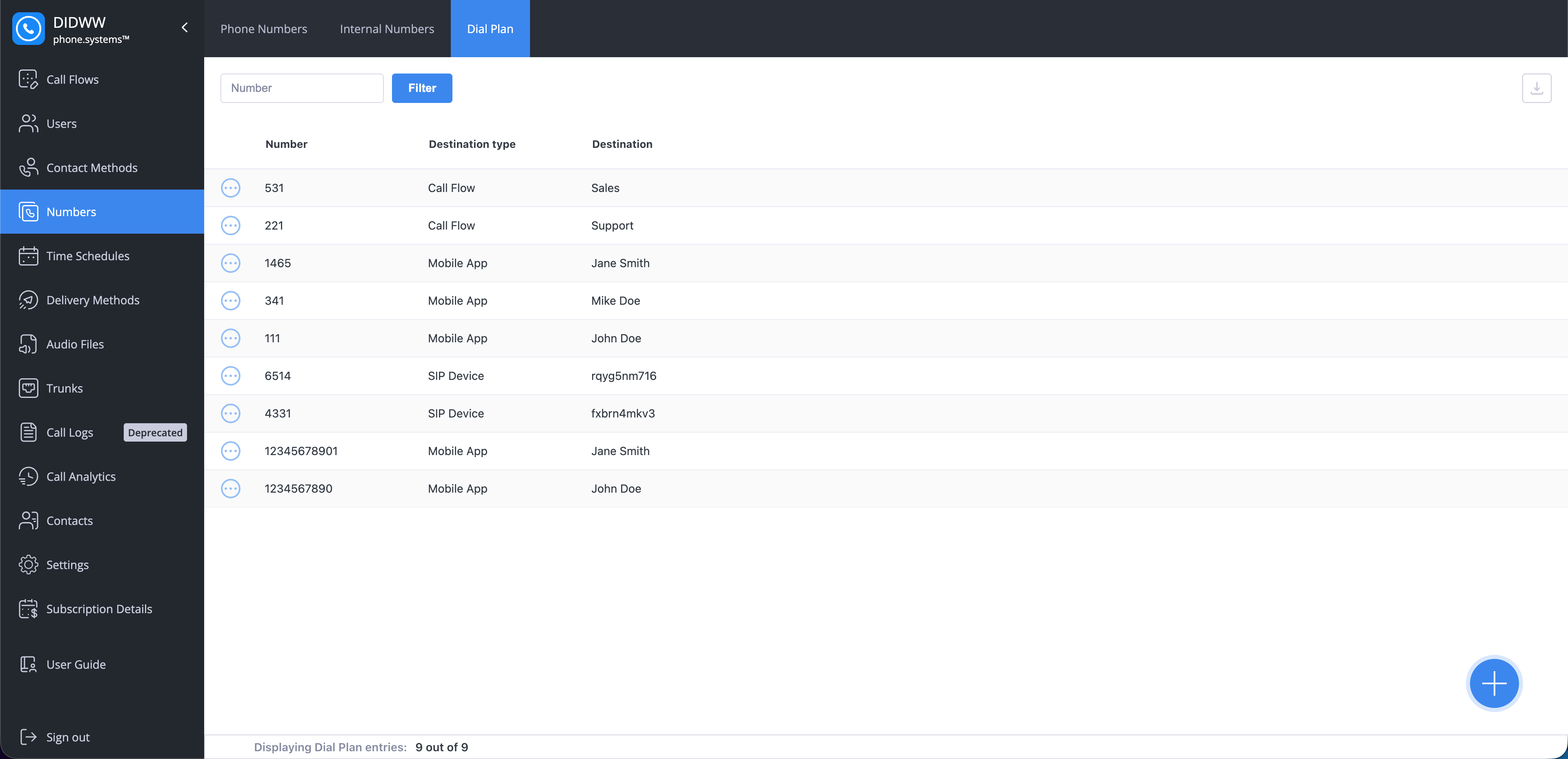
Fig. 1. Dial Plan.#
Create Dial Plan entry#
Create an entry to route a phone number or internal number to a destination.
In phone.systems™, go to Numbers.
Open the Dial Plan tab.
Click the + button.
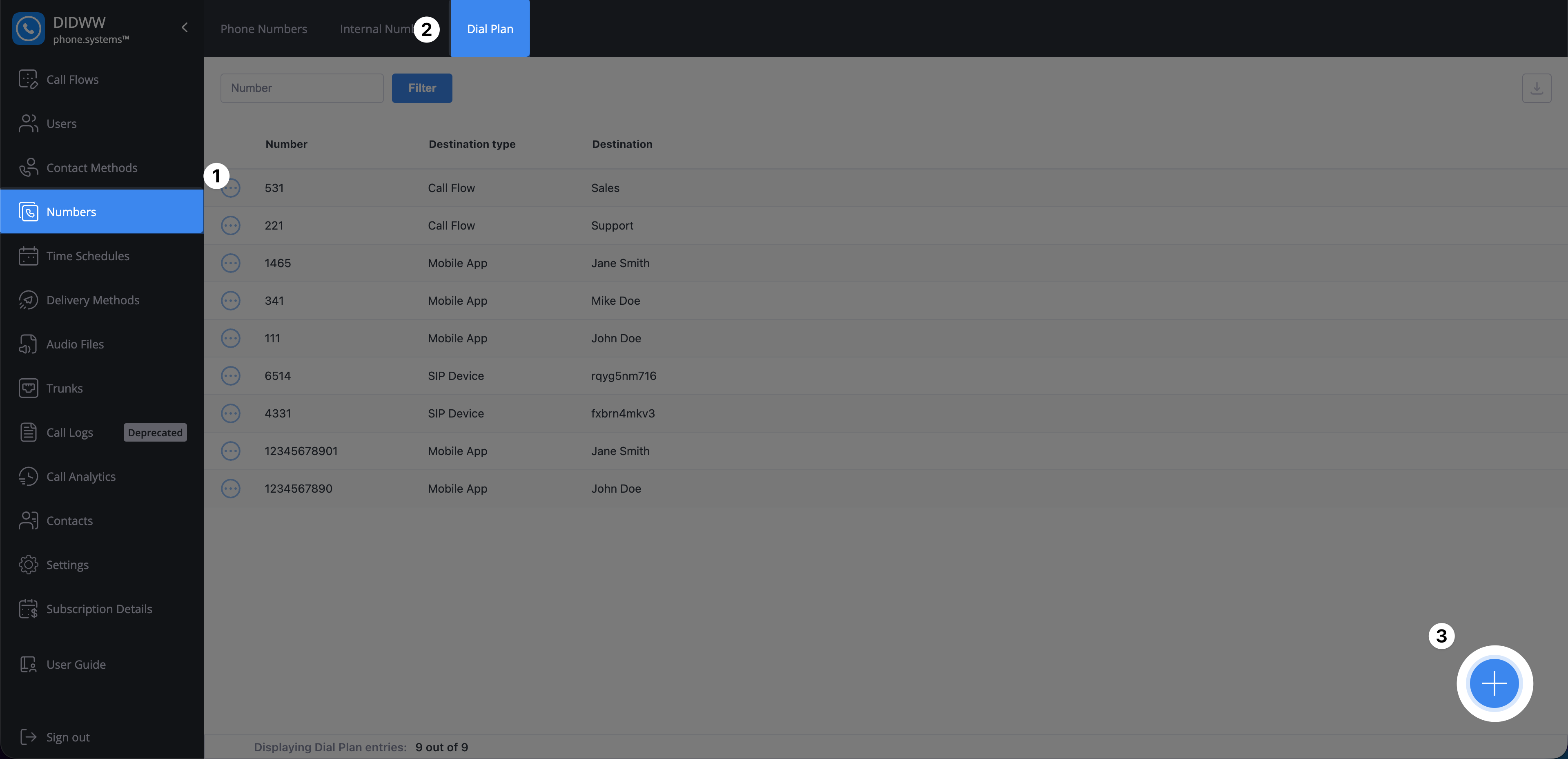
Fig. 2. Opening the Dial Plan entry creation form.#
In Number, select the phone number or internal number to route.
In Destination, select where calls to the number should be sent.
Click Save, or click Save and add another to create another entry.
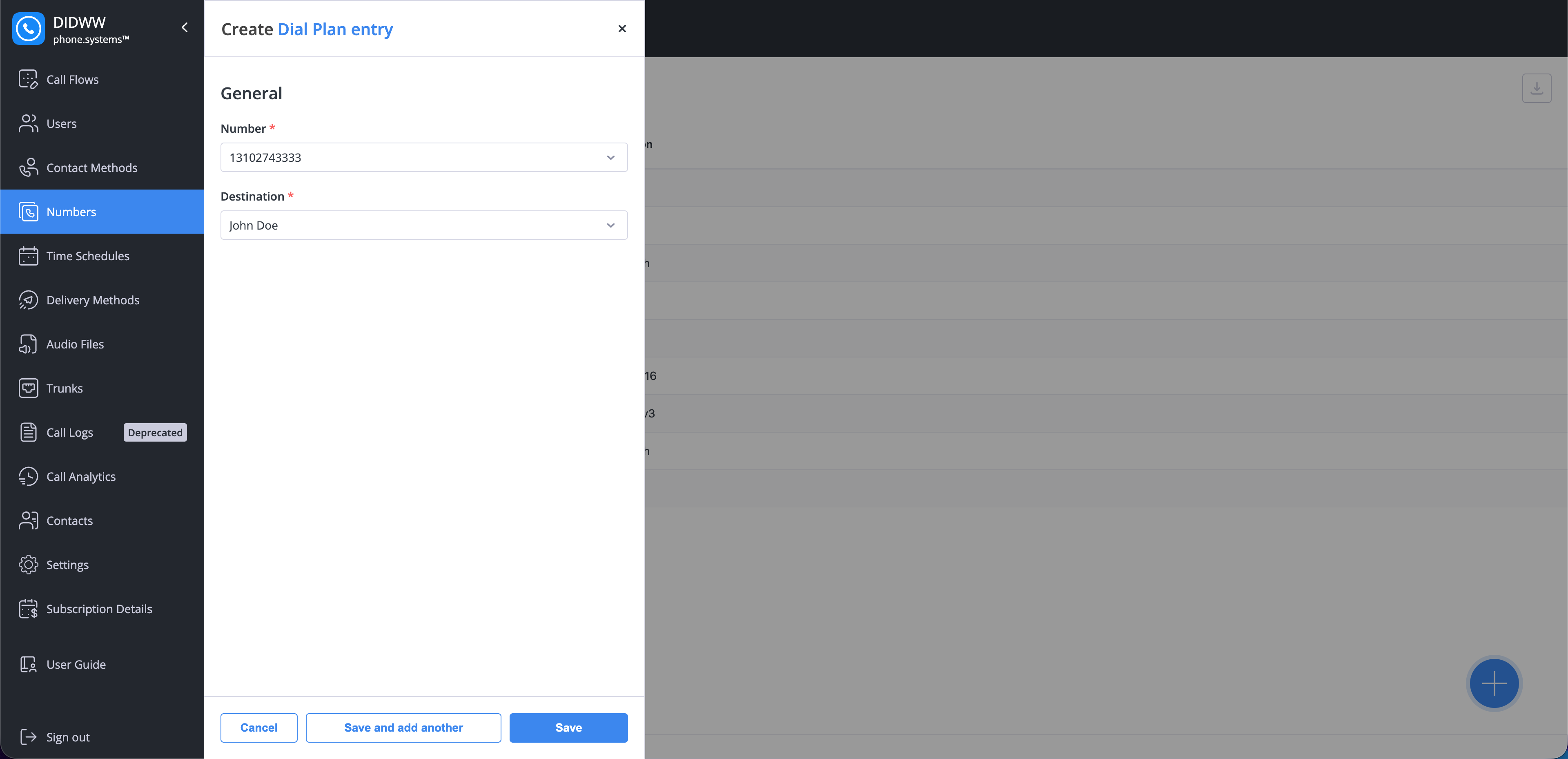
Fig. 3. Creating a Dial Plan entry.#
Delete a Dial Plan Entry#
Remove an entry when the number should no longer be routed to its current destination.
In phone.systems™, go to Numbers > Dial Plan and locate the entry.
Open its actions menu and select Delete.
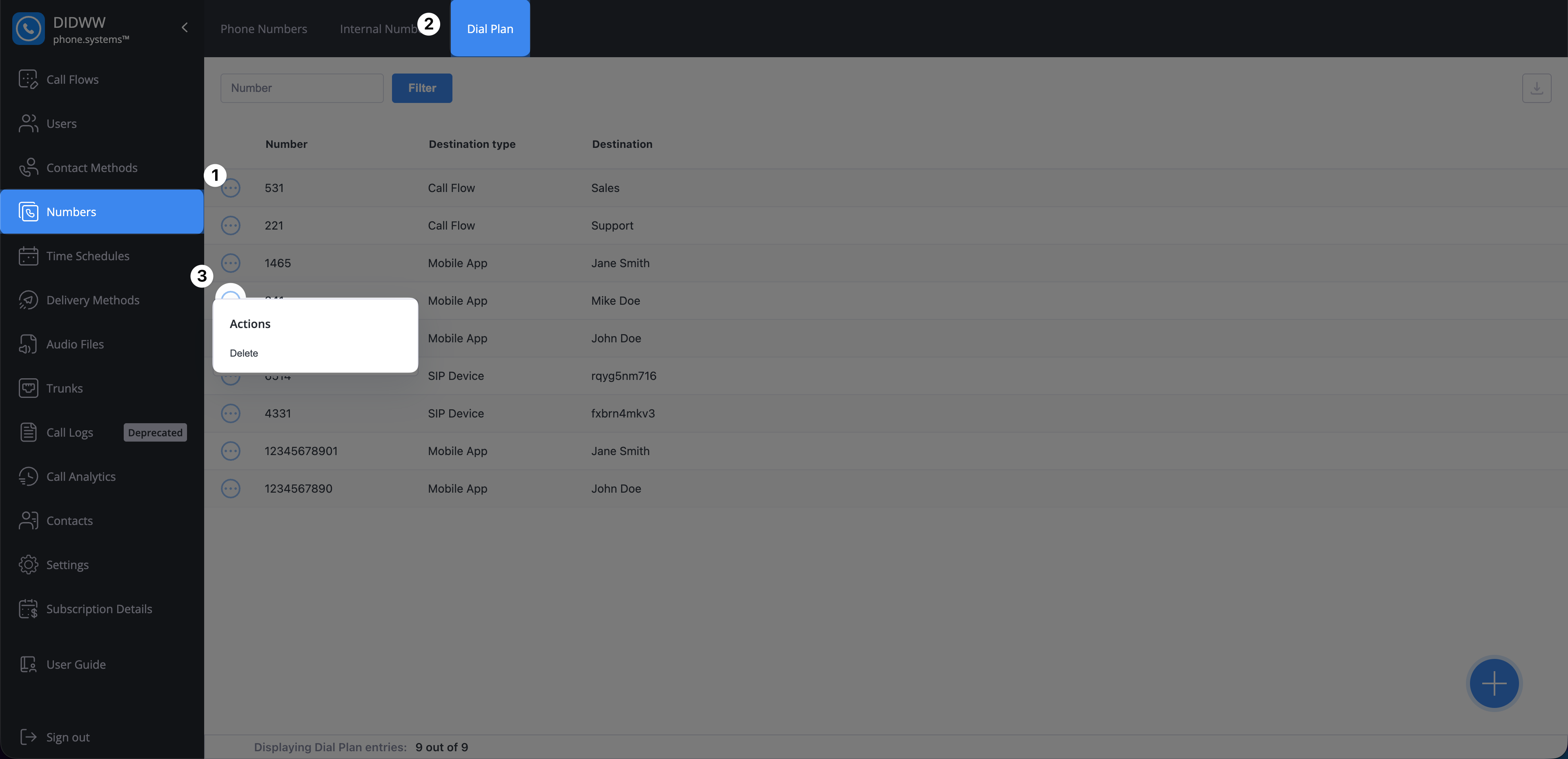
Fig. 4. Opening the actions menu for a Dial Plan entry.#
Click Delete to confirm.
After the entry is deleted, calls to that number are handled according to your Routing Settings.
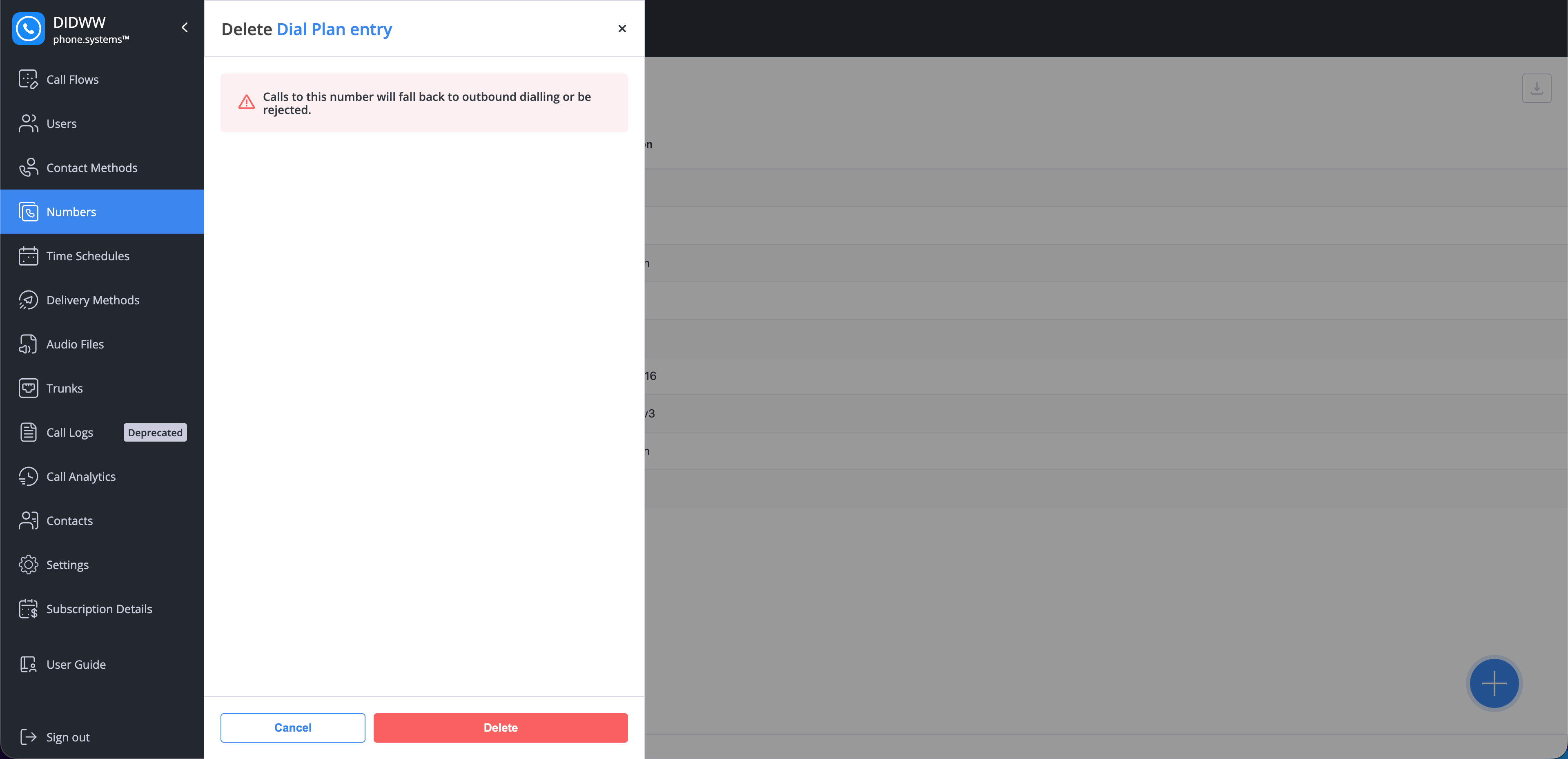
Fig. 5. Deleting a Dial Plan entry.#