

Delivery Logs#
Use Delivery Logs to track and review every file delivered by phone.systems™ services (such as Voicemail, Call Recorder, and Fax) to your configured destinations (Email, Dropbox, Google Drive, OneDrive, FTP, SFTP).
Filtering Delivery Records#
Use filters to quickly find specific delivery attempts based on time, method, or status.
Field |
Description |
|---|---|
Time Range |
Predefined or custom range of dates and times to filter the delivery logs (e.g., Today, Last 24 hours, This week, Custom range). |
Delivery Type |
Filters deliveries by destination type (Email, Dropbox, Google Drive, OneDrive, FTP, SFTP). |
Delivery Name |
Filters results by the friendly name assigned to a delivery method. |
Status |
Filters records by delivery result (e.g., Delivered successfully, Failed). |
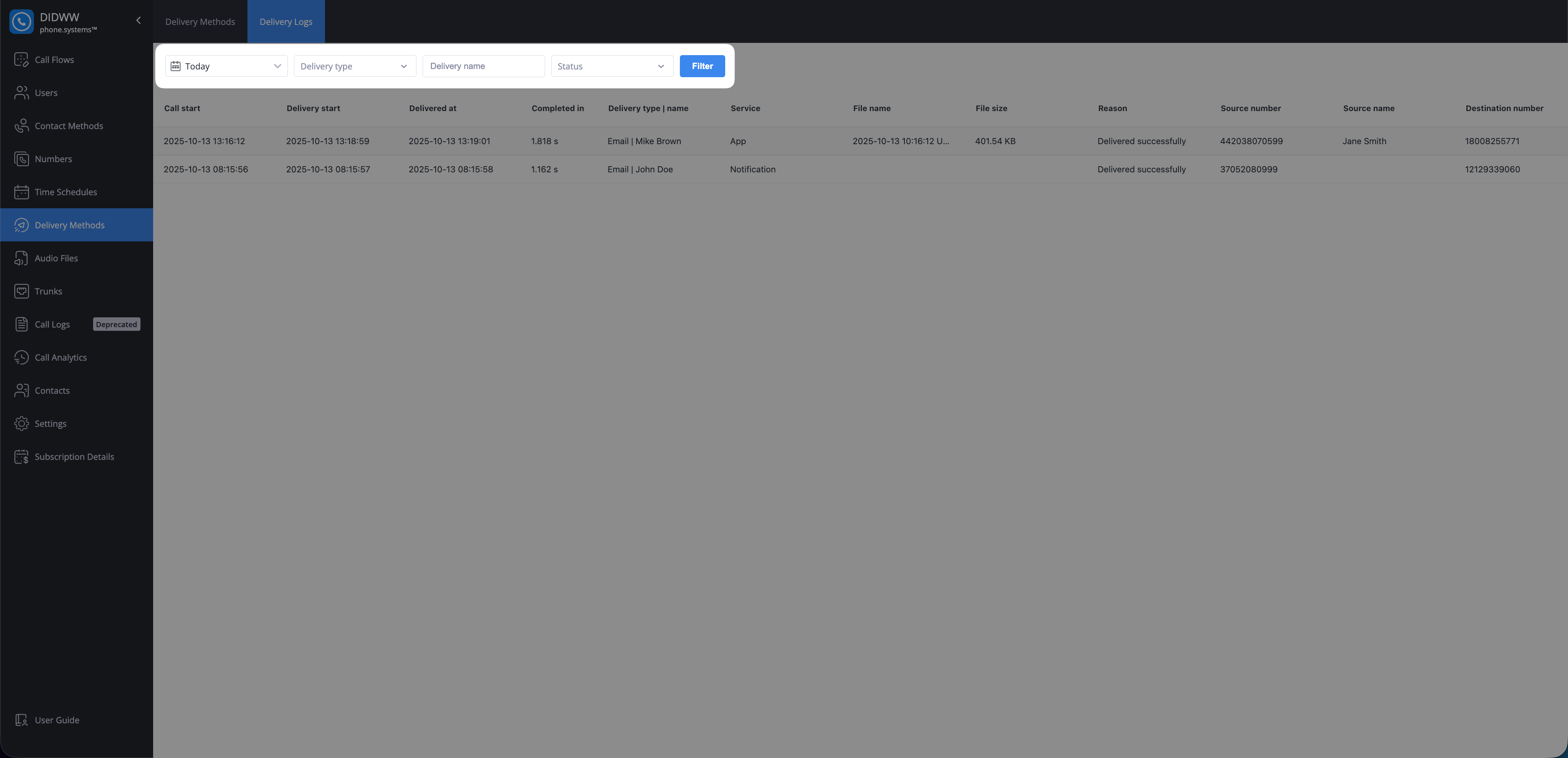
Fig. 2. Delivery Log Filters#
Delivery Log Details#
Each row in the Delivery Logs table represents one file delivery attempt and shows detailed information about its progress and result.
Field |
Description |
|---|---|
Call Start |
The date and time when the related call began. |
Delivery Start |
The date and time when phone.systems™ initiated the file delivery. |
Delivered At |
The date and time when the delivery was completed. |
Completed In |
The total time taken from initiation (Delivery Start) to completion (Delivered At). |
Delivery Type | Name |
The delivery method type and the friendly name assigned to it (e.g., Email | Voicemail Delivery). |
Service |
The originating service that generated the file (e.g., App, Notification, Voicemail). |
File Name |
The name of the delivered file. |
File Size |
The size of the delivered file. |
Reason |
System message indicating the delivery outcome (e.g., Delivered successfully or a delivery error message). |
Source Number |
The phone number from which the call originated. |
Source Name |
The name associated with the caller, if available. |
Destination Number |
The phone number that received the call. |
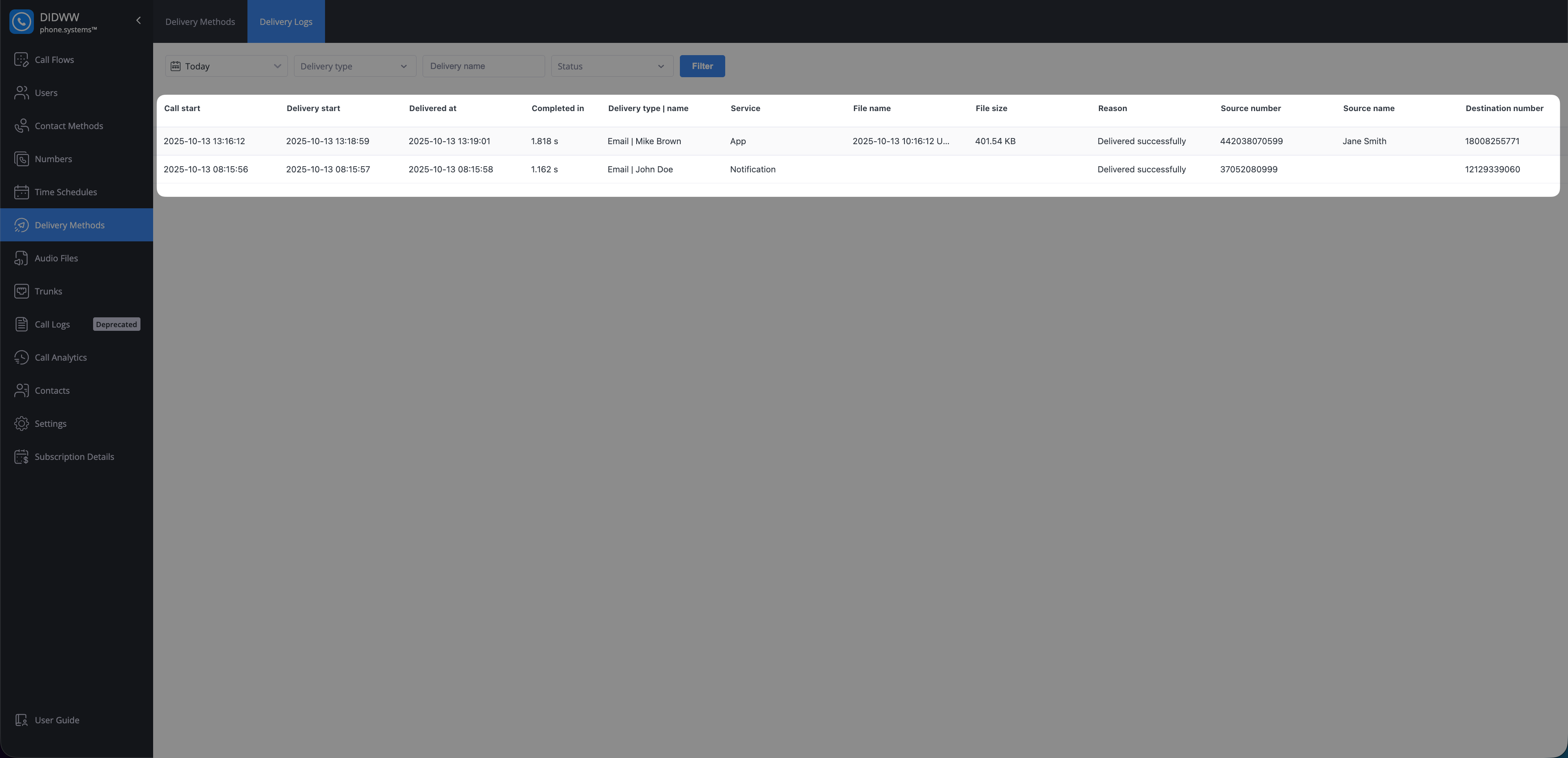
Fig. 3. Delivery Logs Fields#